
vacation ooo out of office
Important: To have OoO up and running, I-MATH Zimbra users have to setup OoO three times!
- on Zimbra as described below
- on Outlook as described below
- on Outlook even for 'Send replies outside of your organization'
Zimbra
- Log onto the webmail interface mail.math.uzh.ch
- Go to
Preferences > Mail > (scroll the big right window down) Receiving Messages > When a message arrives: Send auto-reply message: ...
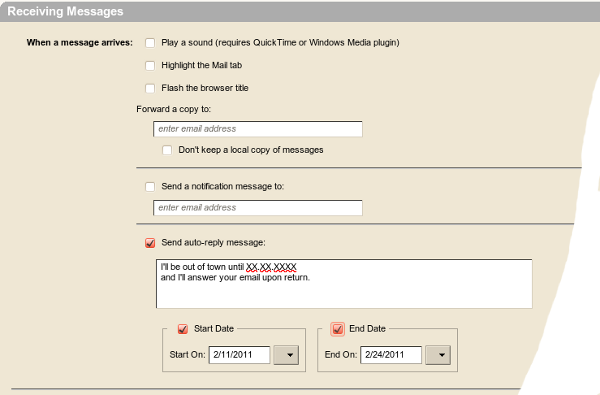
- Press
Save
Please be aware: Notifications will only be sent once a week per person. This means, if you send a testmail to yourself on Monday, you will receive the automatic reply. If you send a second testmail to yourself 5 days later, you will not!
outlook.com
- https://support.microsoft.com/en-us/office/set-up-auto-reply-out-of-office-cc0e480f-973e-4412-a27b-8a52108d6d51
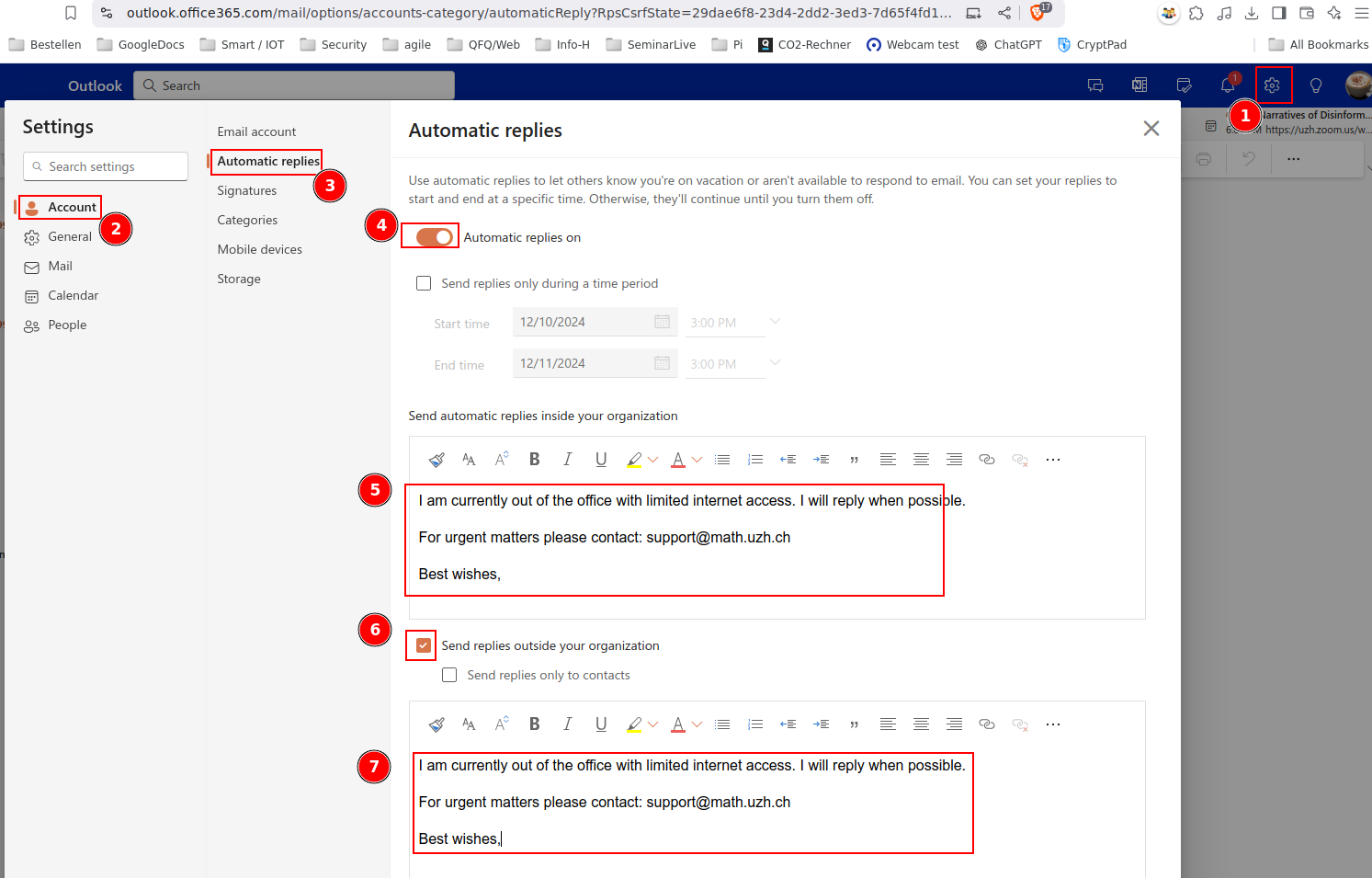
- Take care that you put your OoO message two times in the 'automatic reply'-Settings:
- Send automatic replies inside your organization
- Send replies outside of your organization
No comments to display
No comments to display