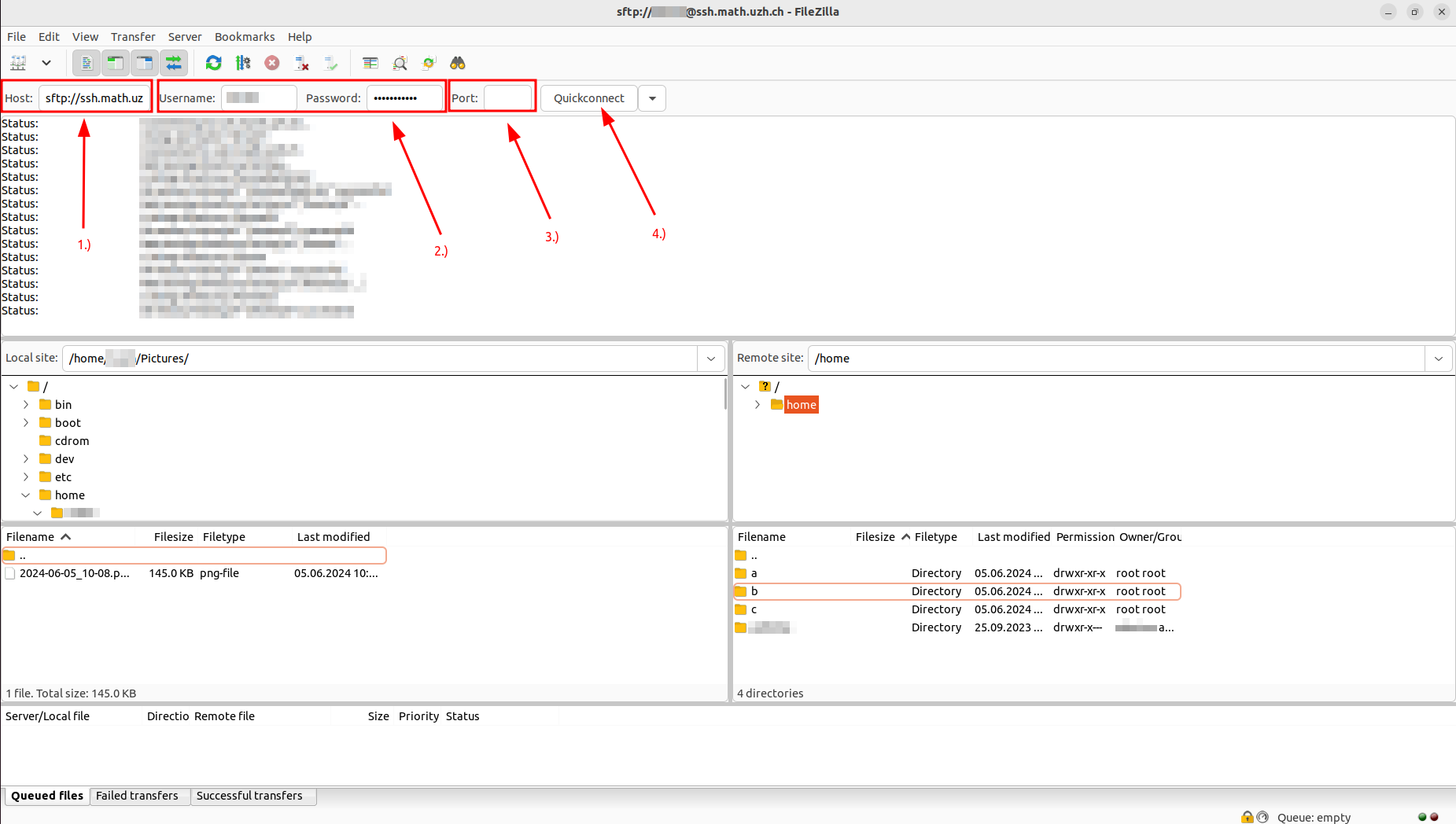
1.) Insert destination host, e.g. "ssh.math.uzh.ch"
Add sftp:// in front of the host (This is the transfer protocol)
2.) Insert credentials of your IMATH-Account
3.) Insert Port
Port 22: for sftp-protocol
4.) Press "Quick Connect" to build the connection
To transfer your files, you need to set the "Local Site" directory as well as the "Remote Site" directory (The remote site directory is where your files will be transferred to)
Select your files on the "Local Site" --> Press right click --> Press upload --> The files should now be uploaded to the "Remote Site" directory


No comments to display
No comments to display