
Thinlinc MFA login
SSH/ThinLinc: GUI client
The authentication process is the same when a GUI client like !ThinLinc client is used. However, this method is least friendly for the initial configuration: the displayed text cannot be copied. Because of this we suggest other ways to configure the MFA initially.
1. Please login over ssh or with !ThinLinc. If no MFA device is configured yet, a selection of options is shown.
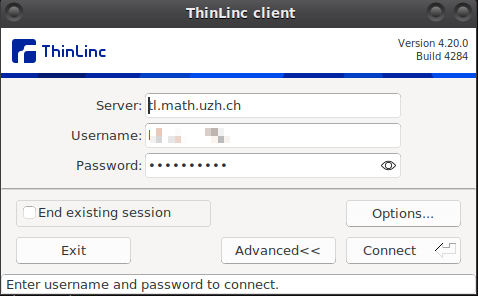
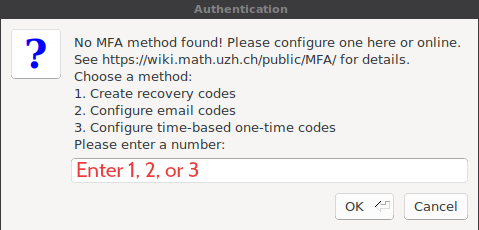
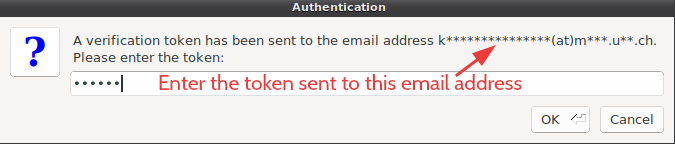
2. The easiest one to configure is email, but all three choices are possible:
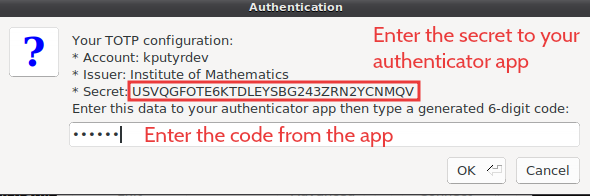
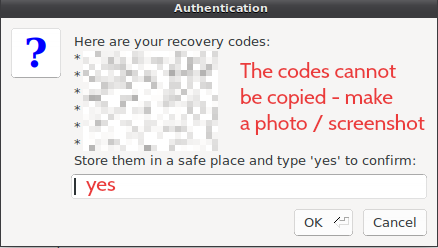
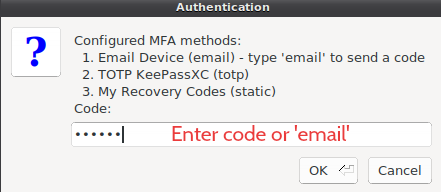
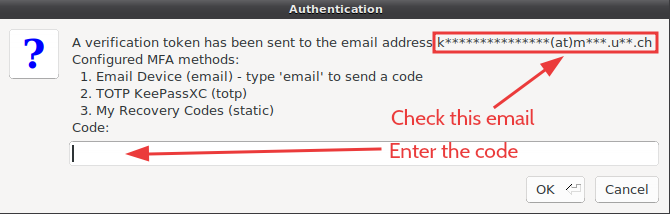
3. If the second factor is configured, a list of methods is shown and you can use a code from any of them. Type email to request an email code - an email is sent automatically only when it is the only method.
No comments to display
No comments to display