
Microsoft Authentication
For IMATH/DM3L authentication, please check here.
Sign in methods
- Manage sign in options: https://mysignins.microsoft.com/security-info
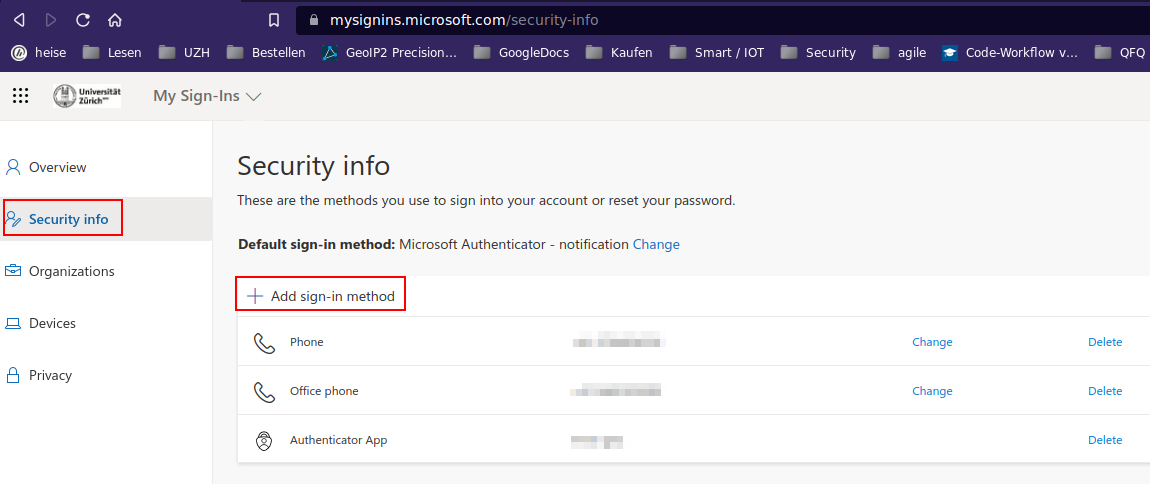
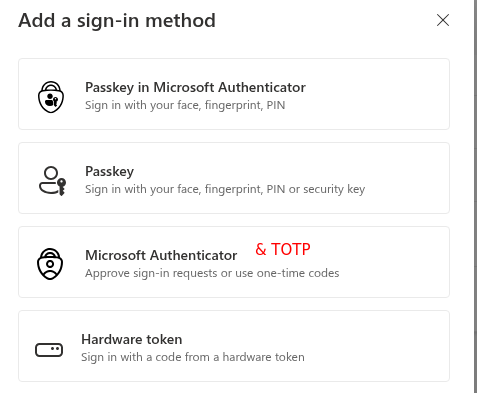
- The default way is to use the Microsoft Authenticator App.
- Disadvantage of Microsoft Authenticator App: it binds to one device. An app registered Office365 account can only be unlocked with the specific device - what happens if your phone is broken?
- Install the App on your phone (follow the links in the webinterface), start it on the phone, add the QR code.
- Alternative to Microsoft Authenticator: KeePassXC
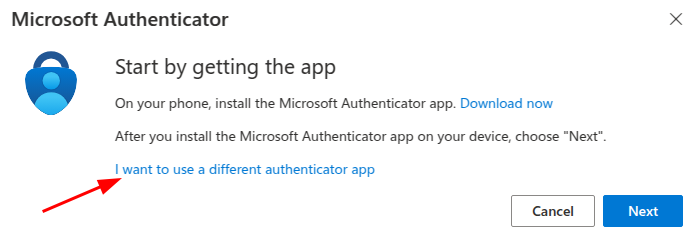
- After choosing 'Microsoft Authenticator App', also an alternative app can be selected (see below).
- Choose 'I want to set up a different authenticator app' when setting up your Microsoft Account.
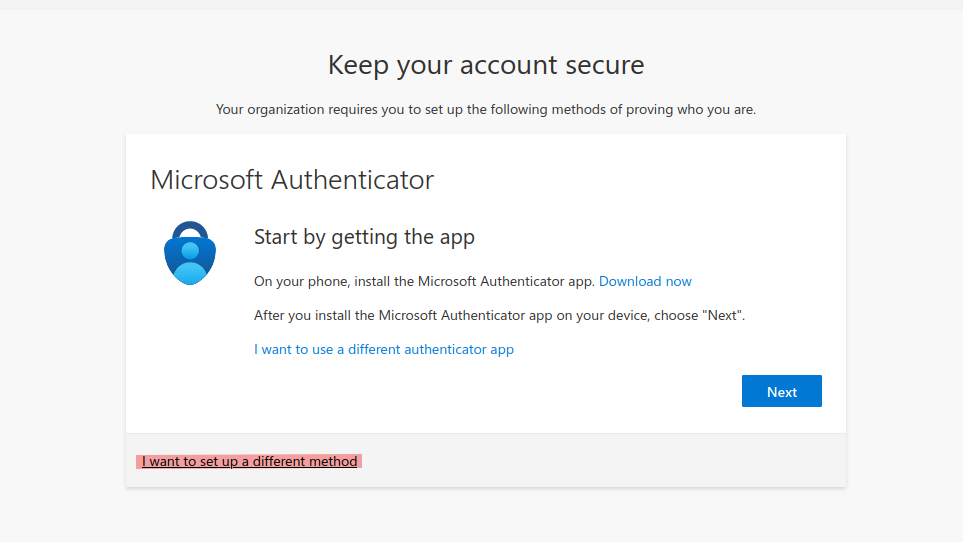
Add third party TOTP app (like KeepassXC)
Adding and removing factors: the system might ask again for authentication, even if you are still logged in!
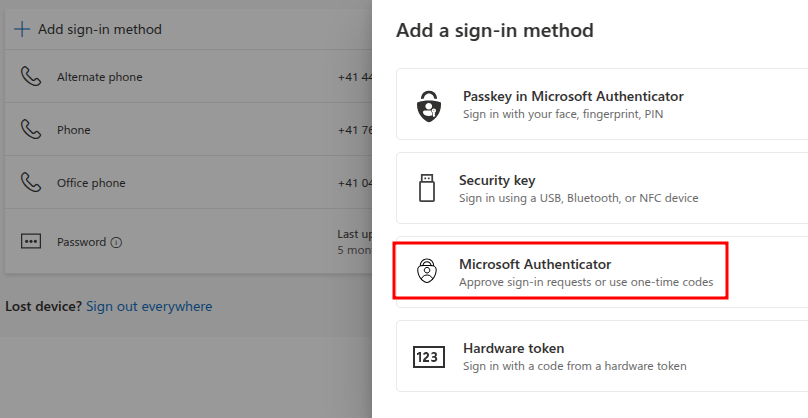
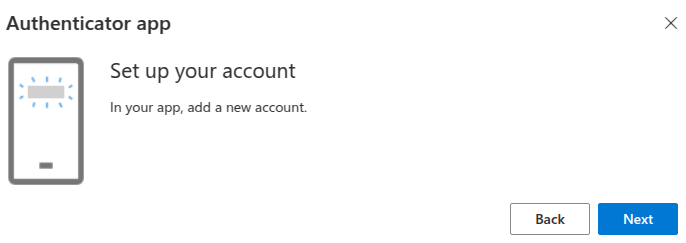
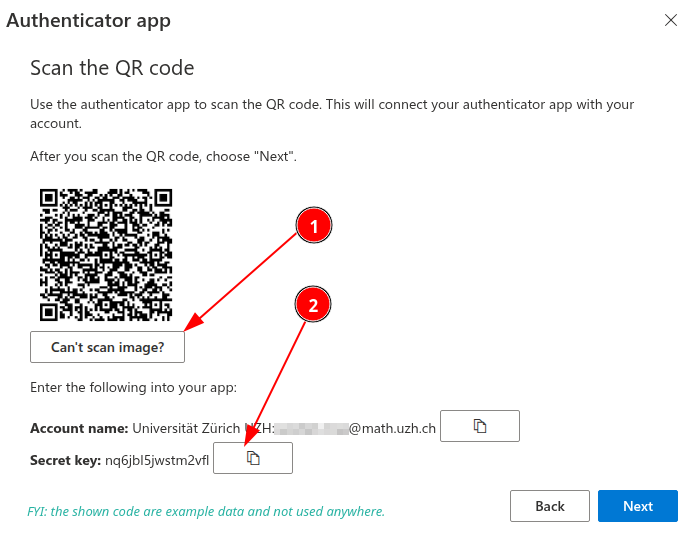
If you use KeepassXC, add such 'Secret Key' as TOTP - Check section TOTP.
Authentication method
- Authentication methods have fixed priorites (not changeable by user).
- The highest priority has 'MS Authenticator'. If this method is configured, this is always the default.
- Via "Sign in another way" you can choose TOTP or ...
- If TOTP is not offered, please go to https://mysignins.microsoft.com/security-info, click on 'Change' and select the TOTP or phone method.
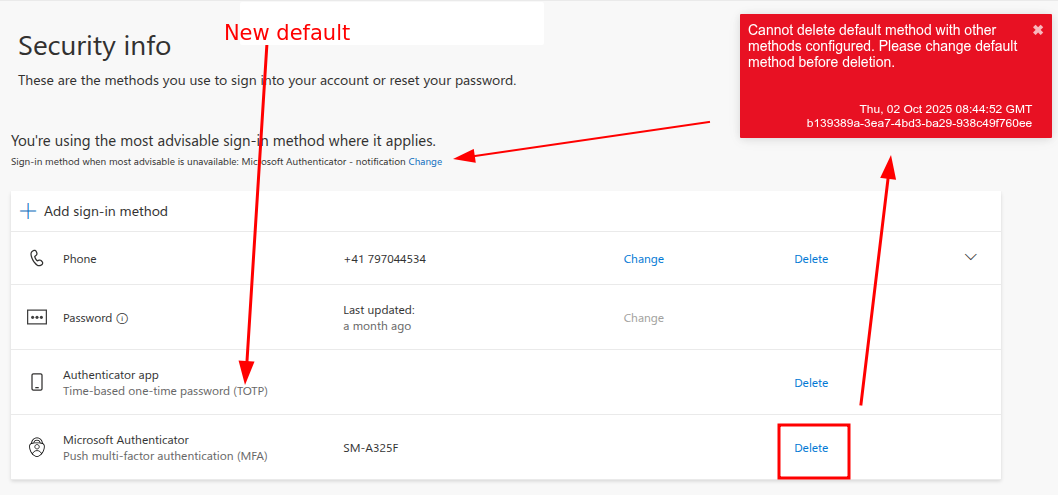
- To change the the default authentication method, you have to remove methods with a higher priority. E.g. the 'MS Authenticator App'.
- in case when you click on 'delete' and you get an error, please change via "Sign-in when most... CHANGE" to TOTP or Phone.
MS Websites
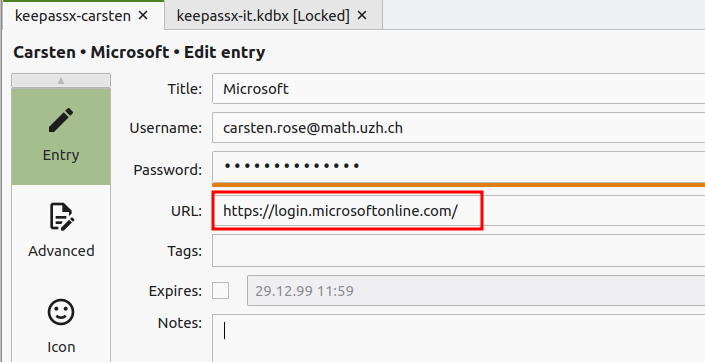
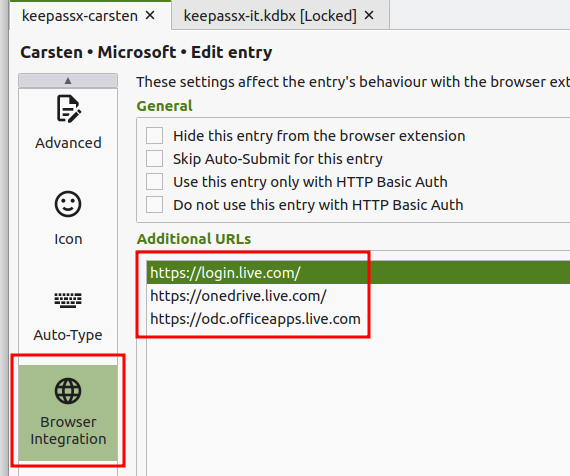
Best is to add the following websites to the personal KeepassX Account:
- https://login.microsoftonline.com/
- https://login.live.com/
- https://onedrive.live.com/
- https://odc.officeapps.live.com
Lost Access
- If you lost access to your Microsoft Account, you can contact the ZI Support and ask them to reset your Accounts Authentication settings.
- ZI Support Contacts:
- Self-Service Portal: https://support.uzh.ch/
- More Information: https://www.zi.uzh.ch/en/support.html
- After the reset, log in to your Microsoft Account and follow the steps listed under Method to set up your Microsoft Authentication
No comments to display
No comments to display