Skip to main content
windows
I-MATH Printer
Printing from private notebooks to the institutes printer is only possible (UPP is fine) via LAN (=cable) and not via WLAN. The notebook/LAN Adapter has to be assgined to DMZ (ask I-MATH Support to do so).
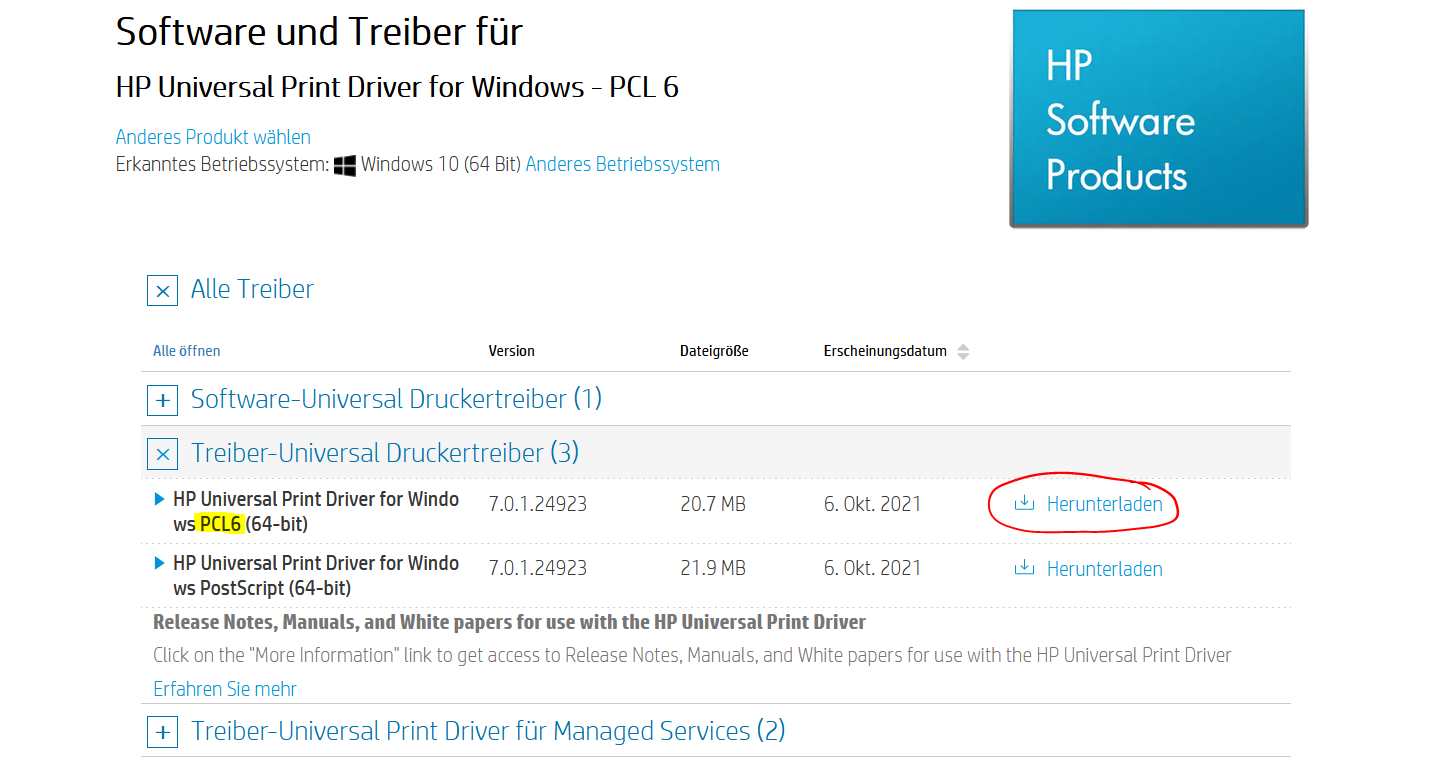
Install HP Universal Driver
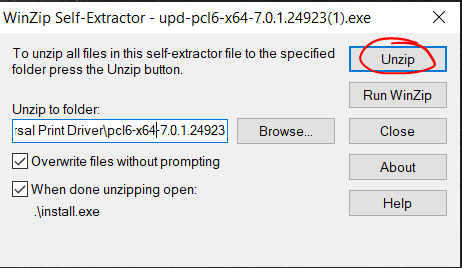
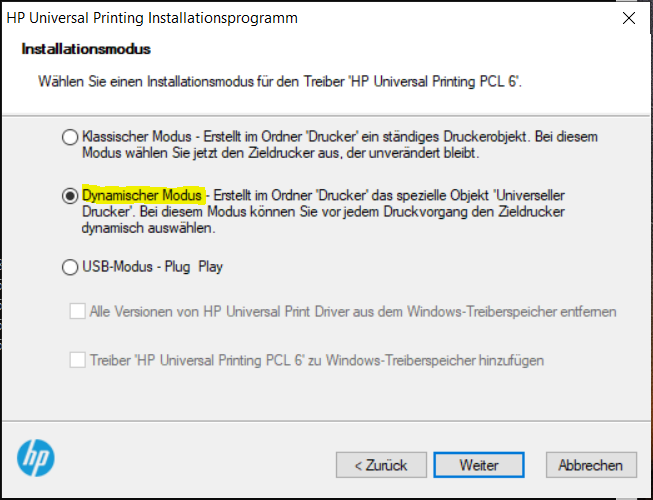
Run the downloaded file and follow the steps in the screenshots
Unzip the Files
Add Printer
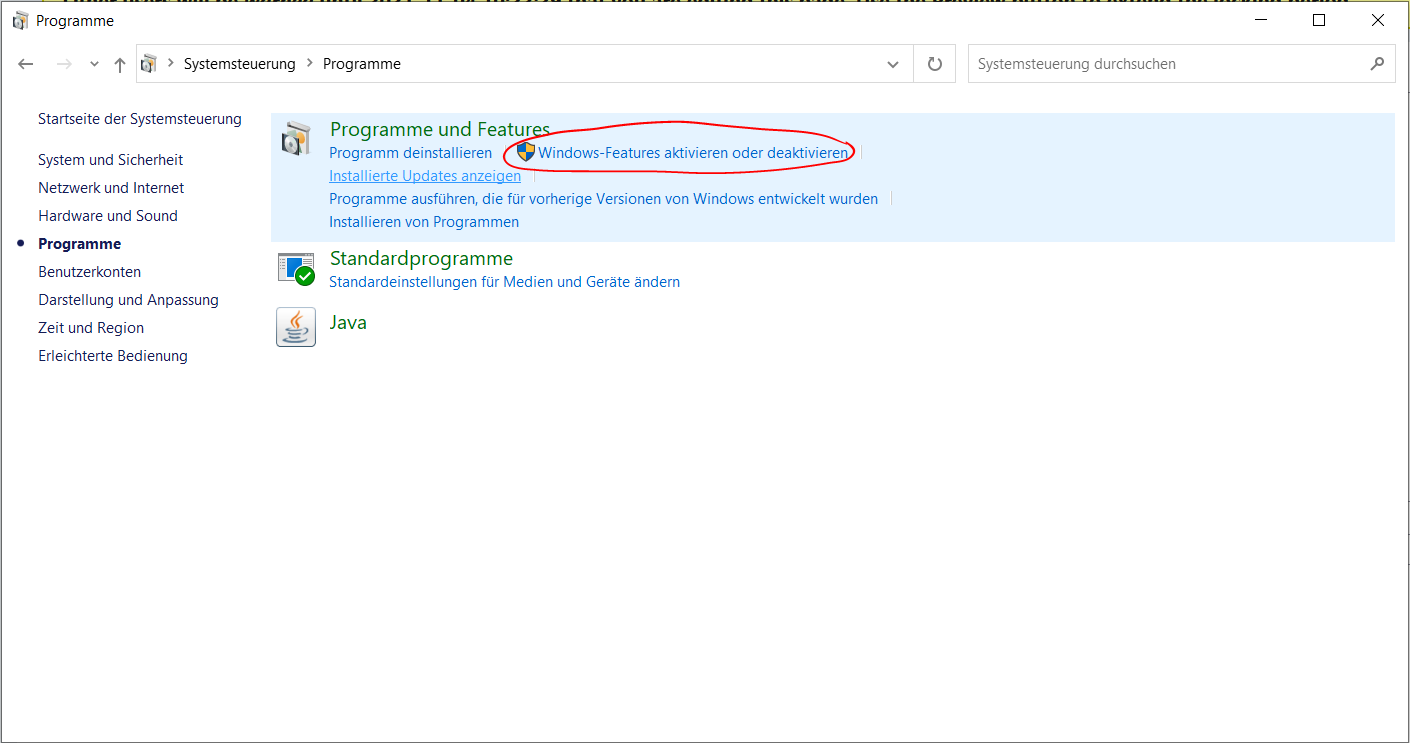
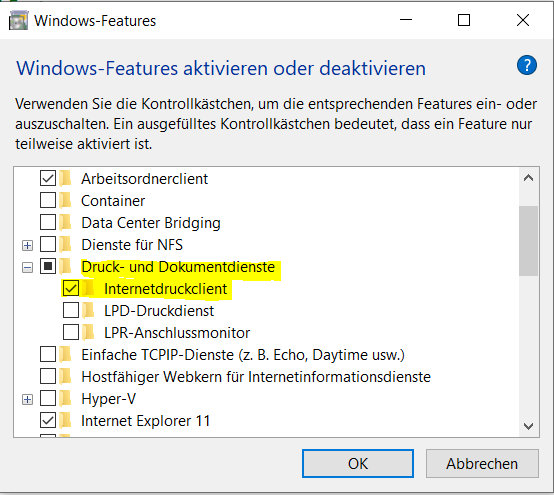
Go to Control Panel > Programs and click 'Turn Windows features on or off'
Expand 'Print and Document Services' and make sure 'Internet Printing Client' is ticked
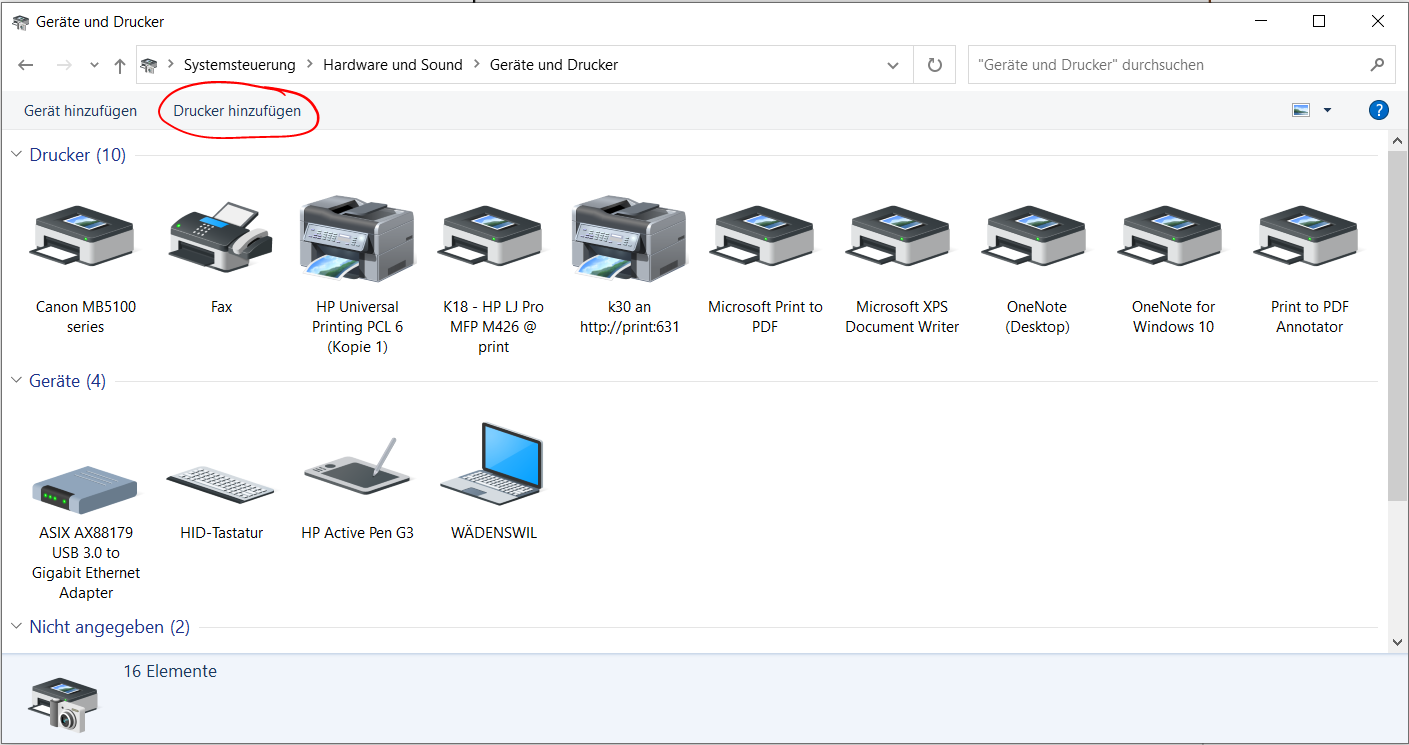
Go to Control Panel > Hardware and Sound > view Devices and Printers and click 'Add a printer'
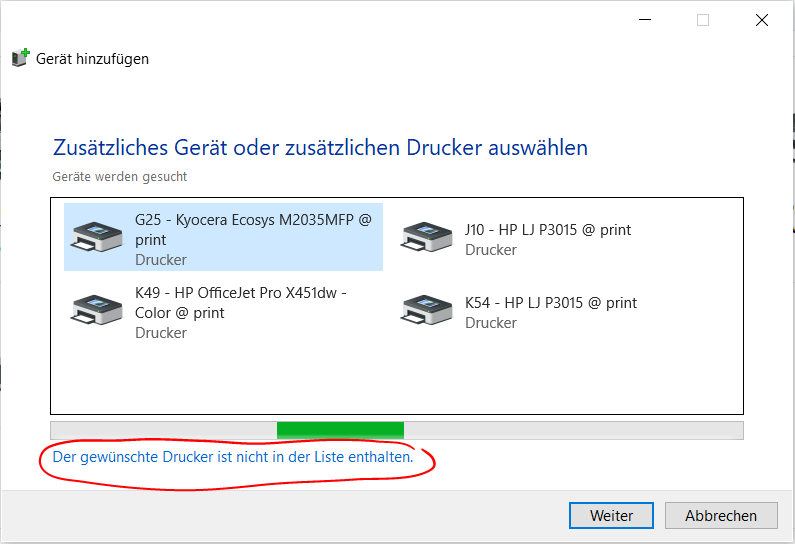
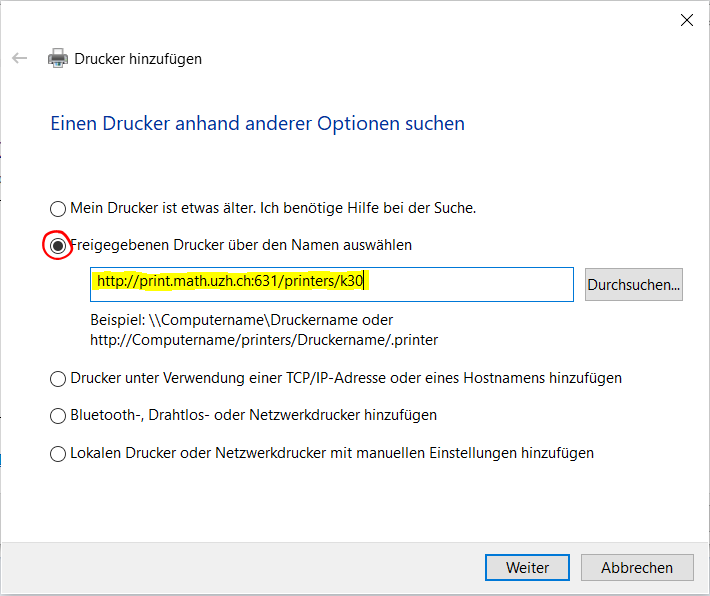
Click 'The printer that I want isn't listed'
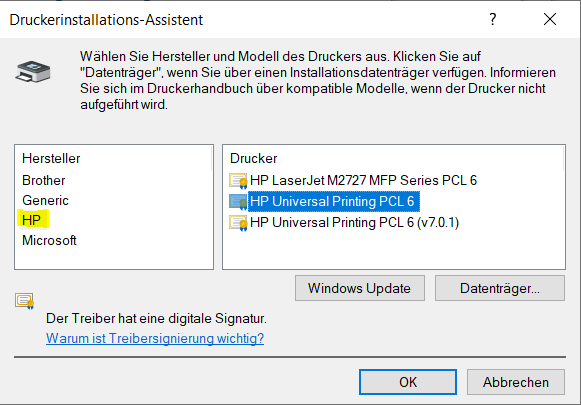
Select category 'HP' and choose the driver 'HP Universal Printing PCL 6'
UZH Printer - UPP
Printing is possible via LAN or WLAN as long as it is UZH internal.
Booklets
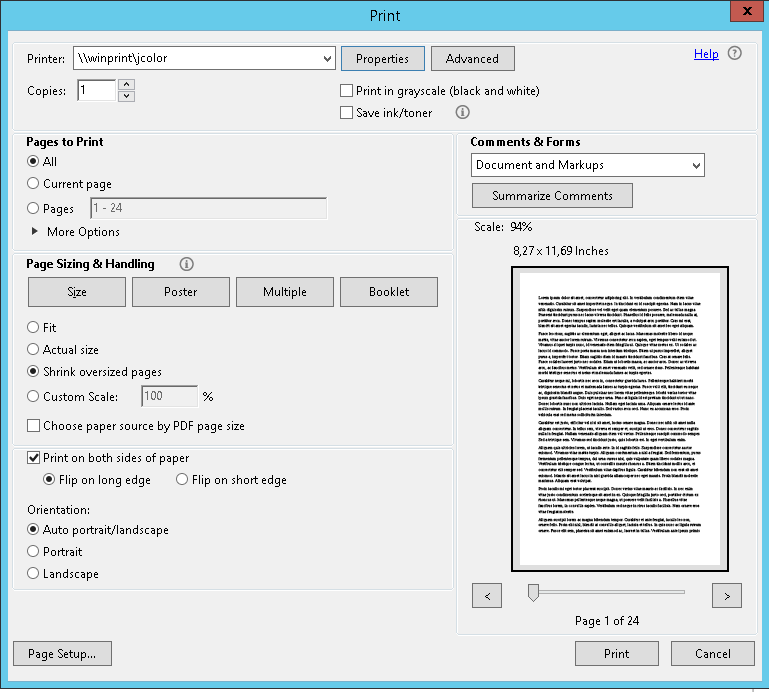
In the print dialog of the application (Word, Acrobat, etc.), select the printer jcolor or kcolor and open the Printer Properties
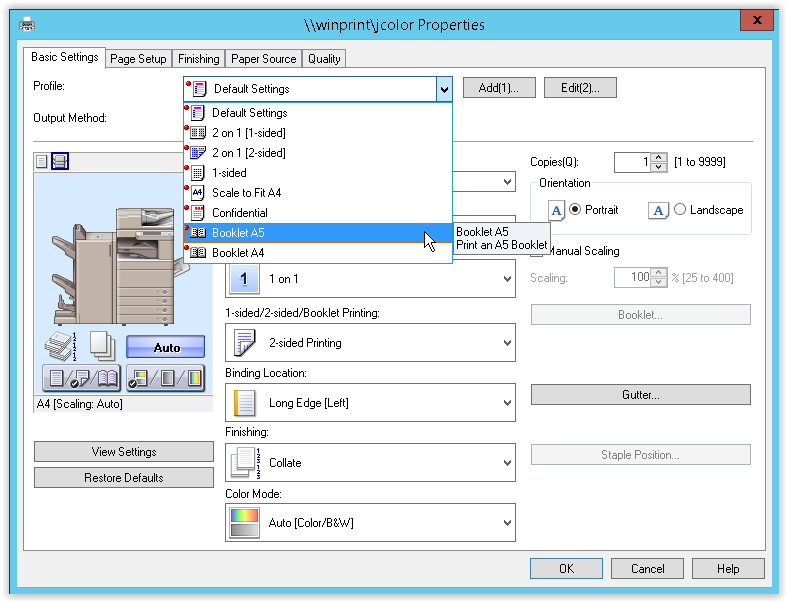
Select the Basic Settings tab and choose Booklet A5 or Booklet A4, depending on your requirements
Confirm the dialog by pressing OK
Enter section select mode

No comments to display
No comments to display