
mobileScanPdf
- A recent mobile with a medium camera should be enough to scan any document (single sheet or series of) and produce a PDF of it.
- The well known '!CamScanner' app had strong security impacts, instead use alternatives.
- We checked Microsoft Lens (no advertisement, no registration) and Adobe scan (registration incl. birthday).
- Both Apps can do batch scan to produce a single PDF out of a series of photos.
Transfer to drive.math.uzh.ch
- Setup Wiki: drive.math.uzh.ch (Nextcloud) on your mobile and your desktop / thinlinc session.
- Do a scan and create the PDF.
- Select the document and share it to Nextcloud (drive.math.uzh.ch)
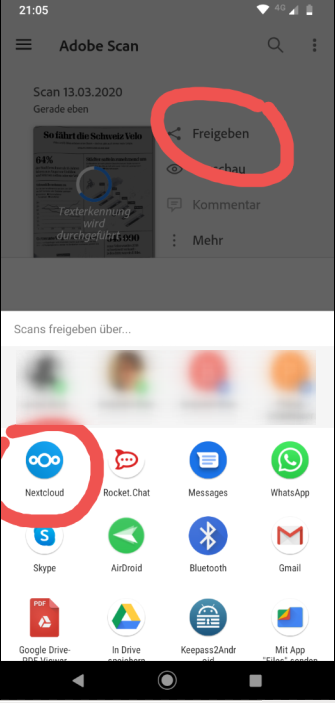
Share the scan
On your computer (notebook, thinlinc, ...), either:
- Direct access: use/ upload the PDF to the final target.
- Create link: log in via webbrowser to https://drive.math.uzh.ch and share your document (e.g. via auto expire anonymous link).
No comments to display
No comments to display