
mac
Printing via UZHPrintPlus
Offical ZI Page: UZH Print Plus
Recommended for students.
Printing is possible via WLAN UZH, but not via WLAN EduRoam.
Printing via MATH/DM3L-Print server
Recommended for institute members. (best Option for MacOS)
Printing is possible via LAN aswell as WLAN UZH & EduRoam
IMATH-Account required. Create I-MATH Account
Setup
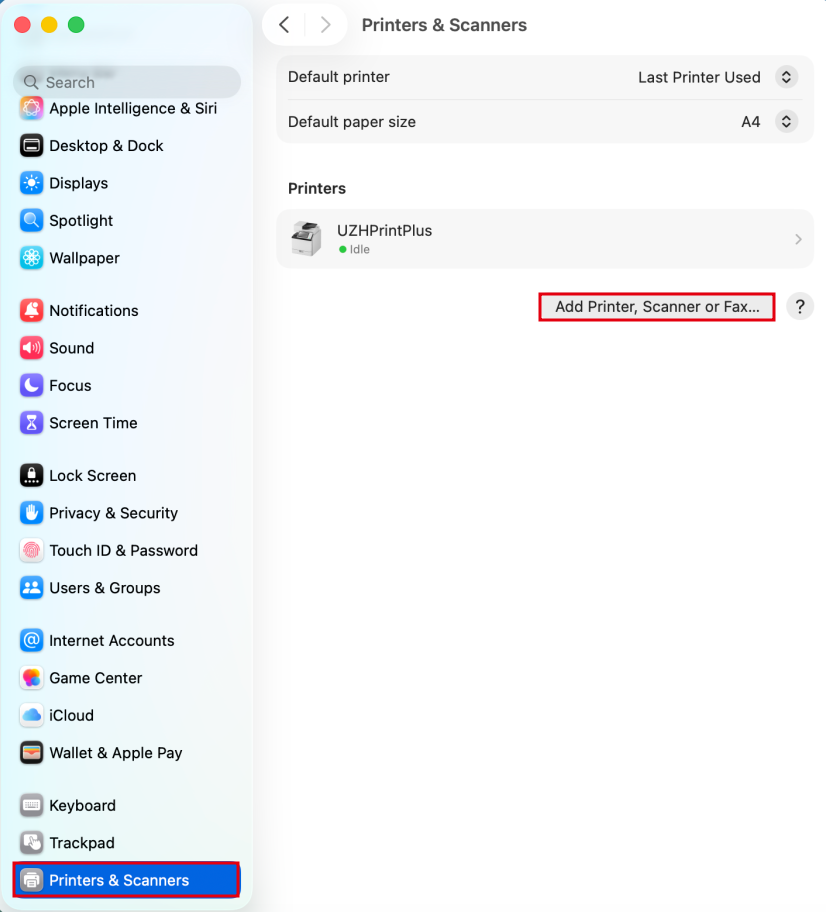
- Open Printer Settings > Add Printer > IP-Tab:
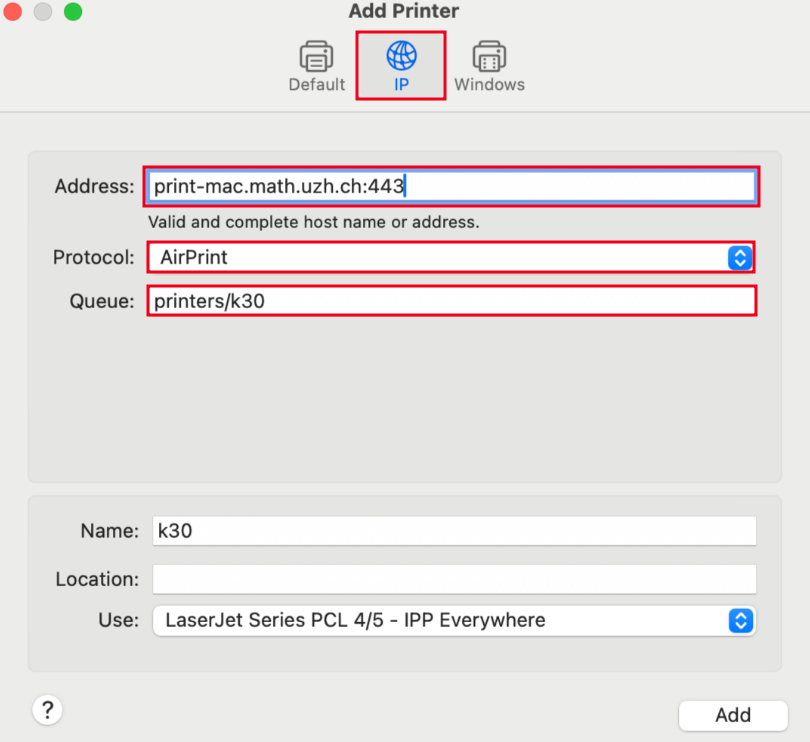
- Configuration:
- Adress:
print-mac.math.uzh.ch:443 - Protocol:
Airprint - Queue:
printers/<printername>(Replace <printername> with the actual name of the printer, e.g "k30") - Name: Up to you, has no effect on the configuration (we advise to make it the printername)
- Use: Nothing to do here, Airprint will automatically provide the correct driver.
- Adress:
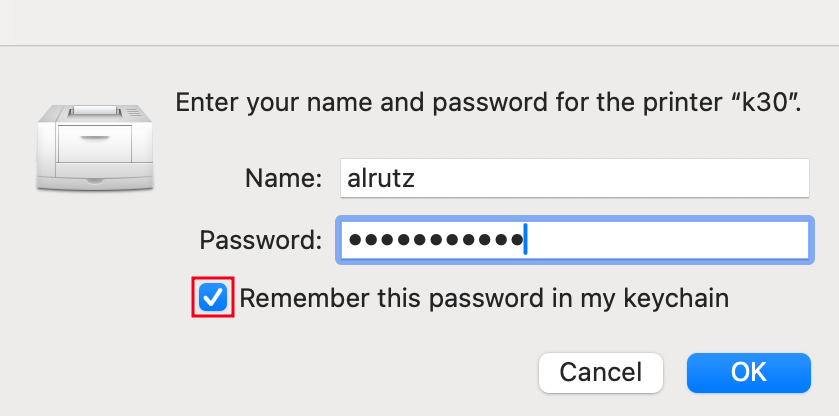
- Upon the first Print, you will be prompted for your IMATH-Credentials (shortname + PW)
- Make sure to tick the box "Remember this password in my Keychain", this way you will only have to enter the Credentials once.
- Attention: In Case the Authentication-Popup doesn't appear upon the first print, just print the File again - it will then appear.
Booklets
Only available on specific UPP Printer-Queues (jcolor_booklet & kcolor_booklet)
- 1.) Add the following printer:
jcolor_bookletorkcolor_booklet(See above how to add)- Important: jcolor or kcolor will not work, it has to be the booklet queue!
- 2.) After the printer is added and you are in the Print Dialog, make sure you set the following:
- Paper Setup: A4
- Do NOT select "Booklet" under Handling - Print it as if it was a regular File.
- Paper Setup: A4
No comments to display
No comments to display