mac
Printing via UZHPrintPlus
Offical ZI Page: UZH Print Plus
Recommended for students.
Printing is possible via WLAN UZH, but not via WLAN EduRoam.
Printing via MATH/DM3L-Print server
Recommended for institute members. (best Option for MacOS)
To use the printer in Y27, you need a LAN connection (not WLAN)
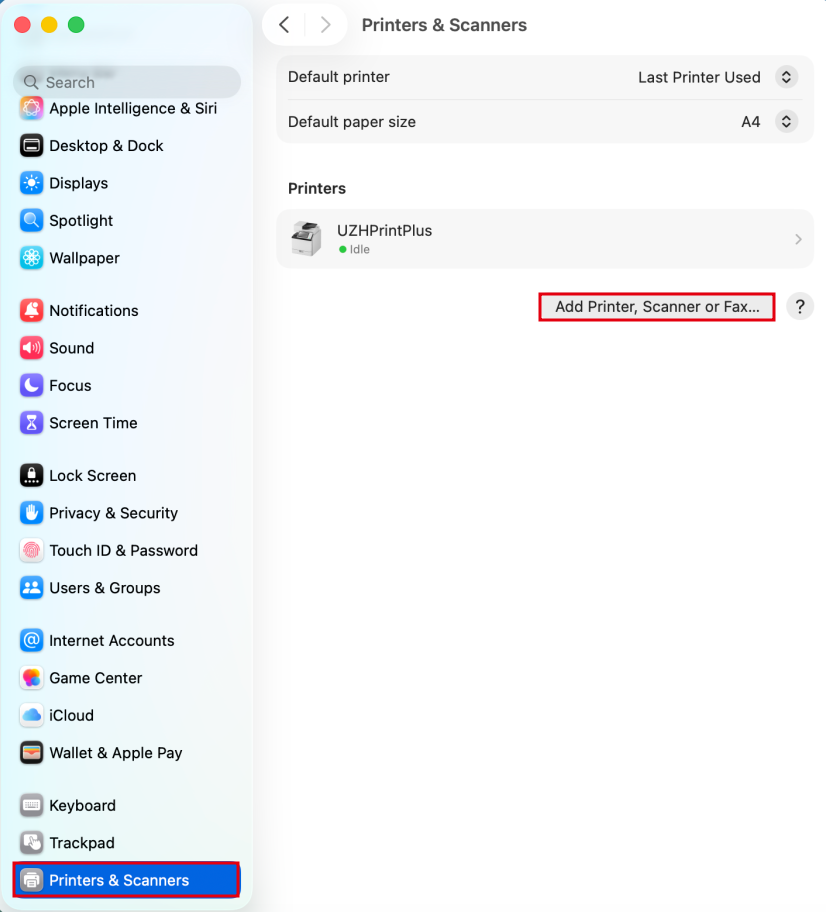
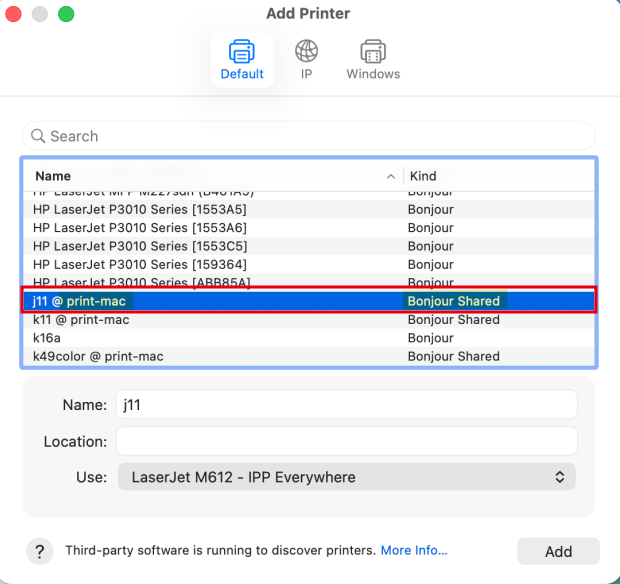
Open Printer Settings > Add Printer > Bonjour Shared - only ones that contain "@ print-mac" in the name.
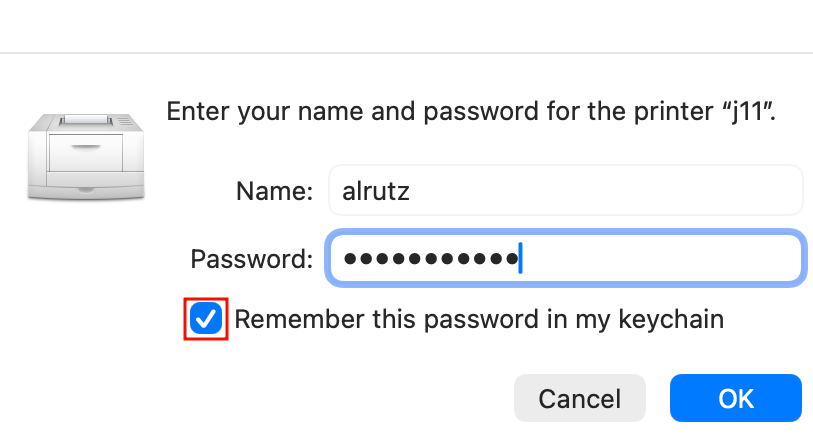
- Upon the first Print, you will be prompted for your IMATH-Credentials (shortname + PW)
- Make sure to tick the box "Remember this password in my Keychain", this way you will only have to enter the Credentials once.
- Attention: In case you had already added the printer before Authentication was required, please re-add it. (otherwise the authentication Pop-Up will not appear and the job stays on hold.)

Booklets
Only available on UPP Printers (j, k, jcolor, kcolor)
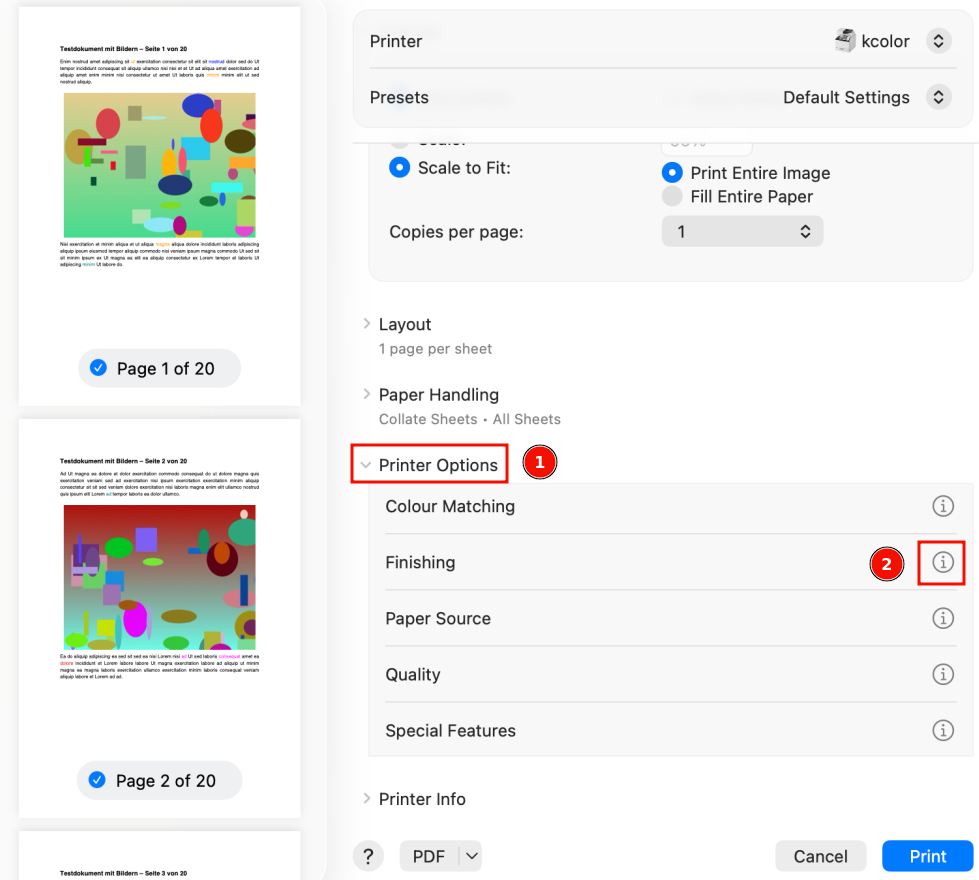
- Open the Printer-Dialog and follow these Steps:
- 1.) Scroll down to "Printer options" and expand the menu
- 2.) Next to "Finishing" click the Info-Icon

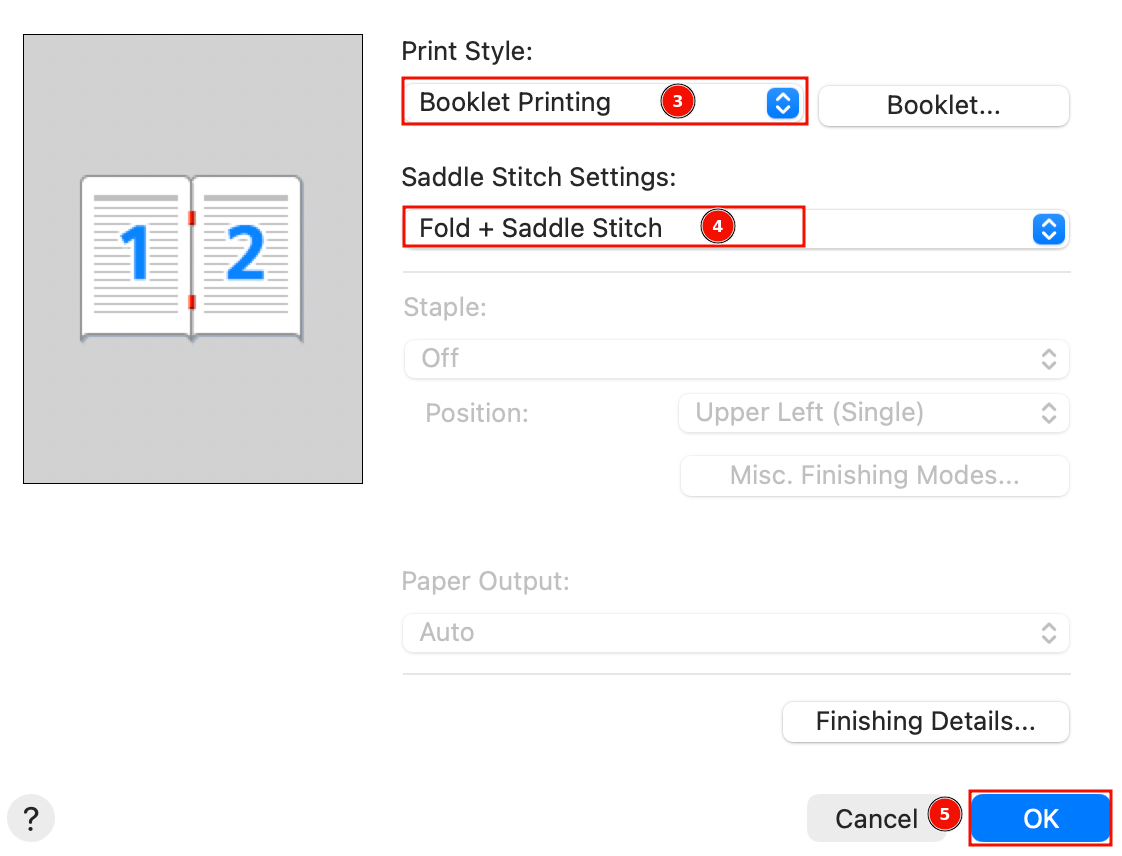
- 3.) Print Style: set "Booklet Printing"
- 4.) Saddle Stitch Settings: Set "Fold + Saddle Stitch"
- 5.) Press "OK" to save, then print the Booklet

Printing via MATH-Print Linux Printserver
To use the printer in Y27, you need a LAN connection (not WLAN)
Due to extra conversion, print time might be several minutes.
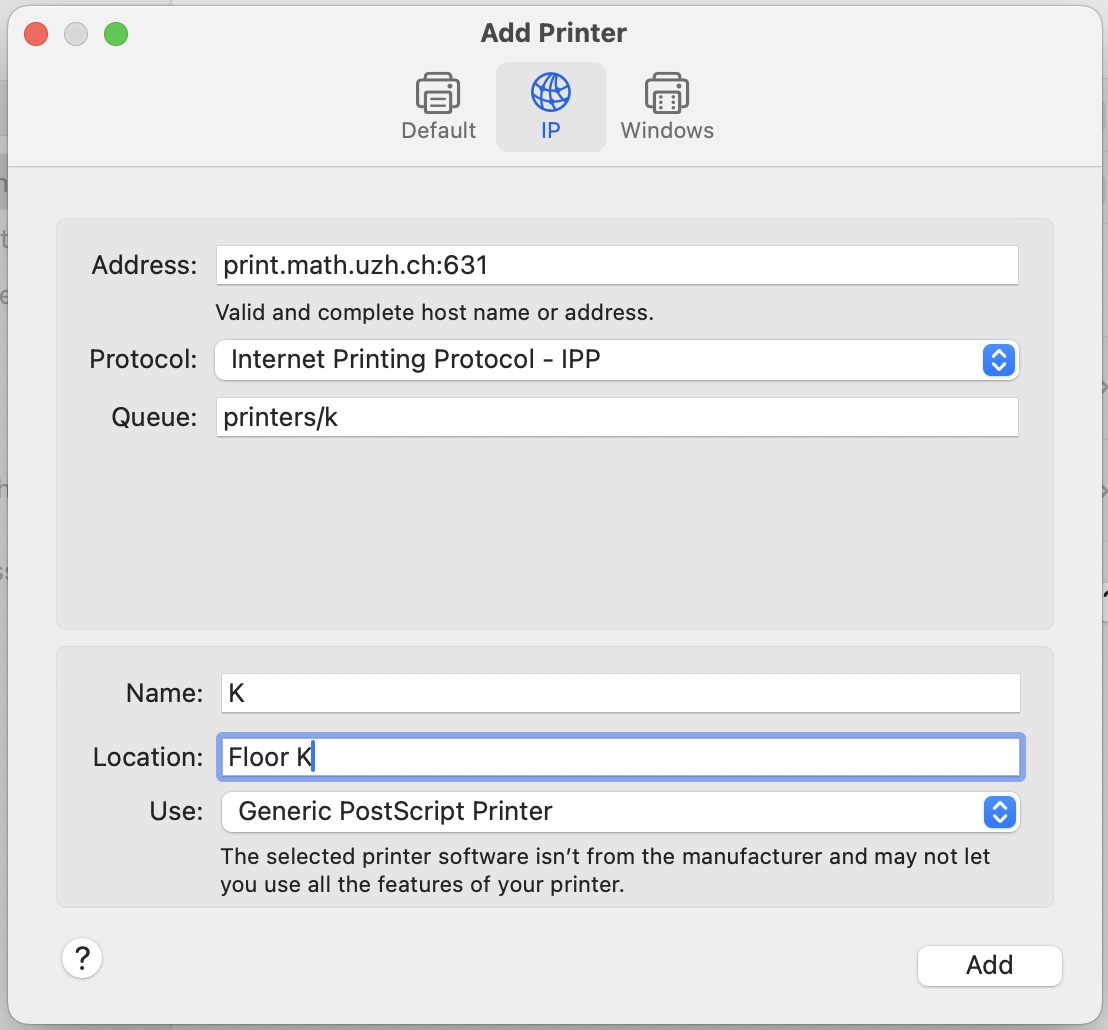
- Open System Settings > Printers & Scanners > Add Printer
- Example: Printer K, if you want a different printer replace the k after "printers/" with your printer name (k30, g25, jcolor,...)
Special cases
- k49color: use print22.math.uzh.ch:631 as the address, otherwise files are not printed