# windows
## Printing via UZHPrintPlus
Offical ZI Page: [UZH Print Plus](https://www.zi.uzh.ch/de/support/it-workplace/uzhprintplus/install-printer.html#macOS)
Recommended for students.
Printing is possible via WLAN *UZH,* but **not** via WLAN EduRoam.
## Printing via MATH/DM3L-Print server
Recommended for institute members. (best Option for Windows)
Printing is possible via LAN aswell as WLAN *UZH* & *EduRoam*
IMATH-Account required. *[Create I-MATH Account](https://www.math.uzh.ch/my/account)*
#### Setup
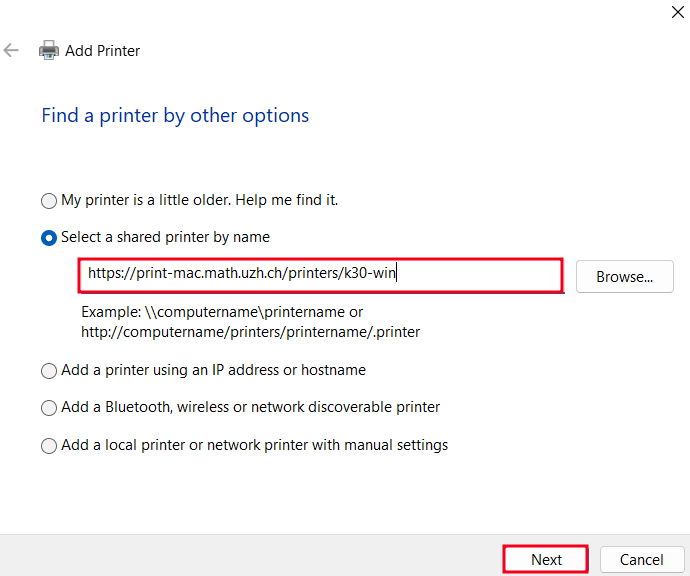
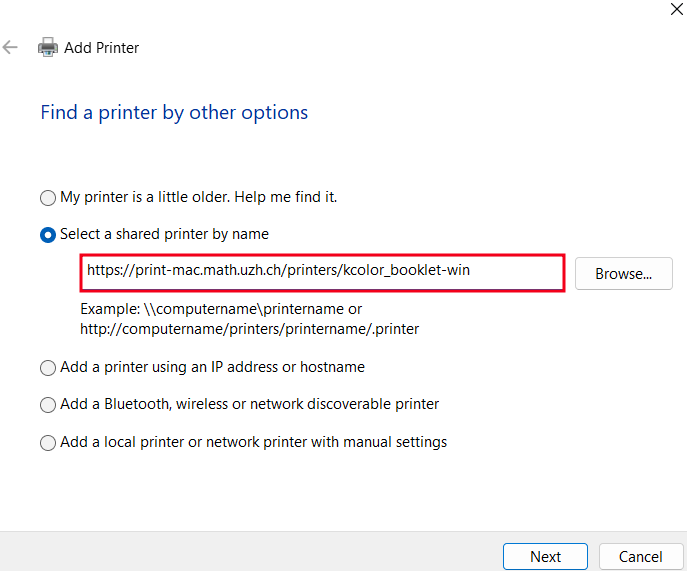
- Open System Settings -> Bluetooth & Devices -> Printers & Scanners -> "Add Device" -> "Add manually".
[](https://wiki.math.uzh.ch/public/uploads/images/gallery/2026-10/fNEimage.png)
[](https://wiki.math.uzh.ch/public/uploads/images/gallery/2026-10/sfDimage.png)
- Make sure to replace <printername> with the actual Printer name: e.g "k30-win"
- **Attention:** Only queues with "**-win**" will work!
- `https://print-mac.math.uzh.ch/printers/-win`
[](https://wiki.math.uzh.ch/public/uploads/images/gallery/2026-10/eoZimage.png)
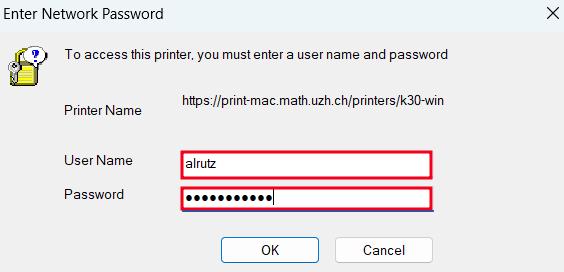
- While adding the printer, you will be prompted for your **IMATH-Credentials** (shortname + PW)
- Credentials are saved, no need to authenticate again after System-Reboot.
[](https://wiki.math.uzh.ch/public/uploads/images/gallery/2026-10/sh3image.png)
[](https://wiki.math.uzh.ch/public/uploads/images/gallery/2026-10/ednimage.png)
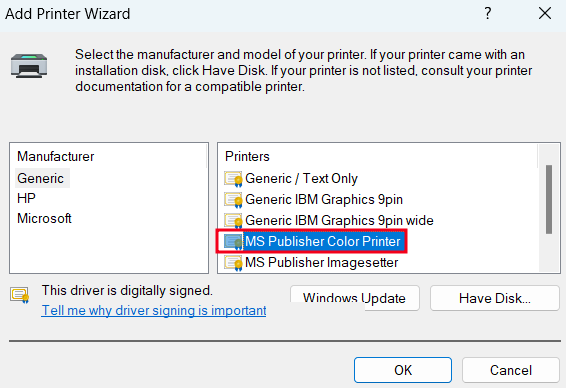
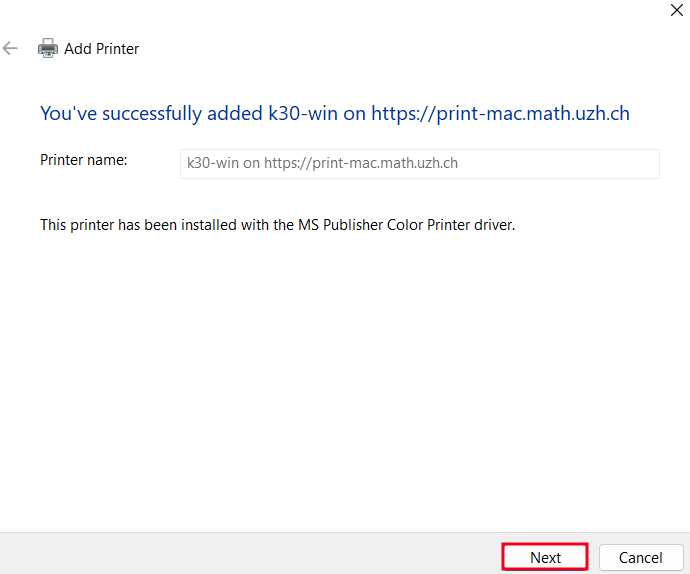
- Press "Next" -> "Finish" -> The printer is ready.
#### Booklets
*Only available on specific UPP Printer-Queues (jcolor\_booklet-win & kcolor\_booklet-win)*
- 1.) Add the following printer: `jcolor_booklet-win` or `kcolor_booklet-win` (See above how to add)
- Important: jcolor-win or kcolor-win will not work, it has to be the booklet queue!
- 2.) After the printer is added and you are in the Print Dialog, **Print it as if it was a regular File.**
- Do not set any Page-Handling options, it will automatically be printed as a booklet.
**Example:**
[](https://wiki.math.uzh.ch/public/uploads/images/gallery/2026-10/o51image.png)