Filezilla
How to transfer files
- 1.) Insert destination host, e.g. "ssh.math.uzh.ch"
- Add sftp:// in front of the host (This is the transfer protocol)
- 2.) Insert credentials of your IMATH-Account
- 3.) Insert Port
- Port 22: for sftp-protocol
- 4.) Press "Quick Connect" to build the connection
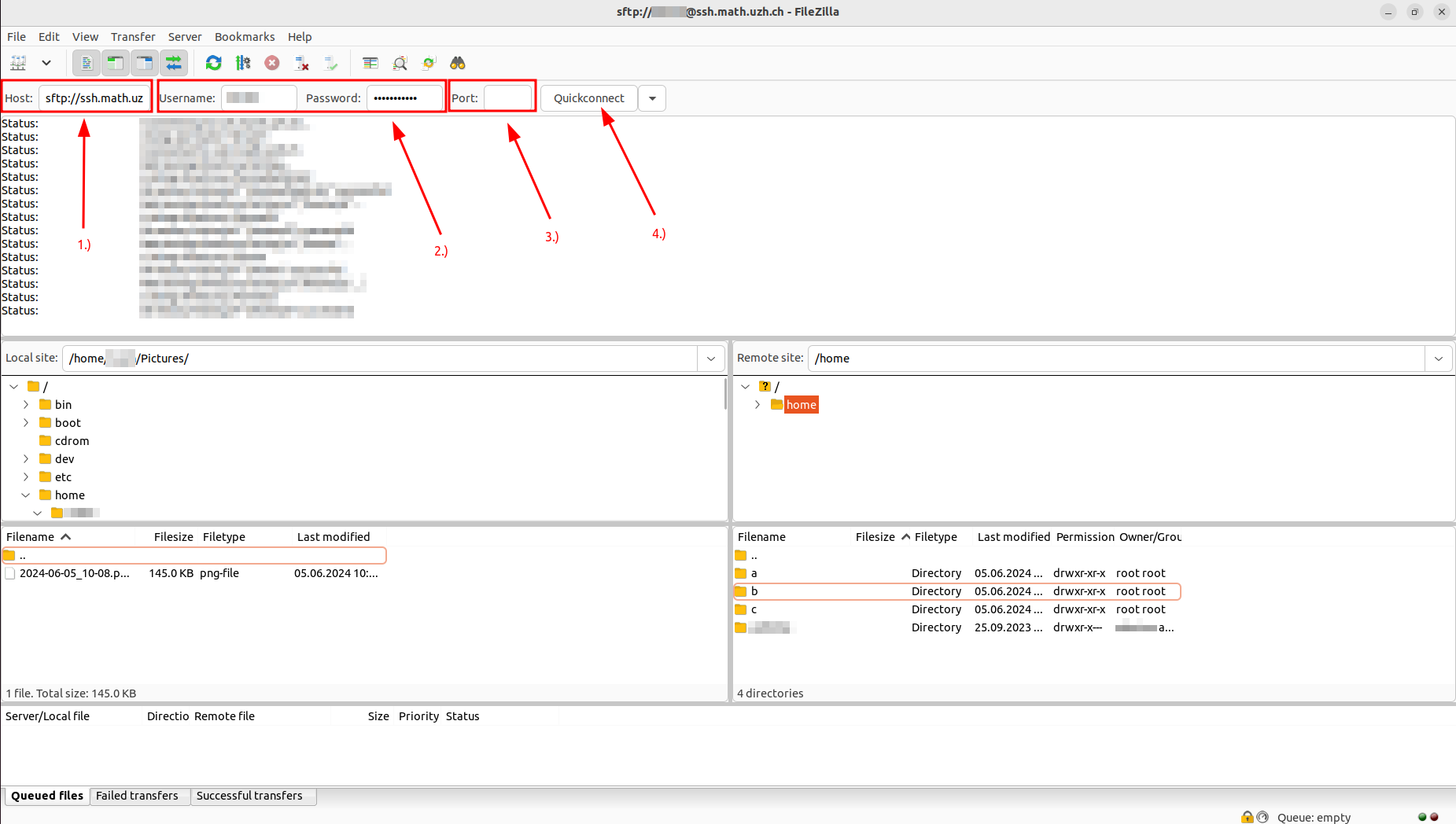
- To transfer your files, you need to set the "Local Site" directory as well as the "Remote Site" directory (The remote site directory is where your files will be transferred to)
- Select your files on the "Local Site" --> Press right click --> Press upload --> The files should now be uploaded to the "Remote Site" directory
