
Outlook
- URL: https://outlook.office365.com
- To login, use your email address and password from Active Directory account (typically like the WLAN password).
- FAQ: https://www.zi.uzh.ch/en/support/it-workplace/ms365/outlook/faq.html
- If you login the first time, you have to configure a second factor to authenticate - MFA/Microsoft_Authentication
- To do the outlook forward configuration, please follow FAQ > 2.) Forwarding
Out of Office
Open another mailbox
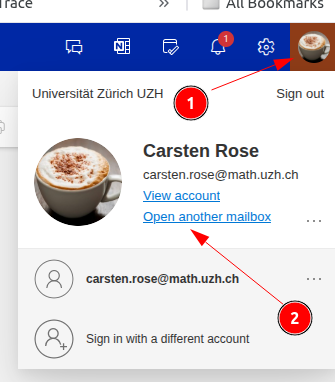
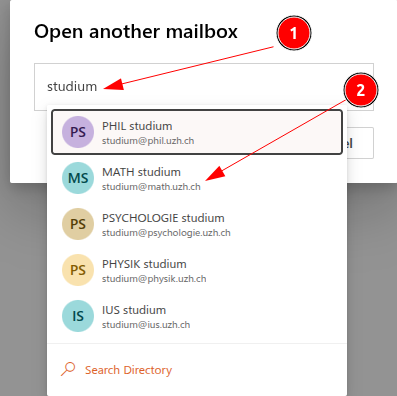
Email forward
Setting up an email forward in Office 365 (Outlook) via Webinterface.
- Log in to https://outlook.office365.com
- As Email address use your regular ....@math.uzh.ch address
- The password is probably the same at I-MATH or for your UZH/Eduroam WLAN account.
- If you have problems to login: you can set a new password under https://identity.uzh.ch
- As Email address use your regular ....@math.uzh.ch address
Settings > View all Outlook settings
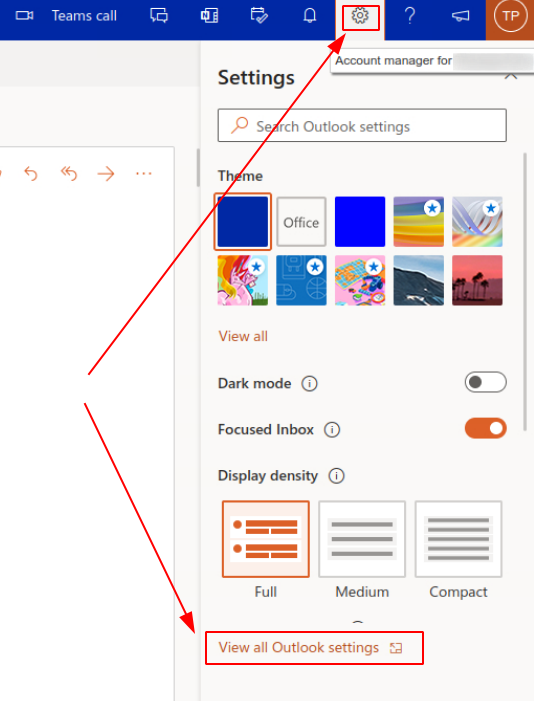
- Go to
Mail > Forwarding
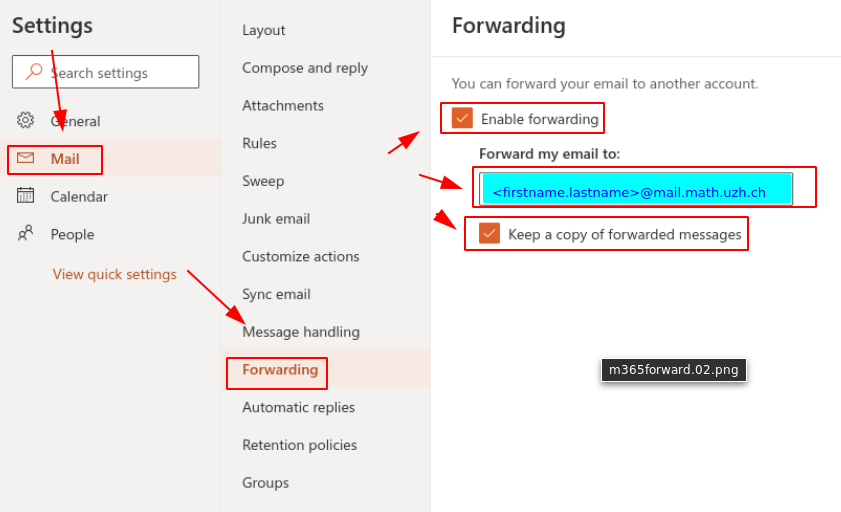
- Check:
Enable Forwarding - Specify the final address.
- If you forward to the I-MATH internal mail server, do not use your regular email, instead insert mail. between @ and math.uzh.ch. Example:firstname.lastname@mail.math.uzh.ch
- Check:
Keep a copy of forwarded message
- If you forward to the I-MATH internal mail server, do not use your regular email, instead insert mail. between @ and math.uzh.ch. Example:firstname.lastname@mail.math.uzh.ch
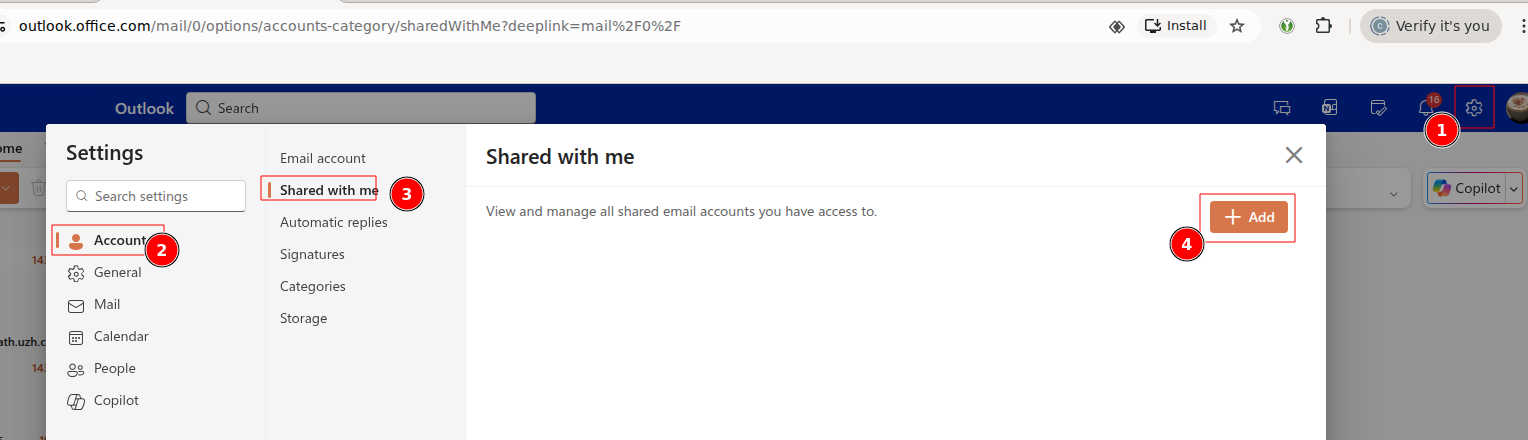
Shared Accounts im Outlook Webinterface anzeigen
Thunderbird
MFA Setup
Outlook for Mac: Realname
- Beim anlegen des IMAP Kontos: bei der Anmeldung „Synchronisation mit Microsoft Konto“ ausschalten. Danach kann beim Konto der Realname geändert werden.
Outlook / Citrix
Shared Mailbox anzeigen
- Doku: https://support.microsoft.com/en-us/office/open-and-use-a-shared-mailbox-in-outlook-d94a8e9e-21f1-4240-808b-de9c9c088afd#picktab=classic_outlook
- Eigentlich sollten shared mailboxes direkt angezeigt werden.
- Ist das nicht / nur teilweise der Fall kann unter (Classic Outlook, Link s.o.) weitere Accounts hinzugefuegt werden.
New Mail: 'From' automatically selected by current selected mailbox
If there are multiple email adresses configured and a new email is created: it would be nice if 'from' points automatically to the last selected email account.
According to Microsoft, this is not supported by Outlook (Link).
Why is the 'From' button missing?
See: Link
Saving mail in drafts folder of the current email account
- Short: only with extra effort.
- Long: https://learn.microsoft.com/en-us/answers/questions/5490248/drafts-are-saving-to-my-drafts-folder-instead-of-m
'Reply All' should not include myself
- Currently we don't know if this is an option.