Skip to main content
windows
I-MATH Printer
- Printing from private notebooks to the institutes printer is only possible (UPP is fine) via LAN (=cable) and not via WLAN. The notebook/LAN Adapter has to be assgined to DMZ (ask I-MATH Support to do so).
Install HP Universal Driver
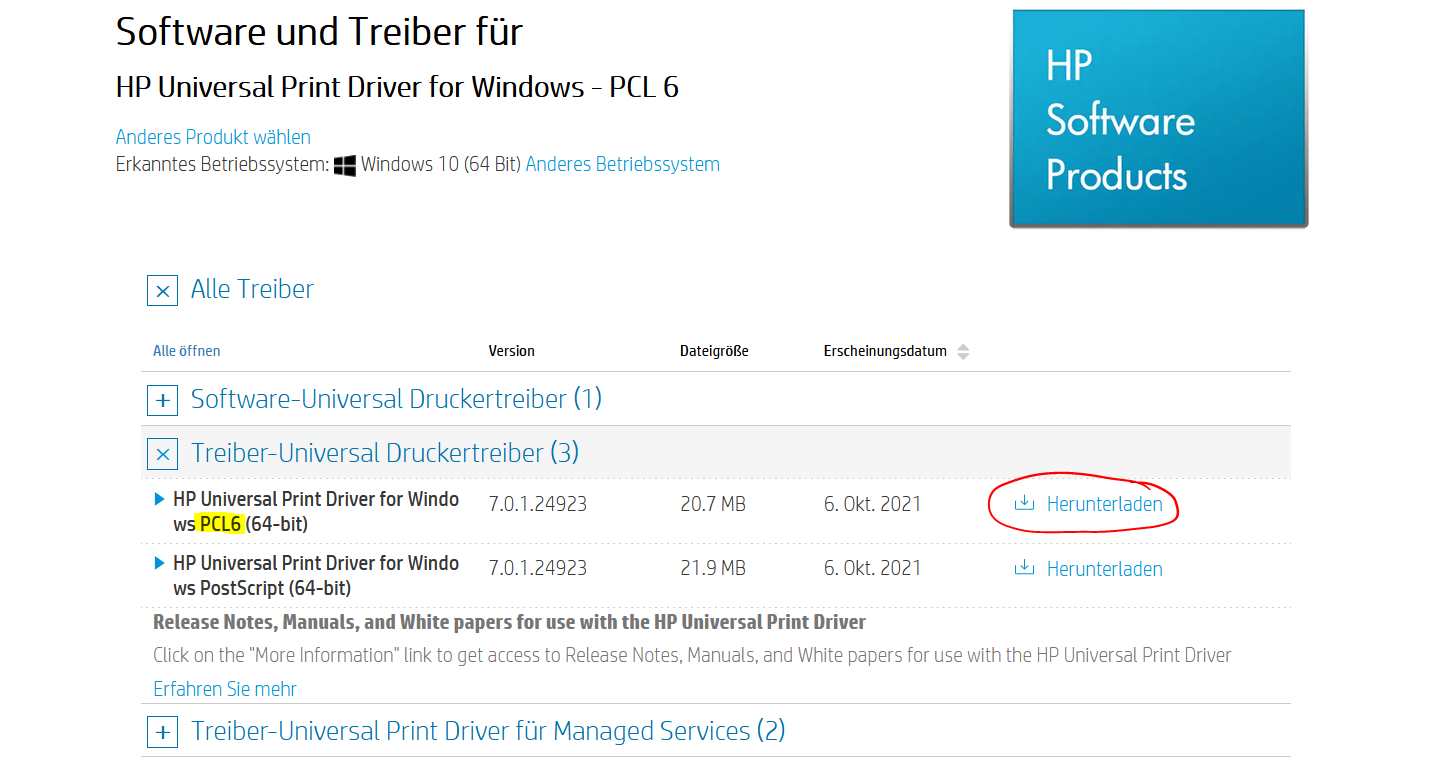
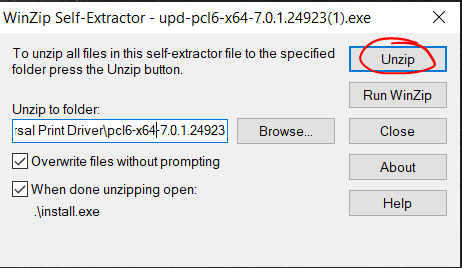
- Run the downloaded file and follow the steps in the screenshots
- Unzip the Files
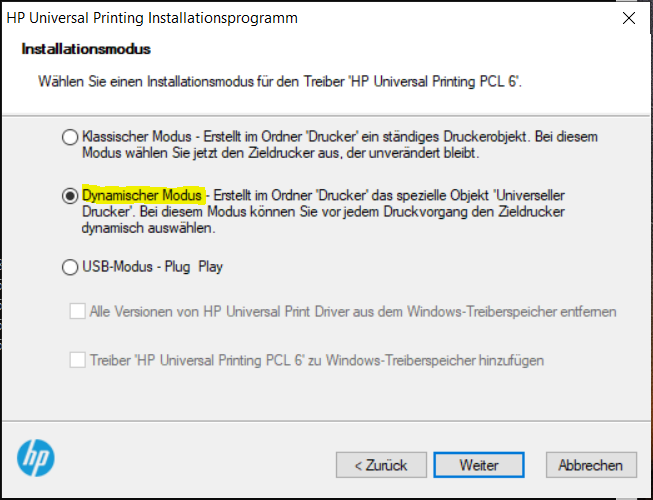
Add Printer
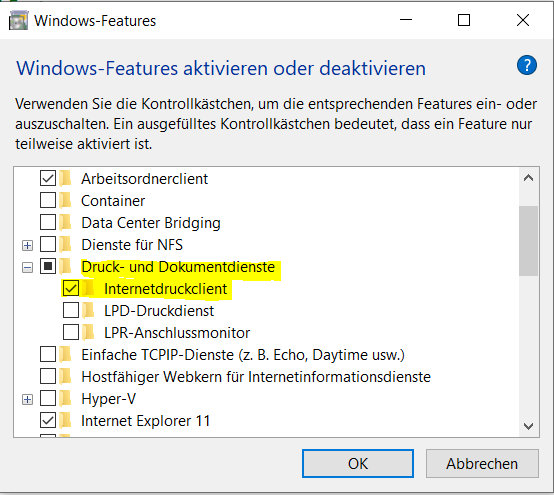
- Go to Control Panel > Programs and click 'Turn Windows features on or off'
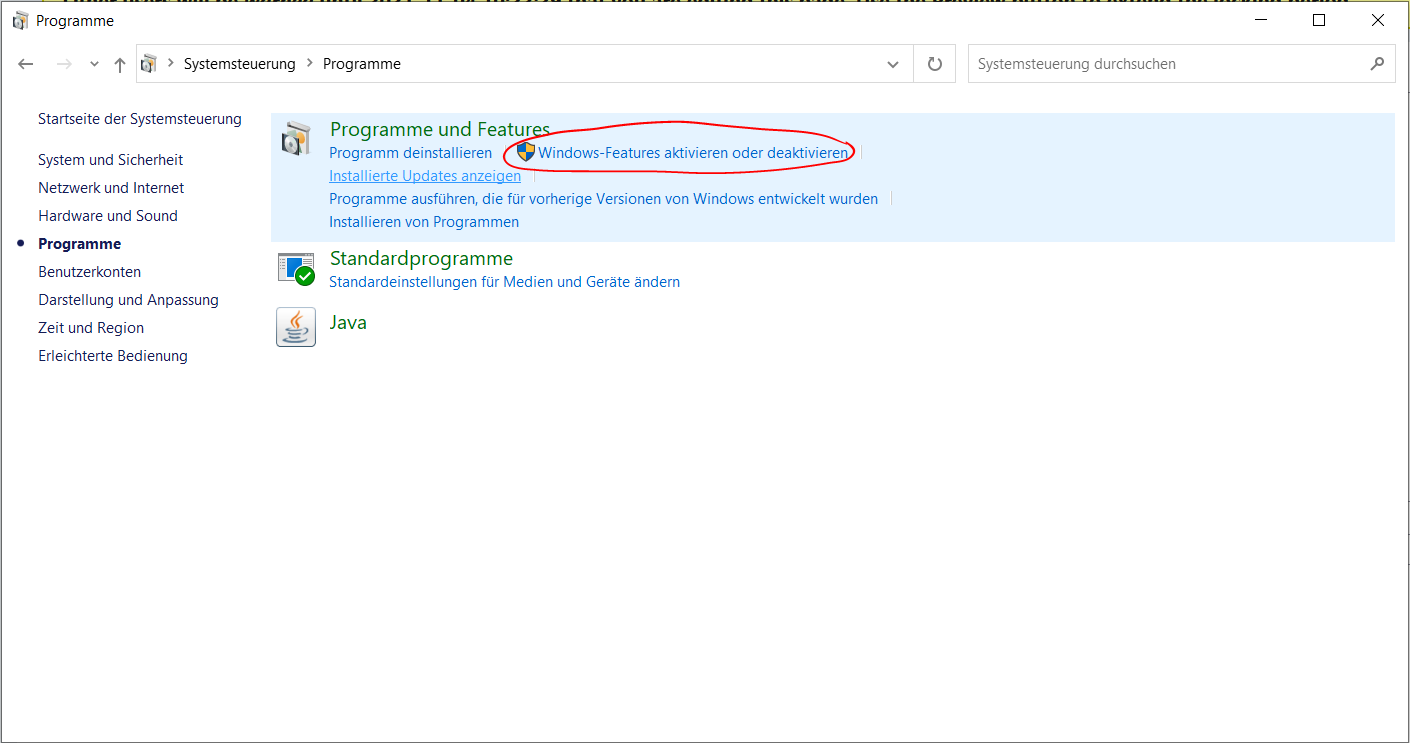
- Expand 'Print and Document Services' and make sure 'Internet Printing Client' is ticked
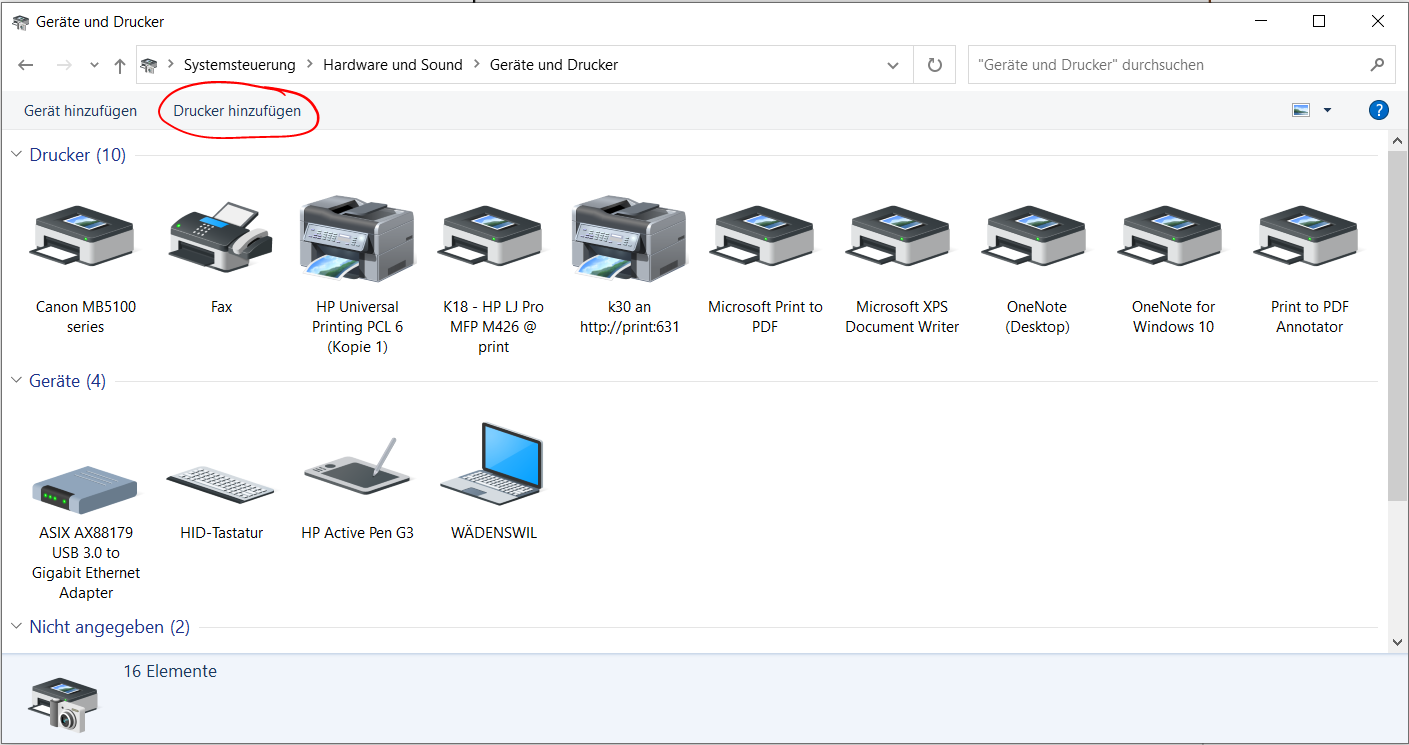
- Go to Control Panel > Hardware and Sound > view Devices and Printers and click 'Add a printer'
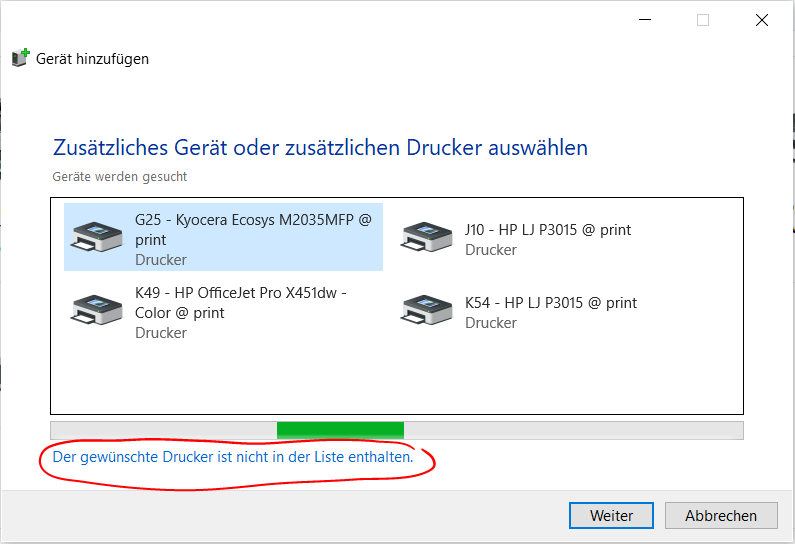
- Click 'The printer that I want isn't listed'
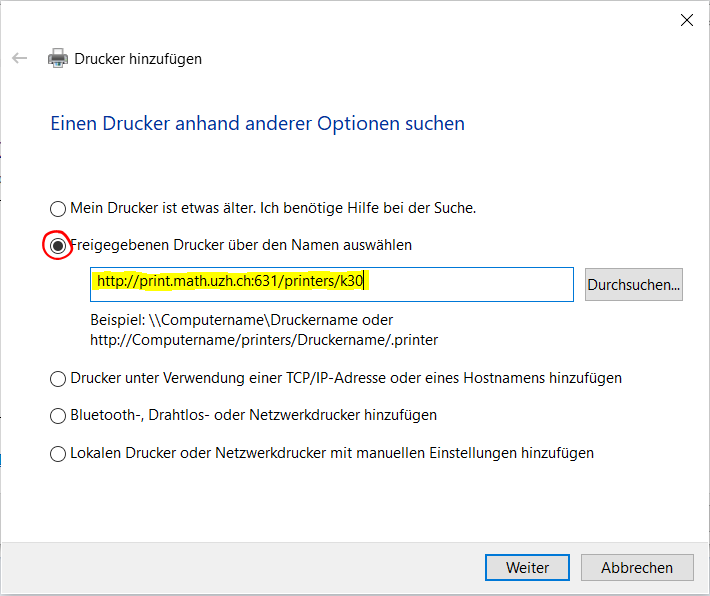
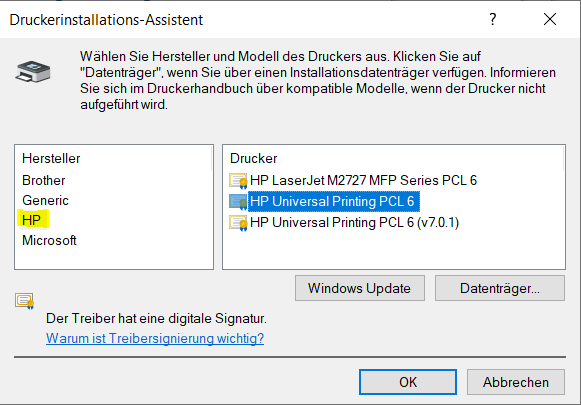
- Select category 'HP' and choose the driver 'HP Universal Printing PCL 6'
UZH Printer - UPP
- Printing is possible via LAN or WLAN as long as it is UZH internal.
Print
Plus
Booklets
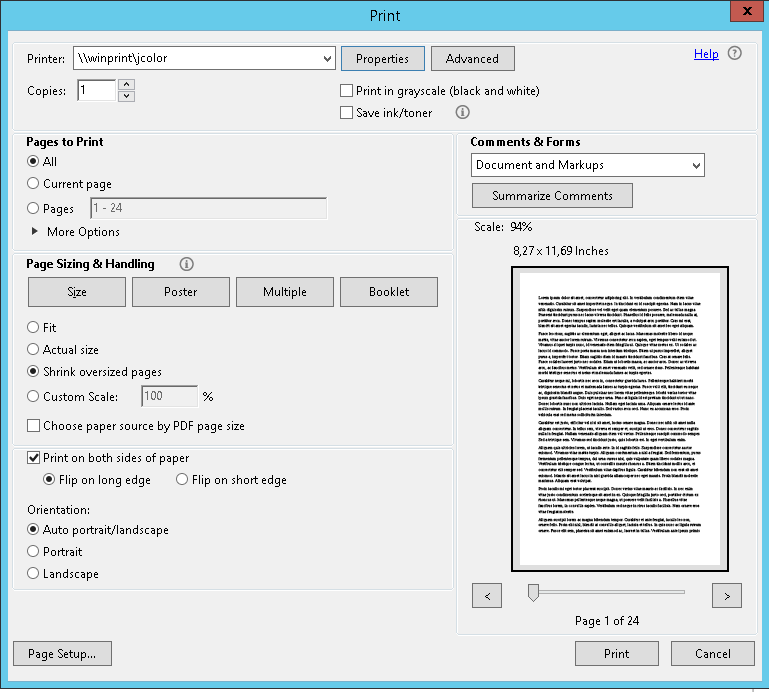
- In the print dialog of the application (Word, Acrobat, etc.), select the printer
jcolor or kcolor and open the Printer Properties
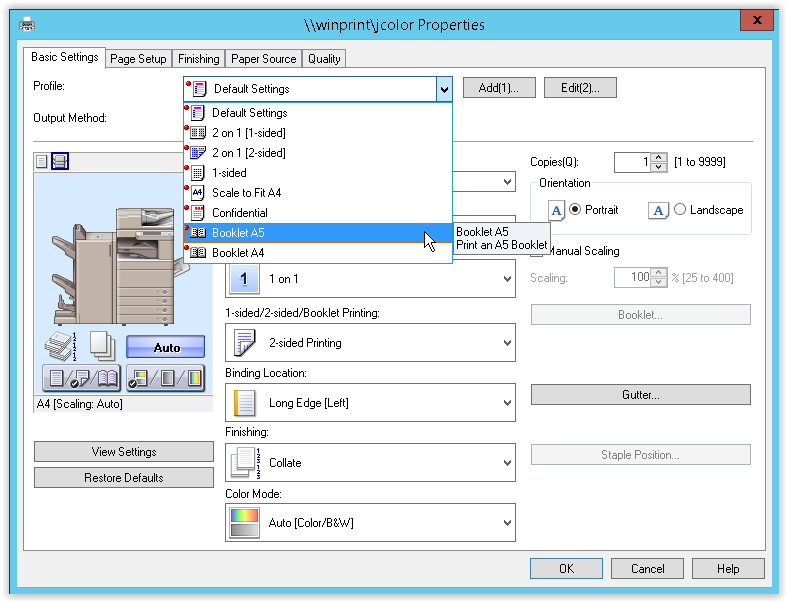
- Select the
Basic Settings tab and choose Booklet A5 or Booklet A4, depending on your requirements
- Confirm the dialog by pressing
OK
