thunderbird
Thunderbird
Account order (left pane)
- Option a - Extension Folderpane Tools
- Option b - prefs.js
Signature
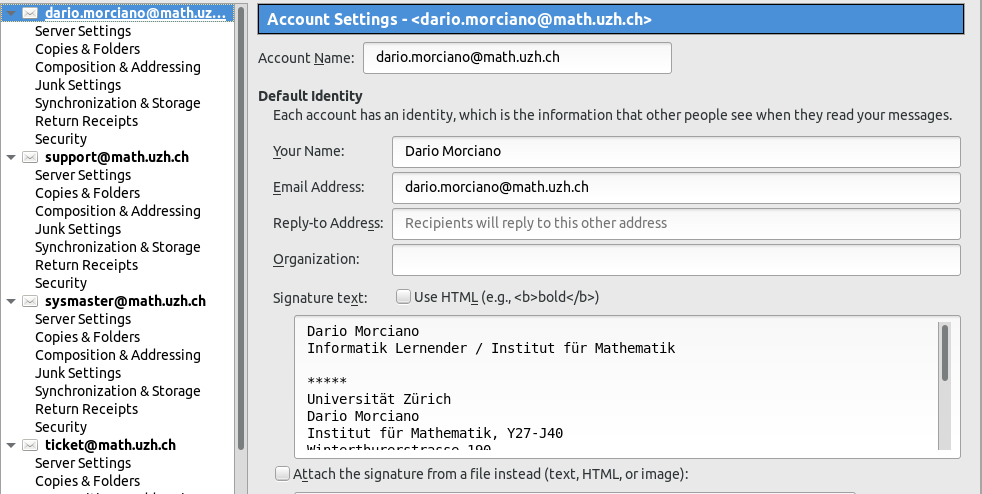
- Right click your email account and select 'Settings'
- On the right side you can now edit your signature
Quick Folders
- If you have a lot of folders, it is typically very time consuming to navigate through the tree on the left side, just in order to reach the folder.
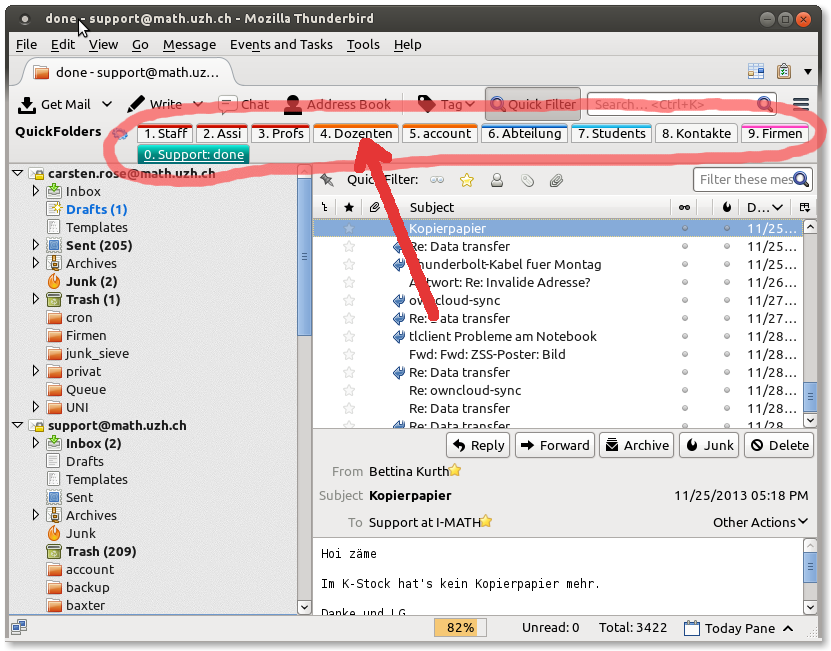
- With the Thunderbird Add-On 'Quick Folders' you can configure your personal, most frequently used, folder list.
- For example, if you have to move your incoming mails into different folders, you just drag and drop the mails from the inbox to the configured folders in the 'Quick Folders'-List:
- To use the Add-On 'Quick Folders', you have to download and install it personally: https://addons.mozilla.org/en-US/thunderbird/addon/quickfolders-tabbed-folders/
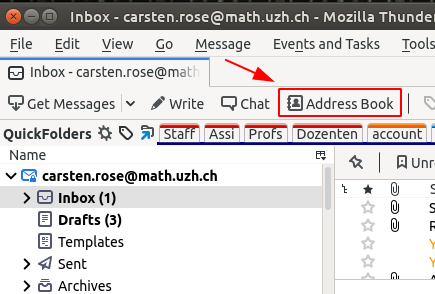
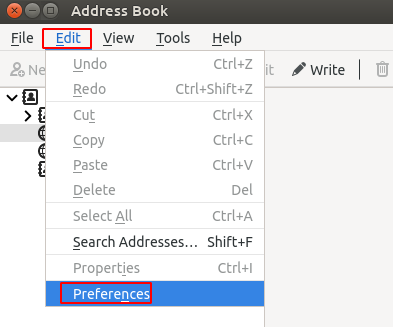
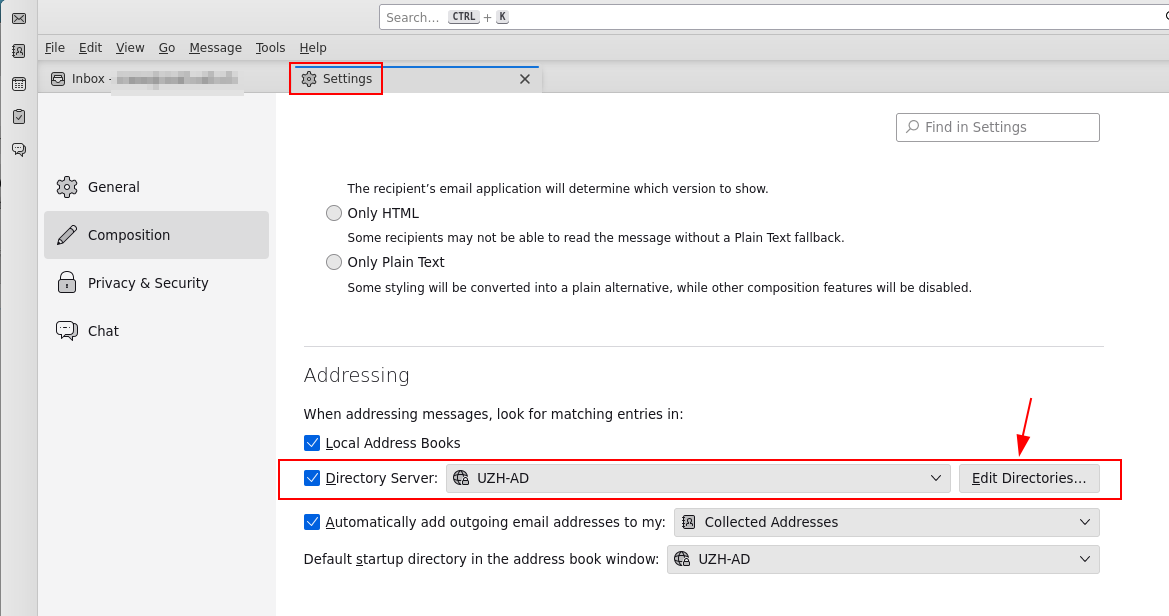
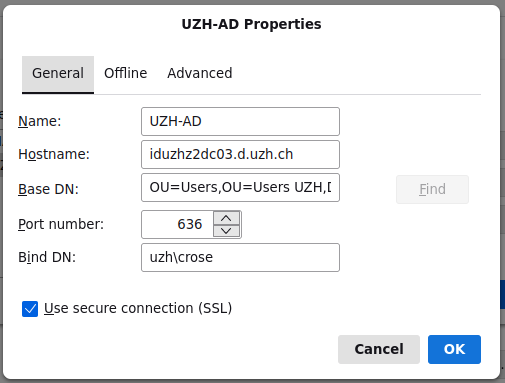
UZH Address Book