
pdf compression
Adobe Acrobat comes with a tool to compress PDFs to smaller filesizes.
The institute has a version of Adobe Acrobat installed on our Windows Servers. To access it, please go to Applications > Internet > Windows Small (or any size)
- Open the file in Adobe Acrobat.
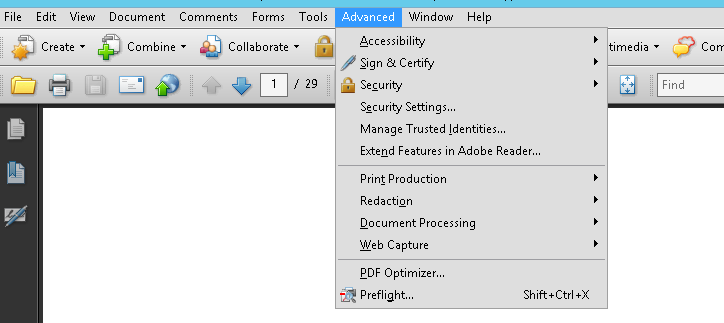
- Go to Advanced and select PDF Optimizer
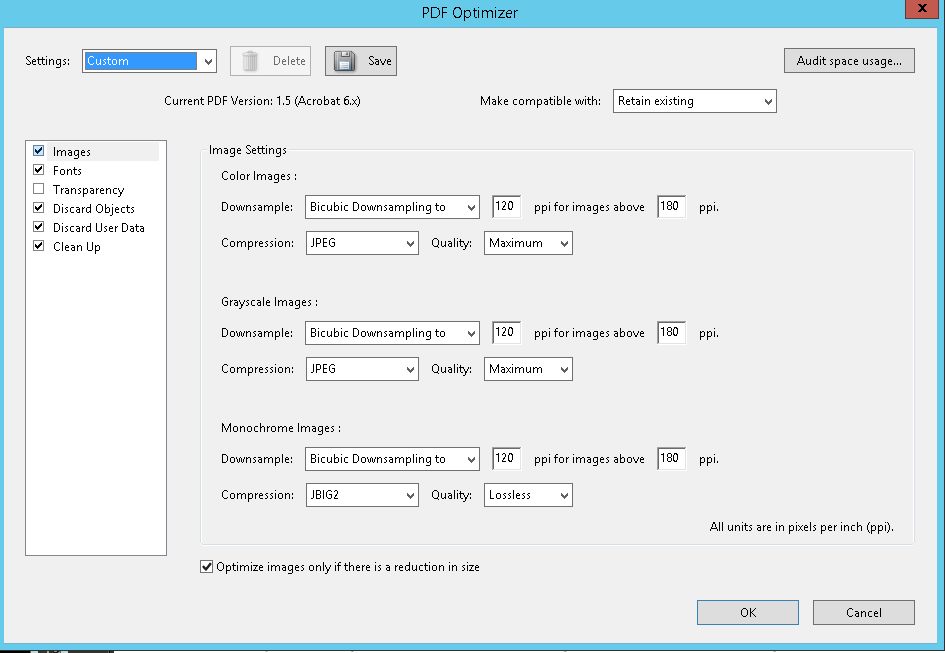
- If the PDF is mainly for viewing purpose on the Internet, use following settings:
- Save the file with a new filename.