
Outlook
- URL: https://outlook.com
- To login, use your UZH identity (email address, MFA setup https://wiki.math.uzh.ch/public/books/public-wiki/page/microsoft-authentication)
- FAQ: https://www.zi.uzh.ch/de/support/Outlook-und-Kollaboration-Office-365/outlook/faq.html
Out of Office
- https://support.microsoft.com/en-us/office/set-up-auto-reply-out-of-office-cc0e480f-973e-4412-a27b-8a52108d6d51
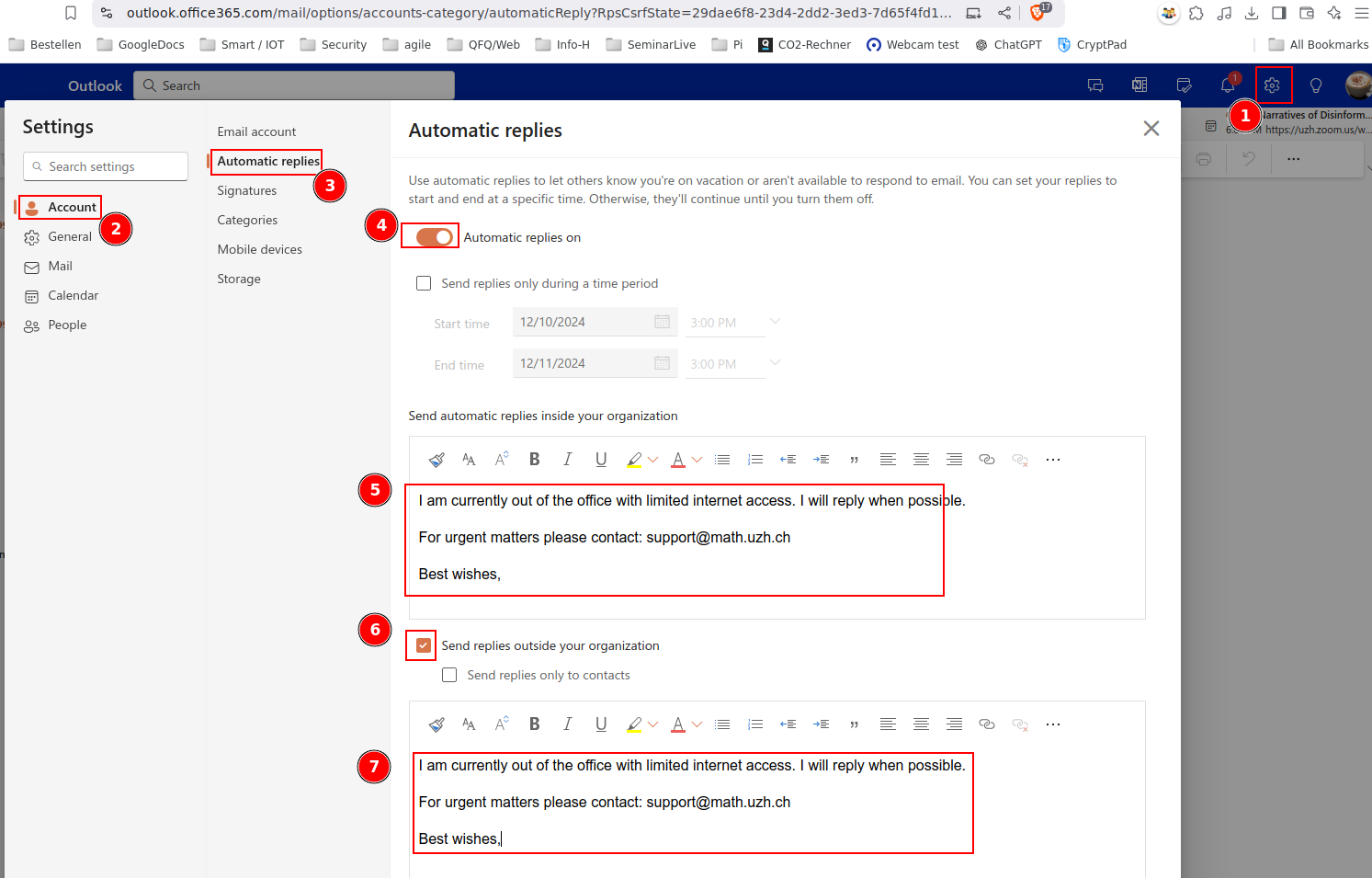
- Take care that you put your OoO message two times in the 'automatic reply'-Settings:
- Send automatic replies inside your organization
- Send replies outside of your organization
Shared Mailbox
Webinterface
Open another mailbox
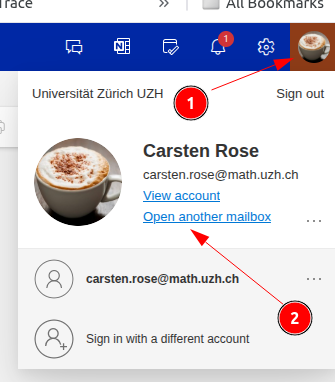
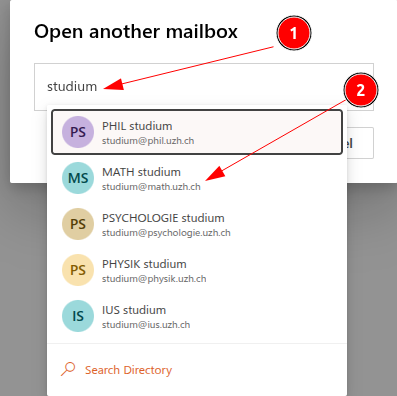
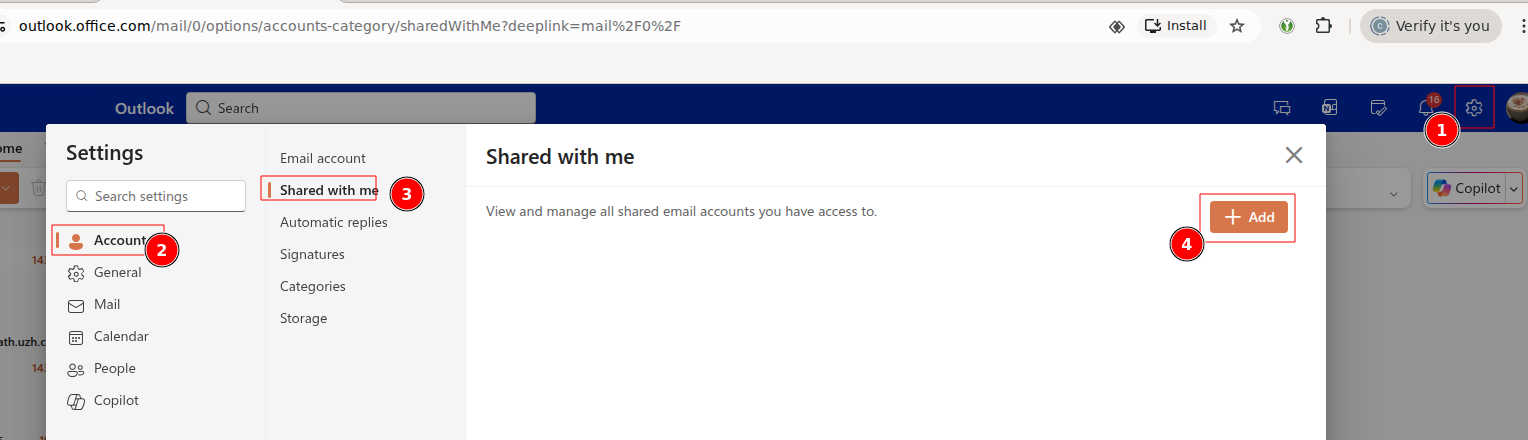
Shared Accounts im Outlook Webinterface anzeigen
Outlook App (e.g. Citrix)
Shared Mailbox anzeigen
- Microsoft Help
- By default, all shared mailboxen should be shown automatically!
- If some is missing, add them manually:
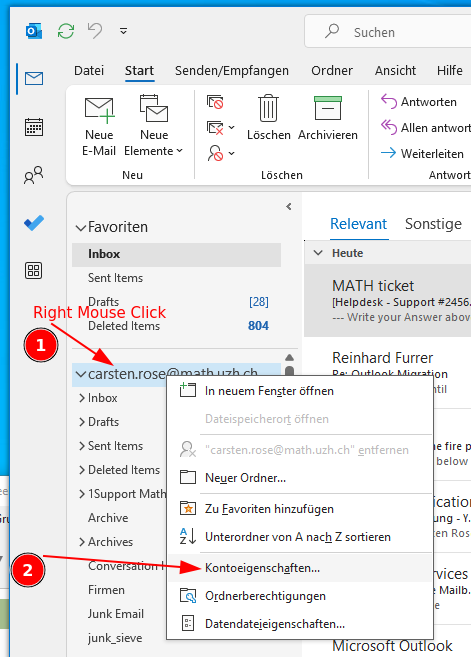
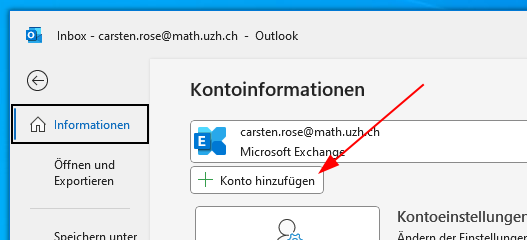
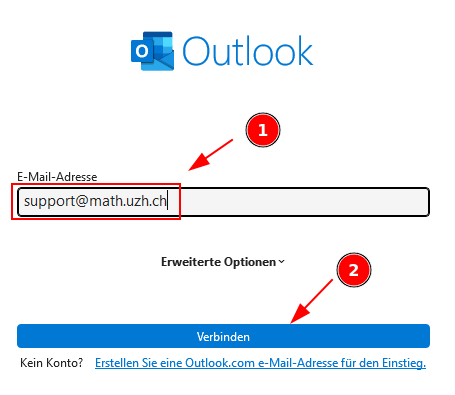
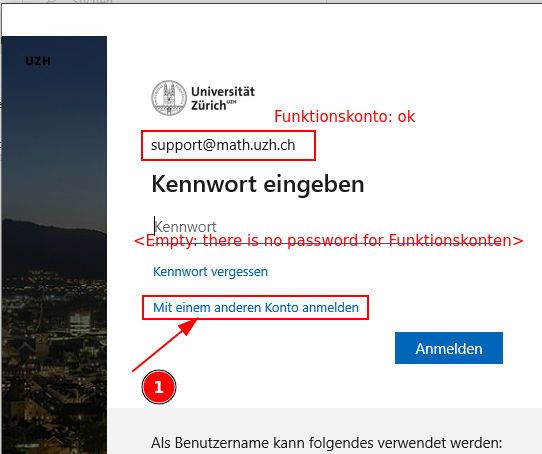
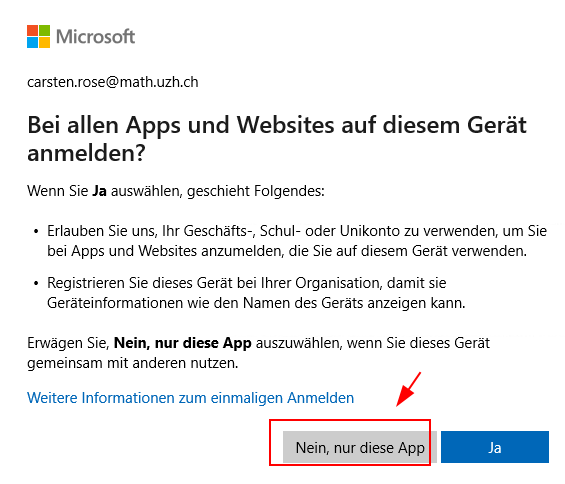
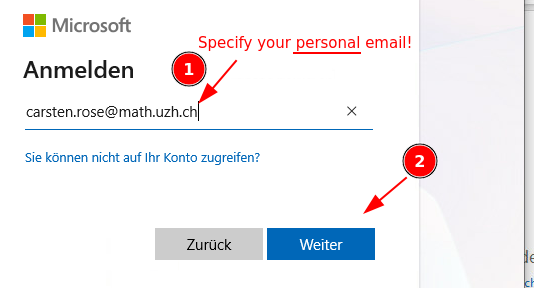
Attention: there is no password for shared mailboxes (=Funktionskonten). Click on 'Mit einem anderen Konto anmelden' and specify your personal email.
New Mail: 'From' automatically selected by current selected mailbox
If there are multiple email adresses configured and a new email is created: it would be nice if 'from' points automatically to the last selected email account.
According to Microsoft, this is not supported by Outlook (Link).
Why is the 'From' button missing?
See: Link
Saving mail in drafts folder of the current email account
- Short: only with extra effort.
- Long: https://learn.microsoft.com/en-us/answers/questions/5490248/drafts-are-saving-to-my-drafts-folder-instead-of-m
Email forward
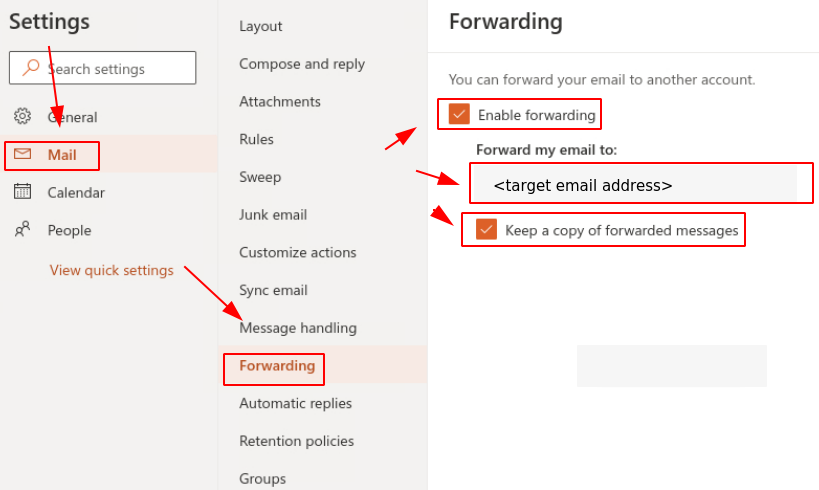
Setting up an email forward in Office 365 (Outlook) via Webinterface.
- Log in to https://outlook.office365.com
- Go to
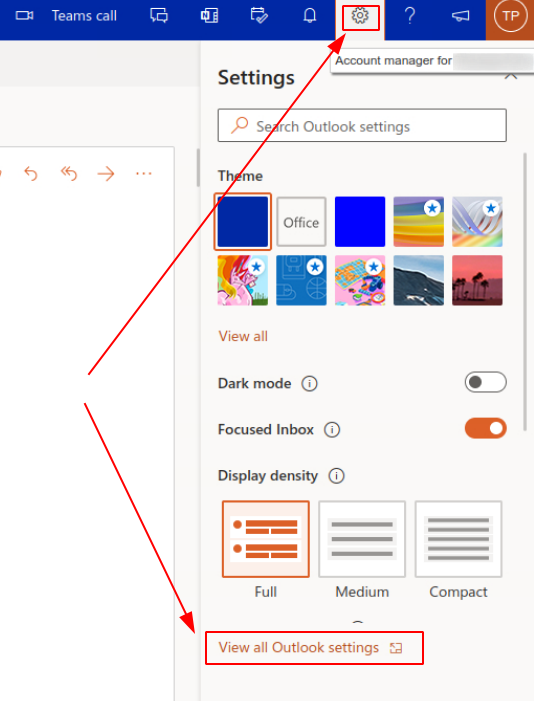
Settings > View all Outlook settings
- Go to
Mail > Forwarding
Disable
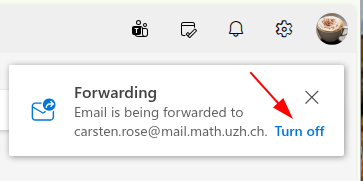
- When you log in on the webinterface, just click on Turn Off:
Hints
Outlook for Mac:Mac - Realname
- Beim anlegen des IMAP Kontos: bei der Anmeldung „Synchronisation mit Microsoft Konto“ ausschalten. Danach kann beim Konto der Realname geändert werden.
Apple Mail and 'Shared Mailbox'
'Reply All' should not include myself
- Currently we don't know if this is an option.
Observations - needs to be investigated
- Send a mail via Thunderbird (Sender is personal account) to an outlook shared mailbox (configured as a mailling list via rules). Sender is member of the mailing list.
- Mail is not received by the sender - not clear if the other member received the mail.
- Send a mail via Thunderbird (Sender is personal account) to a not existing outlook address ...@uzh.ch
- No error Message. Even not a Mailer Daemon error.
- Sending via Outlook Web generates a Mailer Daemon error.
- Send a mail from a shared mailbox, one of the receivers deliver an automatic response.
- The response is received on the personal account, not on the shared mail box