
MFA: I-MATH & DM3L
Step 1 - configure MFA
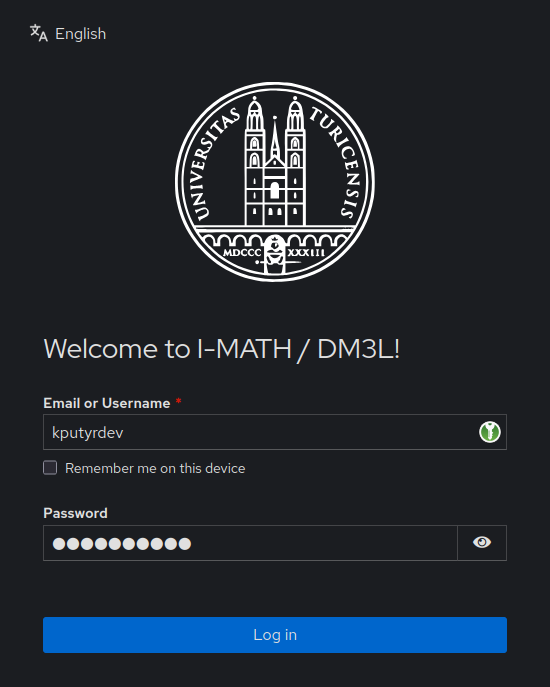
Open https://login.math.uzh.ch
- If no MFA device is configured yet, the page asks to configure one.
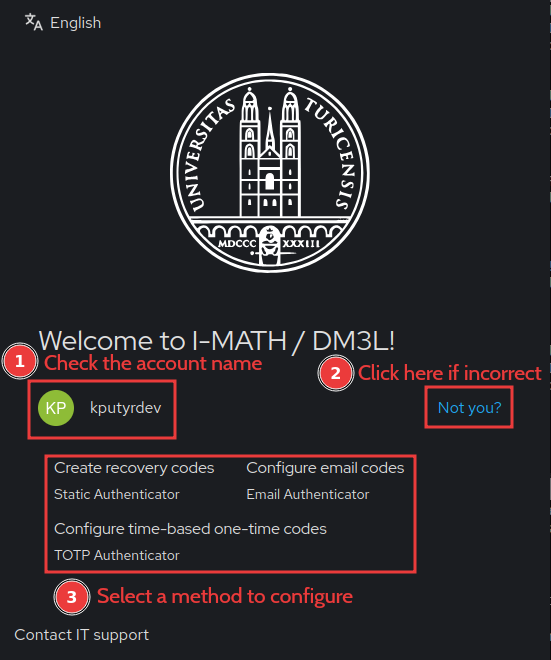
- Setup MFA methods
- Recommended: Setup a) TOTP, b) EMAIL and c) Recovery - ALL of them!
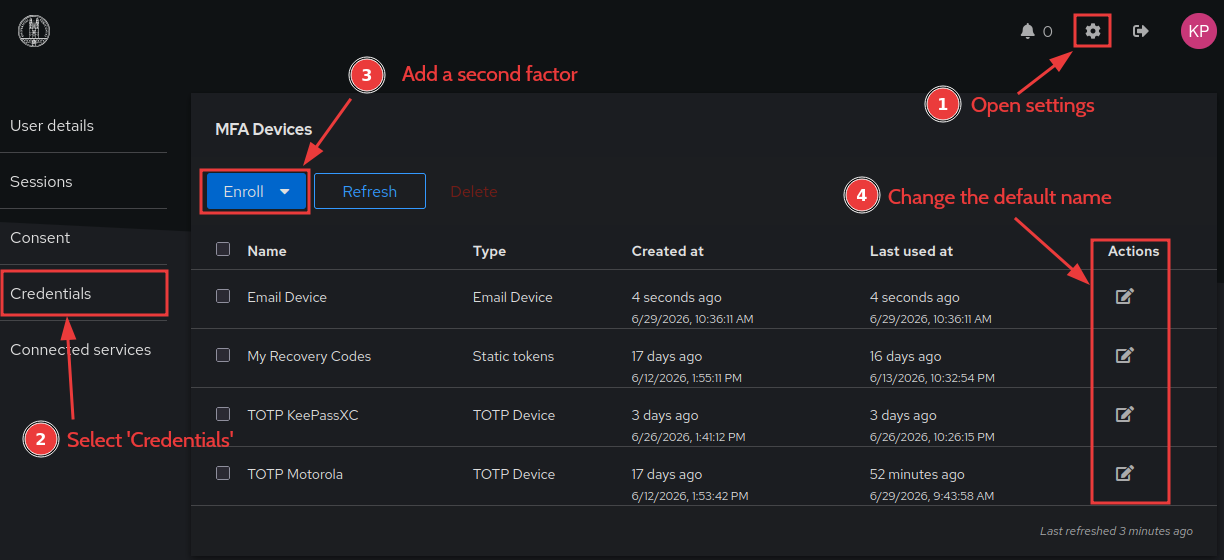
- Only one email-base MFA can be configured and the email can't be changed, it uses the email assigned to the account. This is your Primary UZH Email address.
- We recommend configuring only one TOTP, across several devices (by copying the code to e.g. KeepassXC and scanning the QR code with MS Authenticator).
- Althgouth several TOTPs can be configured (like in the screenshot) and any code is accepted currently.
| Type | Use | Pro | Contra |
| TOTP | Best for daily use | Possible configuration on multiple devices - no single device dependency. | TOTP App necessary. |
| If TOTP is not available | Email is often already configured on mobile and laptop. | Email access necessary. | |
| Recovery Codes | Emergency | Stupid simple. | Codes are quickly exhausted, the last has to be reservered to get new codes. |
Optional Step 2 - configure TOTP App
- TOTP App overview and
Setupsetup - Recommendation: KeepassX
Problems
I cannot configure email codes
Please contact us on support@math.uzh.ch . Possible causes:
- There is another account this with email configured as a second factor. This usually happens to secondary accounts only.
- You have already started to configure the email, but the address has not been verified. Your MFA configuration must be cleaned.
I have lost access to my device and cannot sign in anymore
Please contact us - we will generate a short-living one-time URL to let you access your account and reconfigure MFA.
I'm stuck at "Something went wrong! Please try again later."
This usually happens when you try to configure an email-based MFA for an email that is already in use. You have to delete cookies in your browser that are associated with the domain login.math.uzh.ch, then try to use another method as a second factor.
MFA Services at I-MATH & DM3L via login.math.uzh.ch
- Thinlinc - https://tl.math.uzh.ch
- Wiki - https://wiki.math.uzh.ch
- Hello - https://hello.math.uzh.ch
- SSH - ssh.math.uzh.ch
- More services will follow (GIT, Nextcloud, R-Studio,...) to use the central MFA login.