|
Size: 903
Comment:
|
Size: 921
Comment:
|
| Deletions are marked like this. | Additions are marked like this. |
| Line 8: | Line 8: |
| {{{globe.png}}} | {{attachment:globe.png}} |
| Line 11: | Line 11: |
| {{{directory.png}}} | {{attachment:directory.png}} |
Rocket Chat
You can find the Rocket Chat application under Applications > Internet > Rocket.Chat
Channels
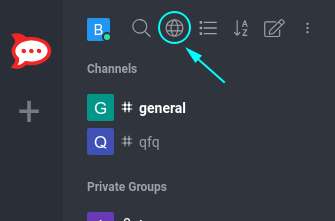
- Clicking on the Globe Symbol (Directory) displays the list of all public channels.
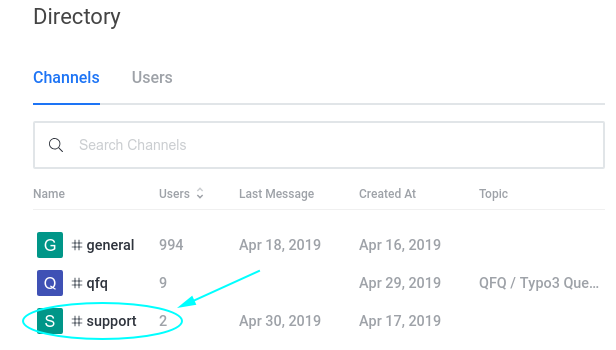
- By clicking on one of those groups, you will see the active conversation and can join it by clicking on the JOIN button at the end.
Inside a channel, you can click on the three dots at the top right corner, which opens a list of various options.
- File List
- See all the files that are uploaded to the channels
- Mentions
- See everyone that tagged you in their own message by writing @yourUsername
Starred Messages
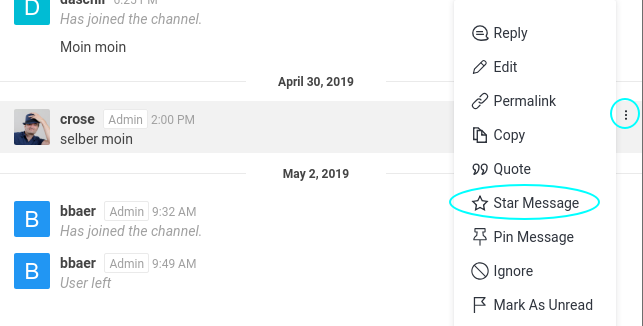
If you want to remember a message for later, you can star it by clicking on the 3 dots at the right side of the message and choosing Star Message, see Screenshot below.