
mac
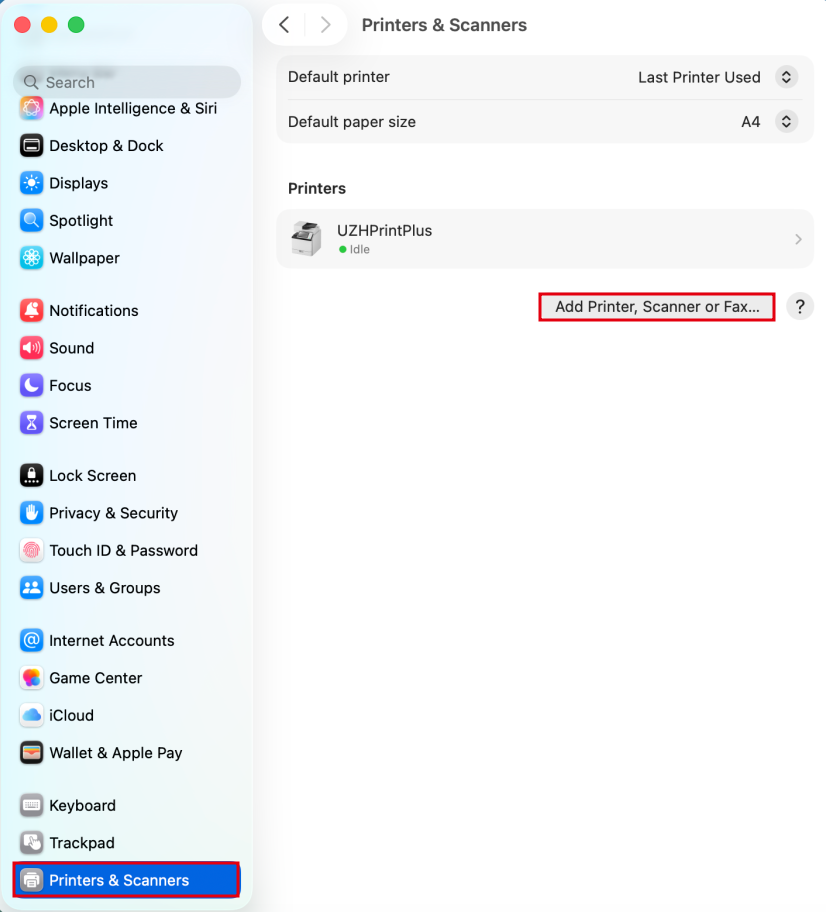
Printing via UZHPrintPlus
Recommendedrecommended for students.- Printing is possible via LAN or WLAN as long as it is UZH internal.
- UZH Print Plus
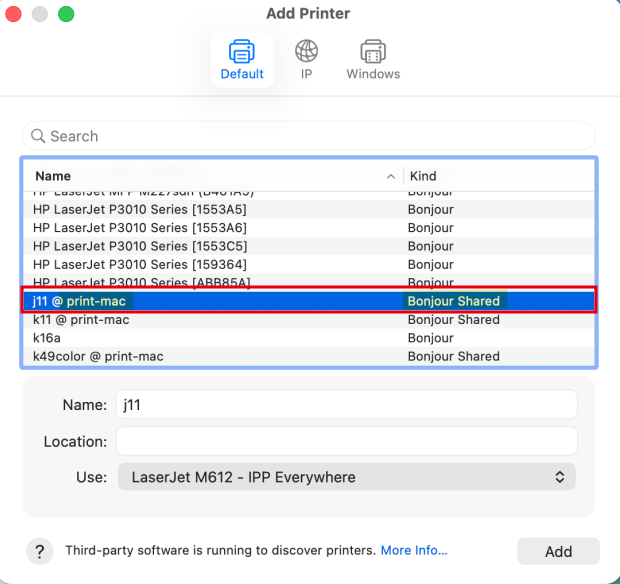
Printing via MATH-Print dedicated MAC Printserver
- Recommended for institute members. (best Option for MacOS)
- The following printers can be added:
k11, - g25, h52, j04, j11,
k49color,j12,g25j16, j20, j24, j28, j34, jcolor, k10color, k11, k14, k16a, k18, k20color, k22, k28, k30, k49color (allInstitutepublicPrinters)
Printing via MATH-Print Linux Printserver
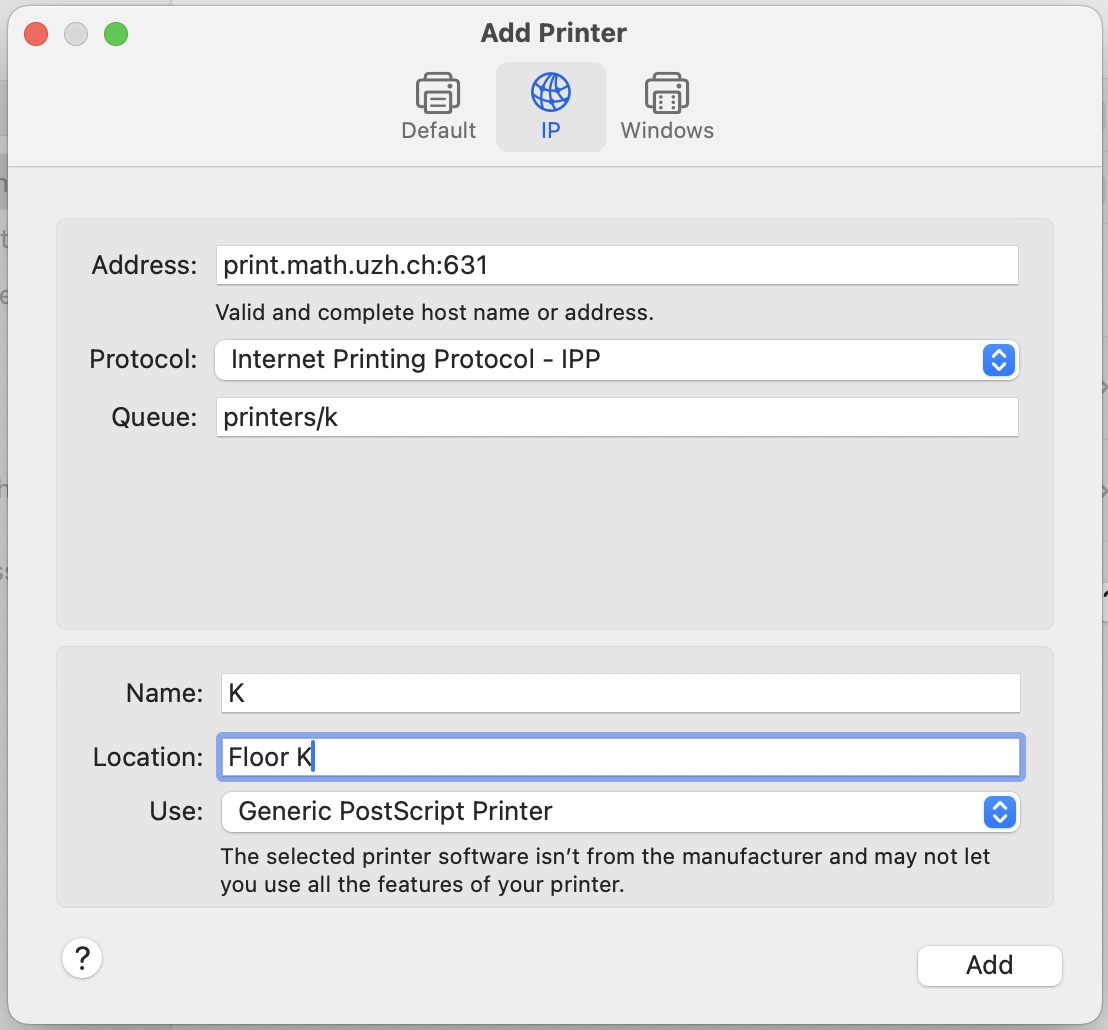
- Open System Settings > Printers & Scanners > Add Printer
- Example: Printer K, if you want a different printer replace the k after "printers/" with your printer name (k30, g25, jcolor,...)
Special cases
- k49color: use print22.math.uzh.ch:631 as the address, otherwise files are not printed