
lightning
Lightning is an Add-On for thunderbird to show remote calendars e.g. of our Zimbra Mailserver.
- Open Thunderbird and switch to the Calendar view (lower left corner):
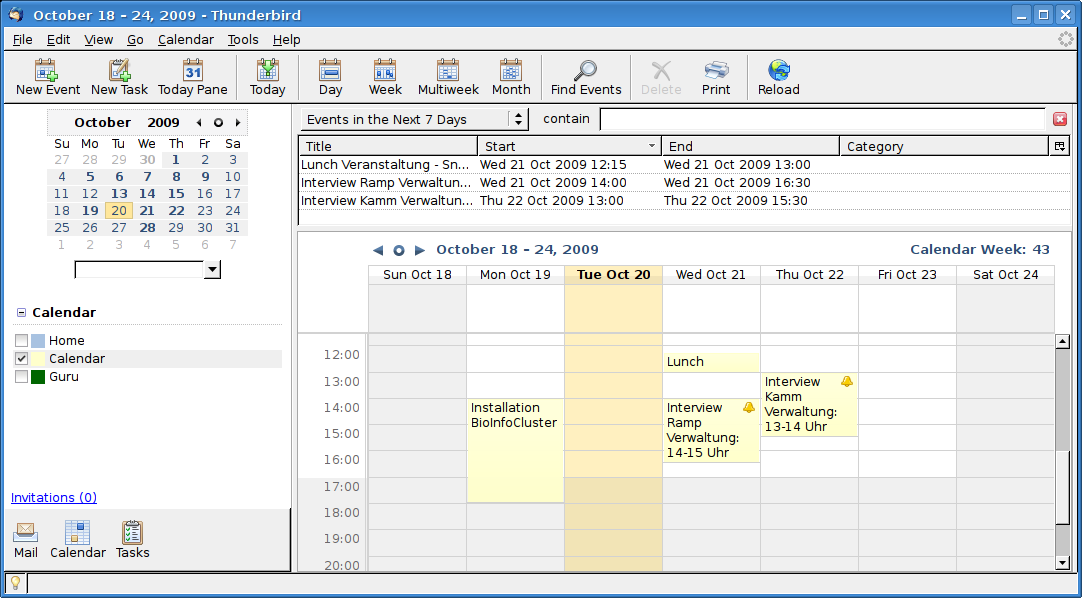
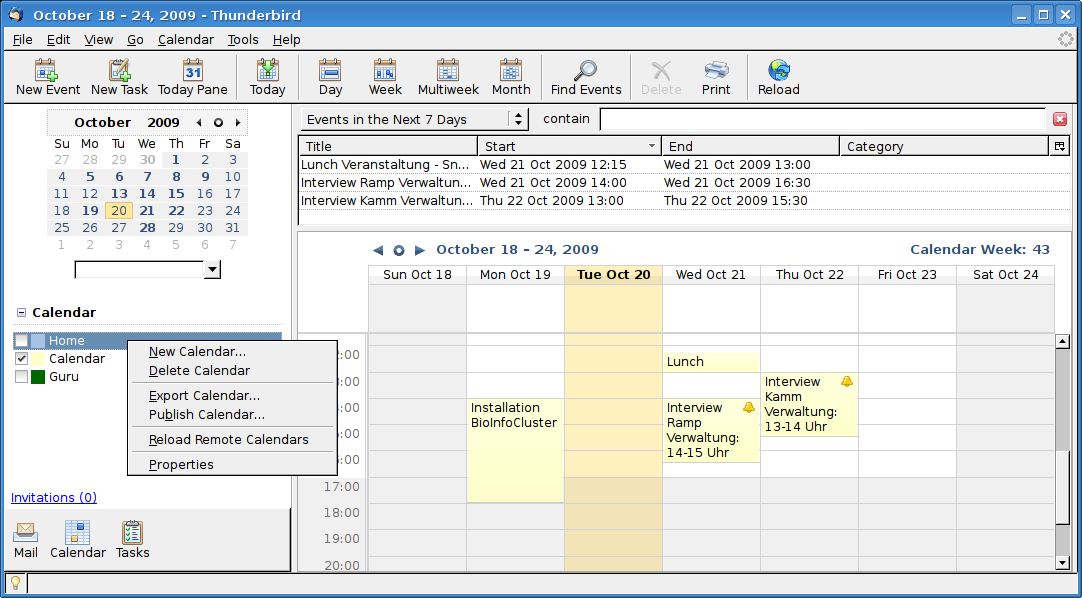
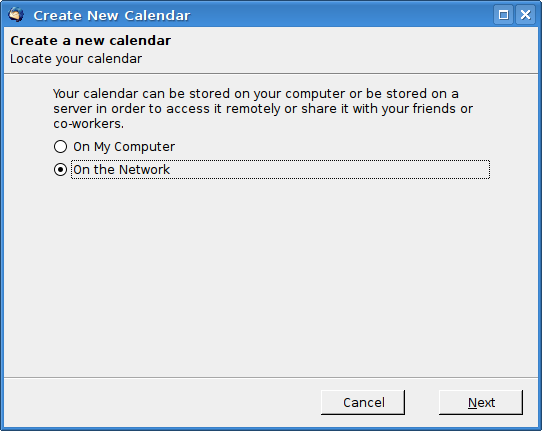
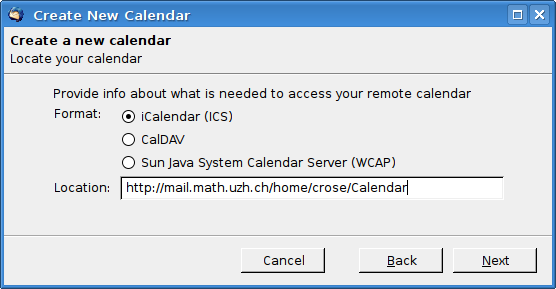
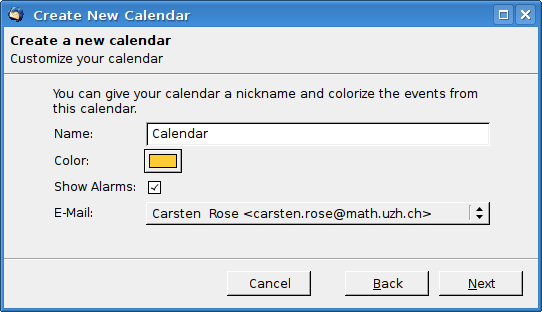
- Move the mouse over the still existing local Thunderbird calendar Home, press the right mouse button and choose New Calendar. Follow the next screenshots.
- Replace the username in the URL with your own.
Further Calendars
- You can configure more than one calendar.
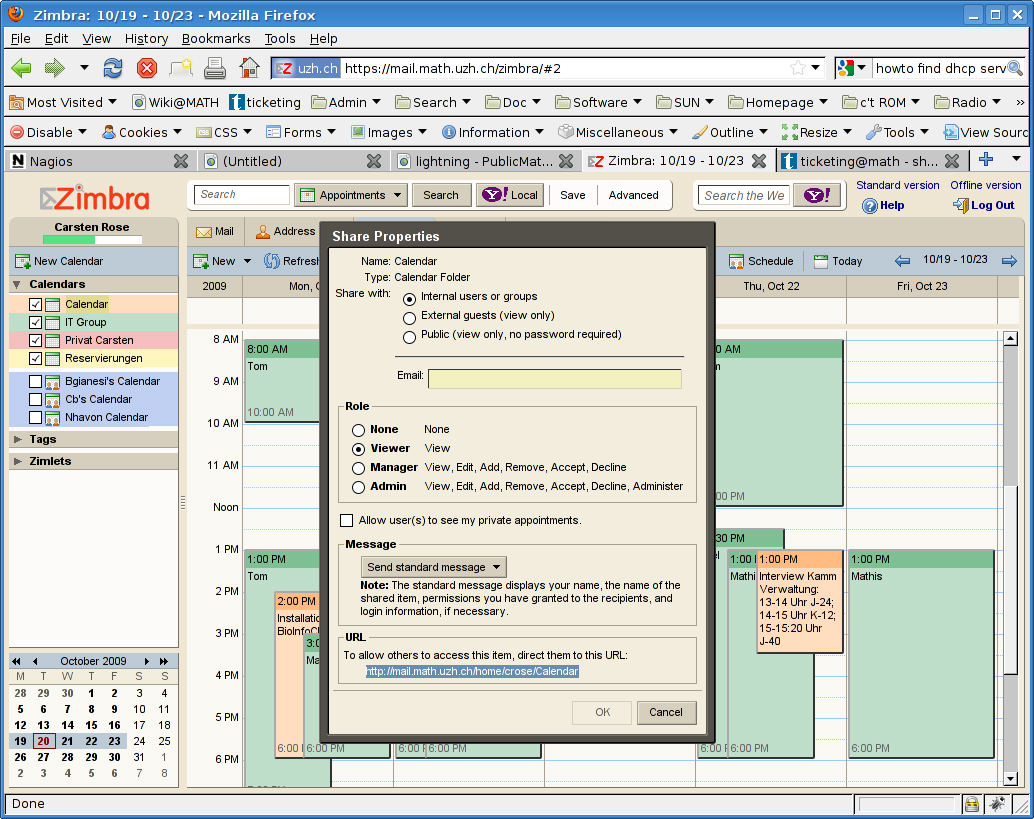
- To find out the right URL:
- Switch to Firefox and call http://mail.math.uzh.ch .
- Choose tab Calendar.
- Move the mouse over the calendar name on the left side.
- Right mouse click, choose "Share Calendar".
- Copy/paste the Calendar URL (highlighted in the screenshot).
Known problems
- If you want to delete an appointment, best do this via web interface in Firefox.
- If you really want to delete appointments in Thunderbird, you have to:
- Open the event
- Choose: Option > Status > Canceled > Save and close.
- Delete the event with: right mouse click > delete.
- If you delete the appointment without prior canceling, the appointment will be deleted in Thunderbird, but not in Zimbra.
- Calendar gets out of sync:
- From time to time it happens that Thunderbird/Lightning don't show any new appointments or changes.
- Delete the calendar in Thunderbird (you only delete the connection, not the calendar itself).
- reconnect the calendar.
- Reminder
- If you create a new appointment in Tunderbird, the default is not to remind you.
- If you create a new appointment in the Zimbra webinterface, the default is to remind you - take care about many unwanted reminders which will appear in Thunderbird suddenly!!!