
Jitsi
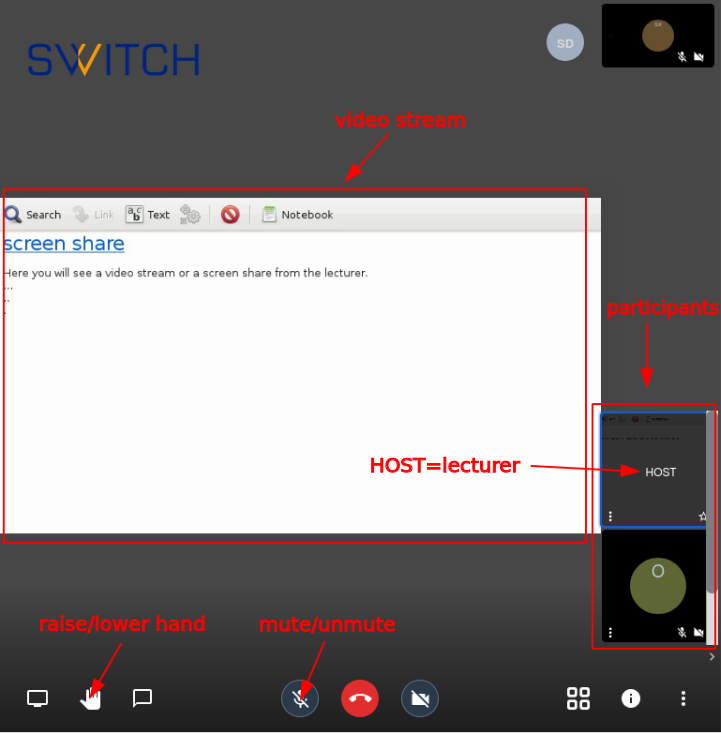
Lecturer/Host
Start a Meeting With Screen Sharing
- Go to https://
uzh.meet.switch.ch/orhttps://jitsi.math.uzh.ch - Choose a name for your meeting/lecture (e.g. MAT123)

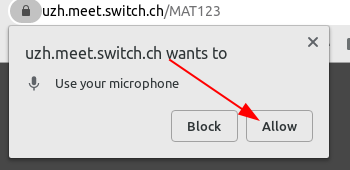
- Allow microphone:
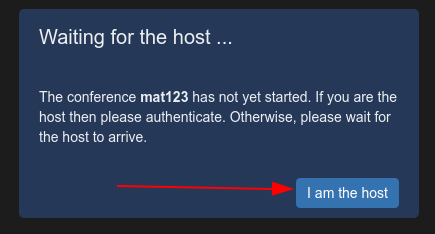
- Click "I am the host" and log in with your UZH shortname
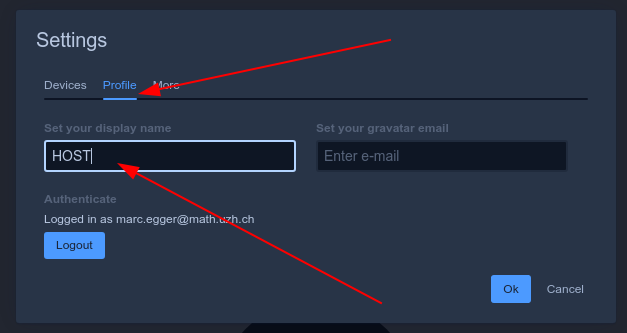
- Open the settings
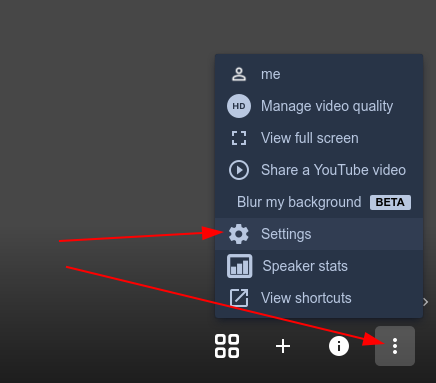
- Give yourself the name HOST
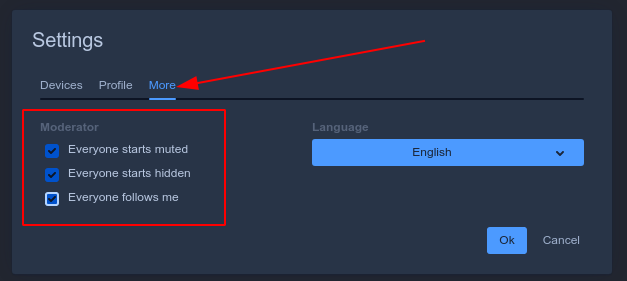
- Check all boxes then press 'ok'
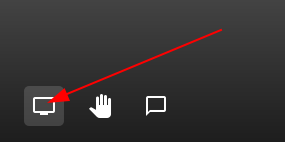
- Click share screen icon (bottom left corner)
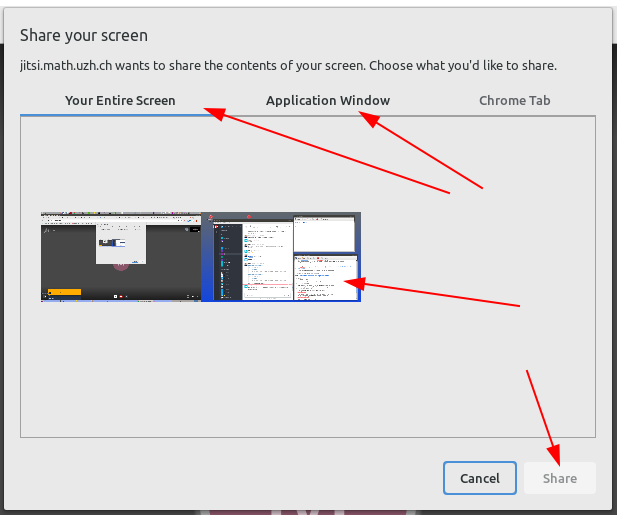
- Choose whole screen or only one window. Click on the window, then click share
- Share the link with your students (copy from URL bar)

- All students will join with their microphone muted and camara off by default
- Students will see what you see. (Since we've checked the checkbox "Everyone follows me" in the settings above)
- All students will join with their microphone muted and camara off by default
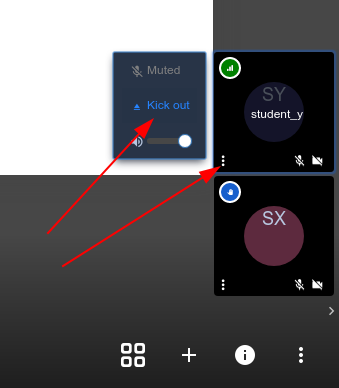
Student Interactions (Questions)
- Any student can press the hand button to ask for attention (raise hand)

- You will see a popup notification and also a hand symbol on the panel of the student who raised their hand:
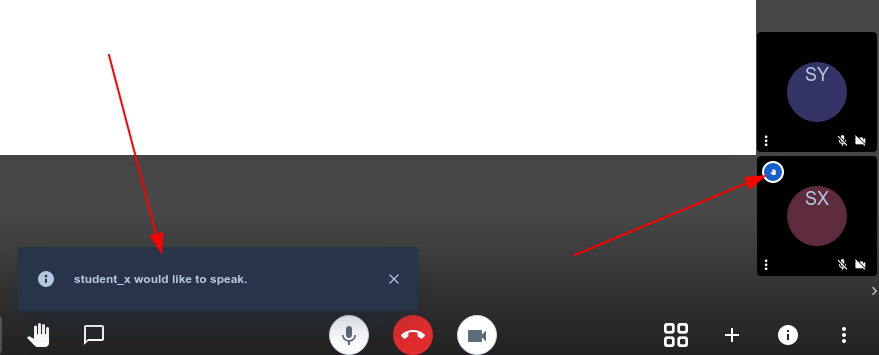
- you can now orally ask that student to turn on their microphone and ask their question.
- If you hover over the panel of the student you can see his/her full name.
Troubleshooting
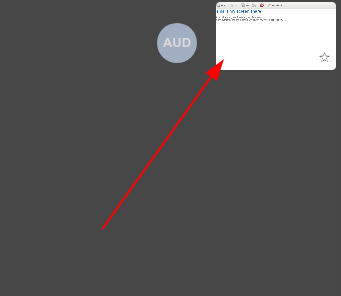
Your Screen Sharing Disappears
- If your screen sharing disappears, click the rectangle in top right corner. Don't click in the middle of the rectangle but close to the border. (If you click in the middle you rename yourself)
Student/Listener
Join a Meeting
- Got to the URL given by the lecturer. (URL of the form http://uzh.meet.switch.ch/...)
- You should immediately see the stream of the host/lecturer. If not, click on the participant named HOST on thre right side. (Hover over the participants to see their names)
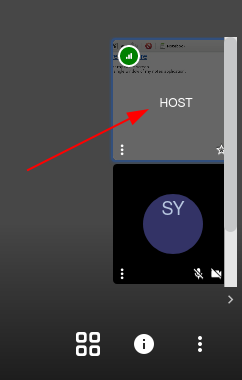
- Your microphone is muted when you join the meeting. Please do not unmute your microphone if you are not asked to do so by the host.
- Give yourself a name so the host can call you out if you have a question
- Open settings
- Change name
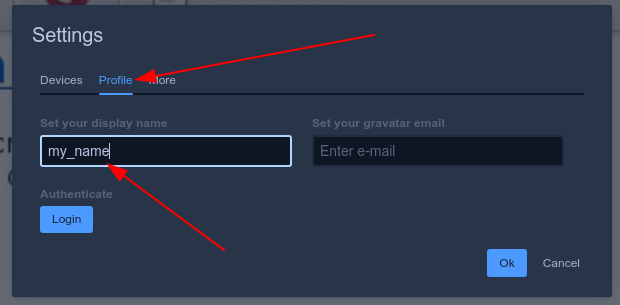
- Open settings
- If the host/lecturer does not see that you raised your hand for too long, unmute and ask for attention.