brave
- Google Chrome based.
- Strong Privacy
- Ad Blocker included
Plugin
- MultiLogin: chrome/google.com/webstore/detail/multilogin
Profiles
Menu:More Tools > Add new Profile
As soon as there is more than one profile, brave will ask during startup which one to use.
Problems
AW Snap
- Check / Clean cache: Quit Brave
[user@tlX]

$ cd ~/.config/BraveSoftware/Brave-Browser/Default/Service\ Worker/
$ \rm -R CacheStorage
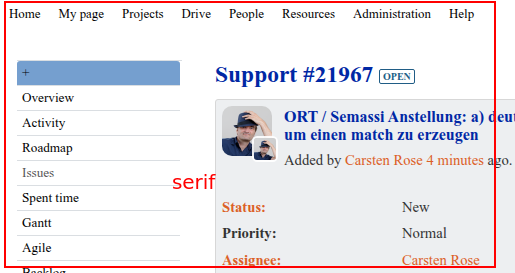
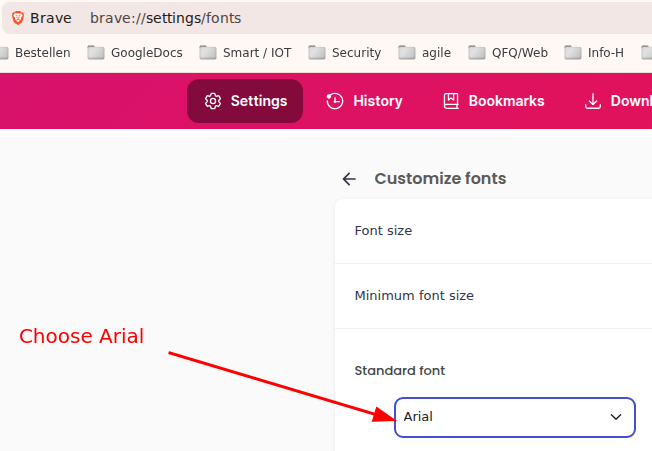
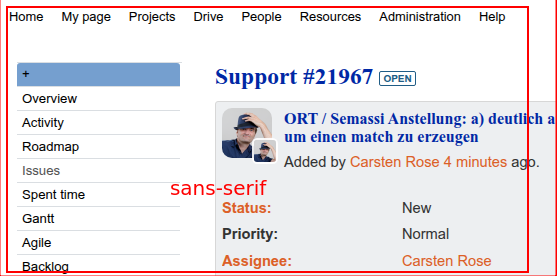
Wrong standard font
- brave://settings/fonts
Bad
Setting
Good
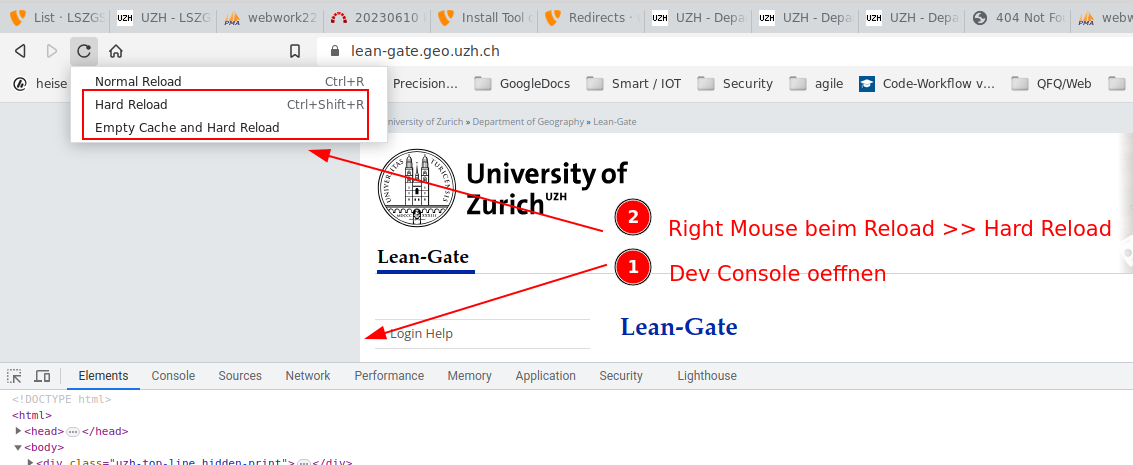
Clear cached redirect 301
- In case A website delivers a HTTP Status 301 (permament moved location), the browser caches this.
- https://hackernoon.com/how-to-clear-the-301302-redirection-cache-oze33y9v
- To clear this: