location: Jitsi

Institute of Mathematics - PublicMathWiki:

Upload page content

You can upload content for the page named below. If you change the page name, you can also upload content for another page. If the page name is empty, we derive the page name from the file name.

File to load page content from
Page name
Comment

Revision 5 as of 2020-03-10 16:42:43

Host/Lecturer Manual

  • go to https://uzh.meet.switch.ch/

  • choose name for meeting (e.g. MAT123) new_meeting.png

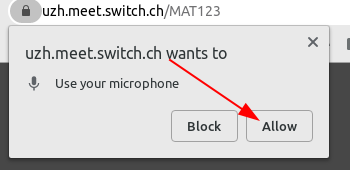
  • allow microphone allow_microphone.png

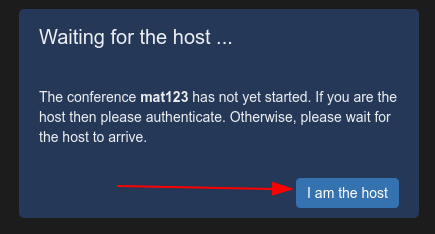
  • i_am_the_host.png

  • login with UZH shortname
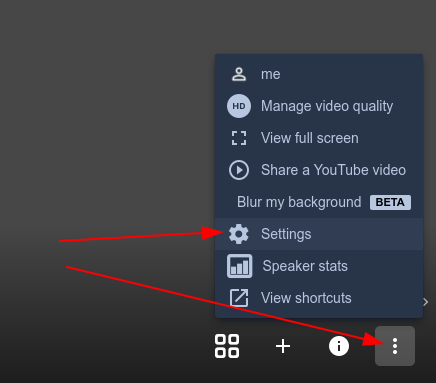
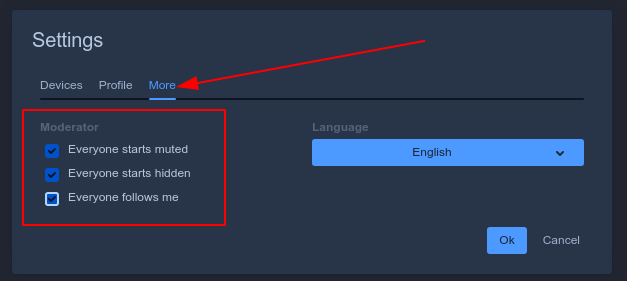
  • open settings open_settings.png

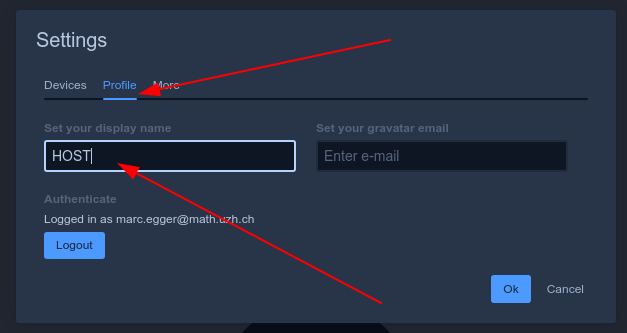
  • give yourself name HOST name_host.png

  • check all boxes check_all_boxes.png

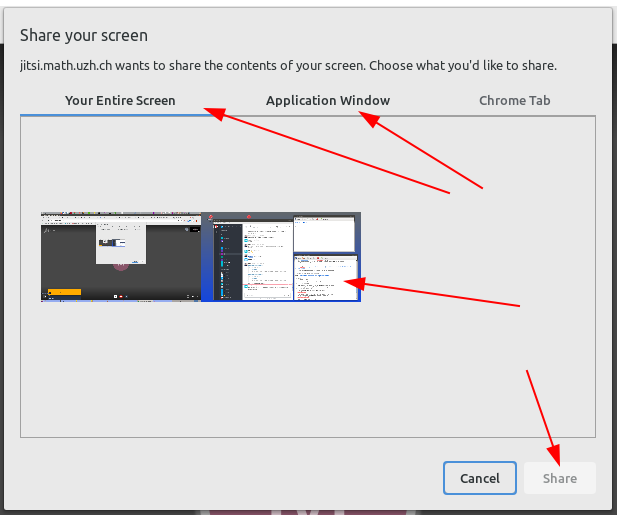
  • click share screen share_screen.png

  • choose whole screen or only one window then click share choose_share.png
  • share the link with your students (copy from URL bar) copy_url.png

  • all students will join with their microphone muted and camara off
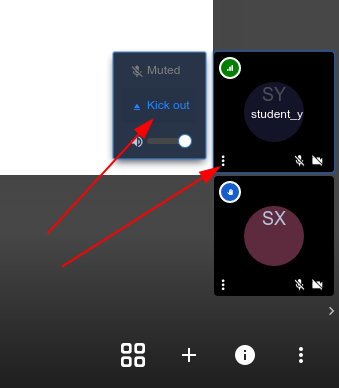
  • on the right side you will see a pannel for each student where you can mute and kick students out of the meeting (there is no way to unmute a student. they must do that themselves) kick_student.png