|
Size: 615
Comment:
|
Size: 635
Comment:
|
| Deletions are marked like this. | Additions are marked like this. |
| Line 1: | Line 1: |
| = How to install the Institute Printers on osX 10.6 = * connect your Mac Notebook to the Institute Networkt * start up a webbrowser and connect to http://localhost:631 * click on "Administration" * {{attachment:osX_printers_01.png}} * choose: advanced * * * è (./) Show Printers shared by other systems: [ (./) ] CUPS [ ] LDAP * {{attachment:osX_printers_02.png}} * Authenticate yourself to restart the local Printserver * {{attachment:osX_printers_03.png}} * The Printers of the Institute will now appear in your "System Preferences / Fax & Printing" * {{attachment:osX_printers_04.png}} |
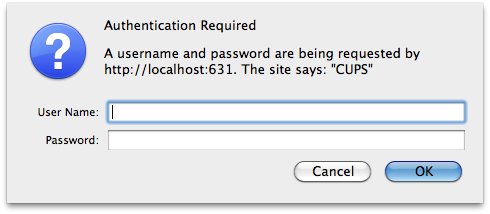
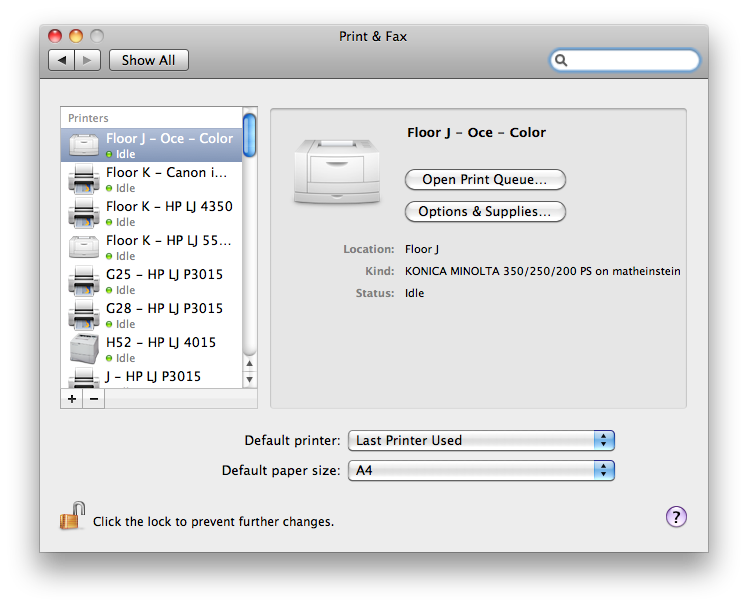
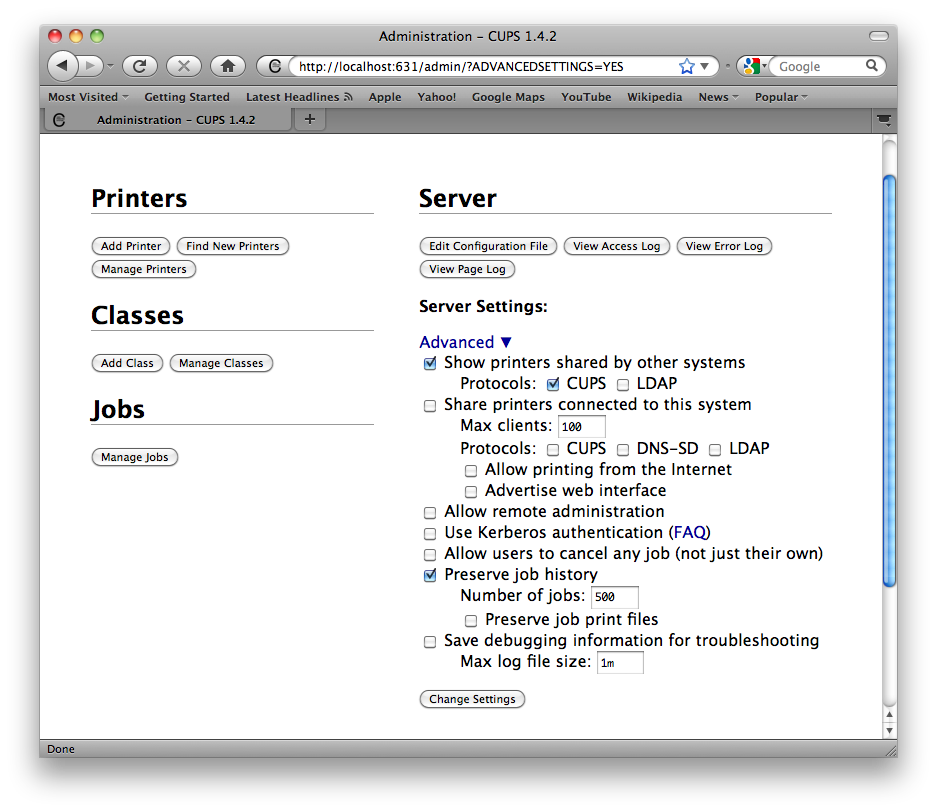
= How to install the institutes printers on osX 10.6 = * Connect your Mac Notebook to the institutes network * Start up a webbrowser and connect to http://localhost:631 * Choose: '''Administration > Advanced''' * Enable: * Show Printers shared by other systems * CUPS {{attachment:osX_printers_02.png}} * Authenticate with a local account (which have administrative rights, normally your local user account) to restart the local printserver {{attachment:osX_printers_03.png}} * The Printers of the Institute will now appear in your "System Preferences / Print & Fax" {{attachment:osX_printers_04.png}} |
How to install the institutes printers on osX 10.6
- Connect your Mac Notebook to the institutes network
Start up a webbrowser and connect to http://localhost:631
Choose: Administration > Advanced
- Enable:
- Show Printers shared by other systems
- CUPS
- Authenticate with a local account (which have administrative rights, normally your local user account) to restart the local printserver
The Printers of the Institute will now appear in your "System Preferences / Print & Fax"