|
Size: 1838
Comment:
|
Size: 1846
Comment:
|
| Deletions are marked like this. | Additions are marked like this. |
| Line 3: | Line 3: |
| = Printing via UPP = * Recommended for students. * Printing is possible via LAN or WLAN as long as it is UZH internal. * [[https://www.zi.uzh.ch/de/support/it-workplace/uzhprintplus/secure-print/install-printer.html|UZH Print Plus]] |
|
| Line 5: | Line 10: |
| = Printing via MATH/DM3L dedicated MAC Printserver (recommended for institute members) = | = Printing via MATH-Print dedicated MAC Printserver = |
| Line 7: | Line 12: |
| = Printing via MATH/DM3L Linux Printserver = | * Recommended for institute members. = Printing via MATH-Print Linux Printserver = |
| Line 38: | Line 45: |
= Printing via UPP (recommended for students) = * Printing is possible via LAN or WLAN as long as it is UZH internal. * [[https://www.zi.uzh.ch/de/support/it-workplace/uzhprintplus/secure-print/install-printer.html|UZH Print Plus]] |
Contents
Printing via UPP
- Recommended for students.
- Printing is possible via LAN or WLAN as long as it is UZH internal.
Printing via MATH-Print dedicated MAC Printserver
- Recommended for institute members.
Printing via MATH-Print Linux Printserver
|
 To use the printer in Y27, you need a LAN connection (not WLAN)
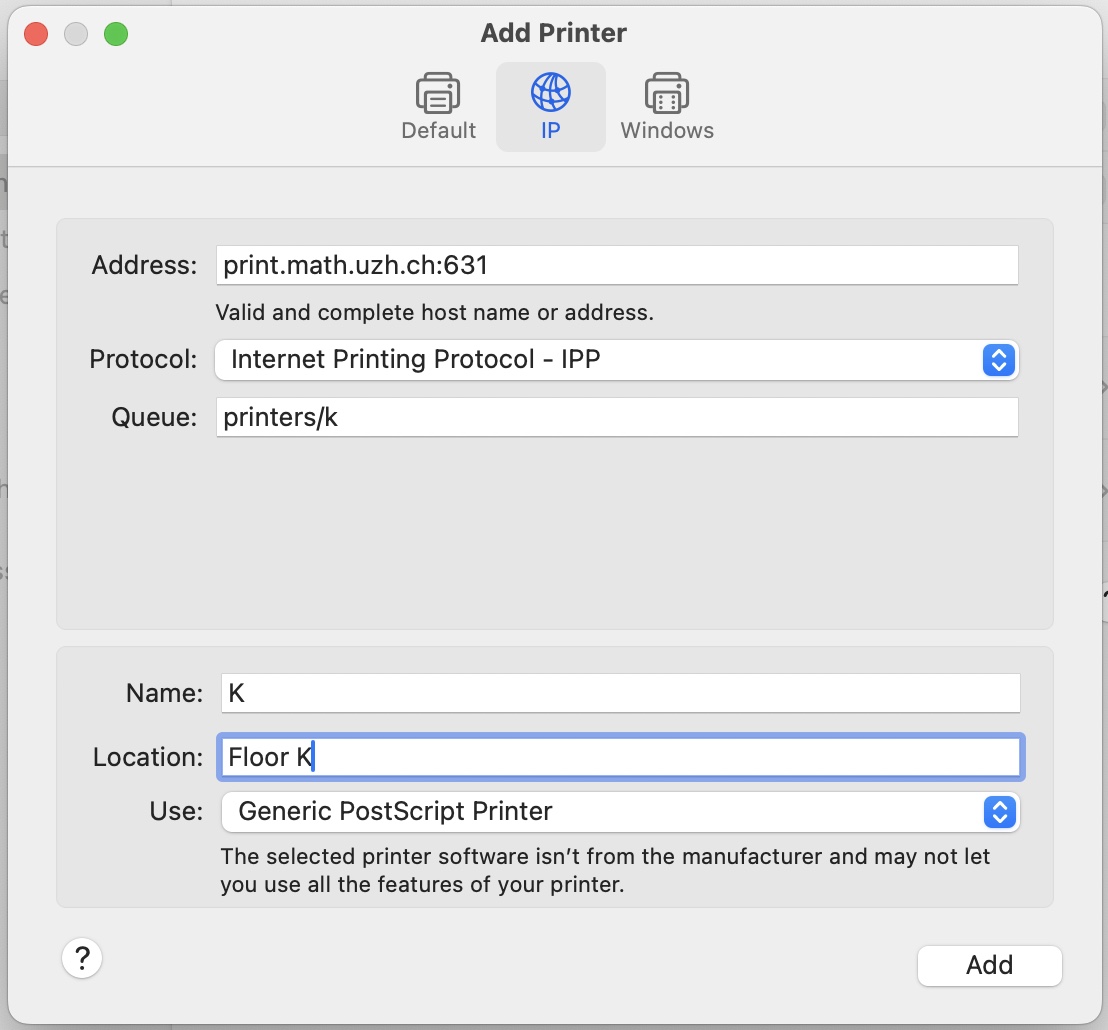
 Open System Settings > Printers & Scanners > Add Printer
- Example: Printer K, if you want a different printer replace the k after "printers/" with your printer name (k30, g25, jcolor,...)
Special cases
- k49color: use print22.math.uzh.ch:631 as the address, otherwise files are not printed
How to install the institute's printers on OSX 10 (Outdated)
Printing from private notebooks to the institutes printer is only possible (UPP is fine) via LAN (=cable) and not via WLAN. Search for a LAN Port with a yellow point.
- Printing from private notebooks is only possible via LAN (not via WLAN).
- Connect your Mac Notebook to the institute's network
Start up a webbrowser and connect to http://localhost:631
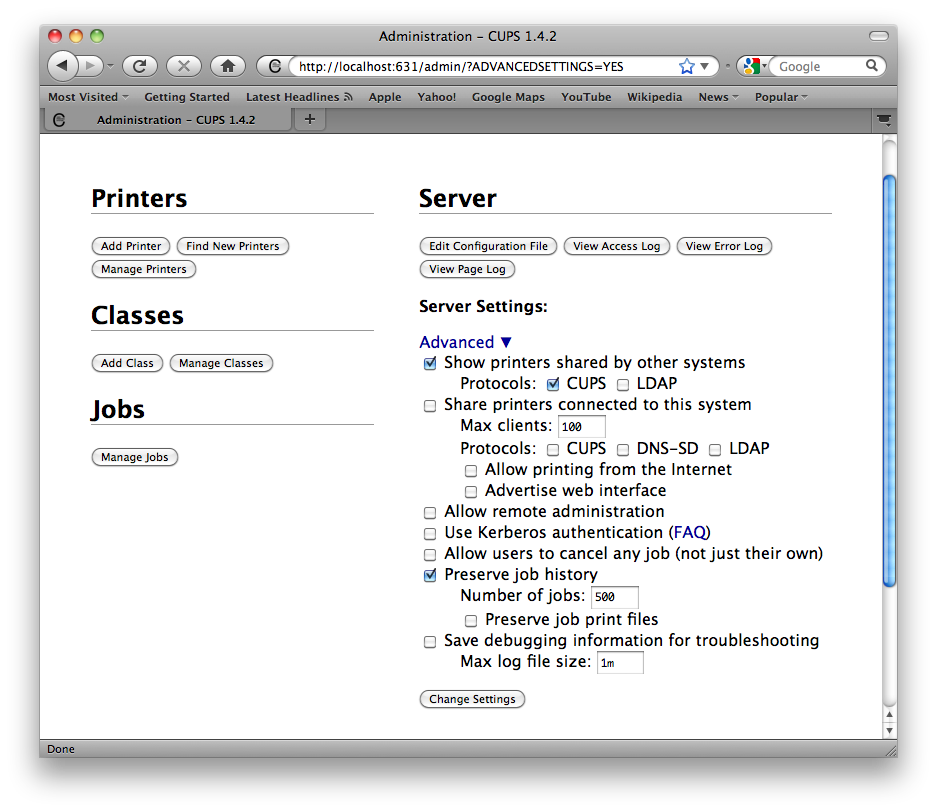
Choose: Administration > Advanced
- Enable:
- Show Printers shared by other systems
- CUPS
- Authenticate with a local account (which have administrative rights, normally your local user account) to restart the local printserver
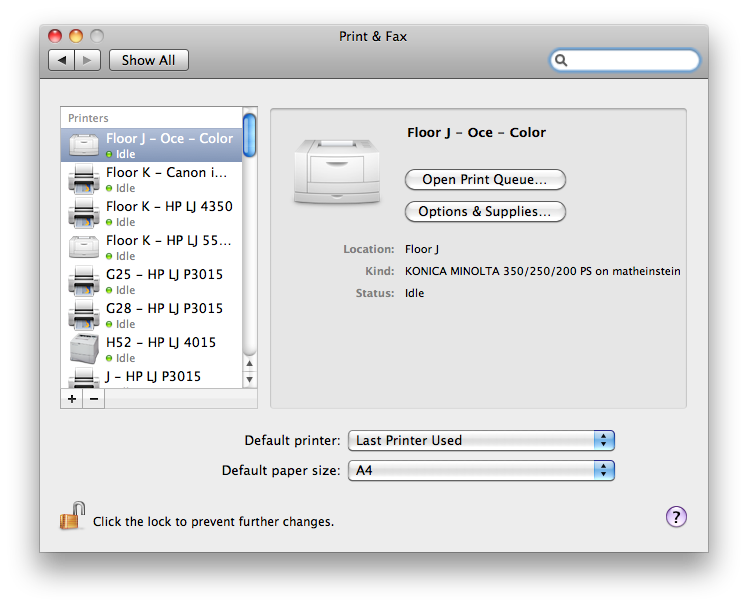
The Printers of the Institute will now appear in your "System Preferences / Print & Fax"