
|
Size: 829
Comment:
|
Size: 1094
Comment:
|
| Deletions are marked like this. | Additions are marked like this. |
| Line 2: | Line 2: |
* Printing from private notebooks to the institutes printer is only possible (UPP is fine) via LAN (=cable) and not via WLAN. Search for a LAN Port with a yellow point. |
|
| Line 17: | Line 20: |
| [[https://www.zi.uzh.ch/de/support/it-workplace/uzhprintplus/secure-print/install-printer.html|UZH Print Plus]] | = Via UPP = * Printing is possible via LAN or WLAN as long as it is UZH internal. * [[https://www.zi.uzh.ch/de/support/it-workplace/uzhprintplus/secure-print/install-printer.html|UZH Print Plus]] |
How to install the institute's printers on OSX 10.6
- Printing from private notebooks to the institutes printer is only possible (UPP is fine) via LAN (=cable) and not via WLAN. Search for a LAN Port with a yellow point.
- Printing from private notebooks is only possible via LAN (not via WLAN).
- Connect your Mac Notebook to the institute's network
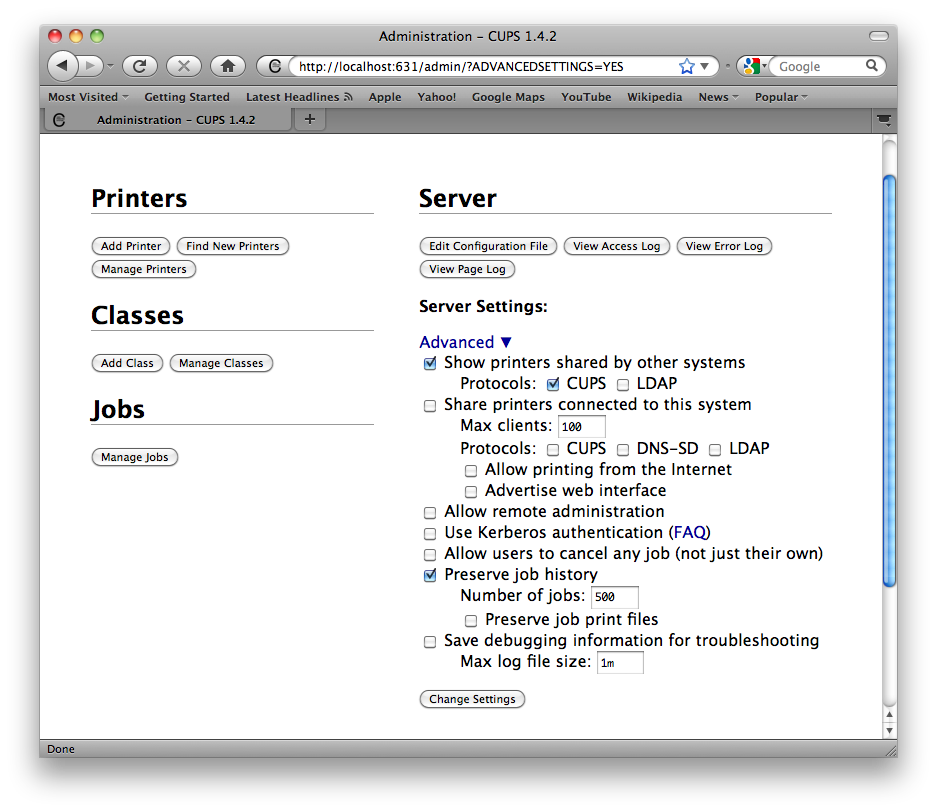
Start up a webbrowser and connect to http://localhost:631
Choose: Administration > Advanced
- Enable:
- Show Printers shared by other systems
- CUPS
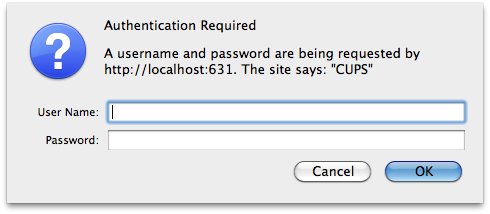
- Authenticate with a local account (which have administrative rights, normally your local user account) to restart the local printserver
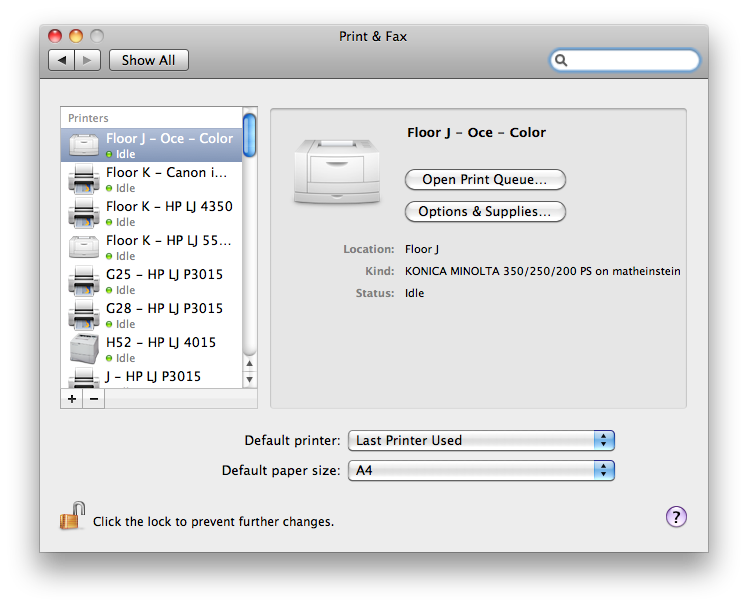
The Printers of the Institute will now appear in your "System Preferences / Print & Fax"
Via UPP
- Printing is possible via LAN or WLAN as long as it is UZH internal.