
|
Size: 1522
Comment:
|
Size: 1641
Comment:
|
| Deletions are marked like this. | Additions are marked like this. |
| Line 2: | Line 2: |
==== Content: ==== * Create RStudio Project from Git Repository * Commit and Push to the Repository |
|
| Line 6: | Line 11: |
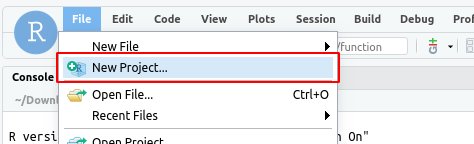
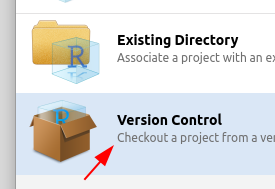
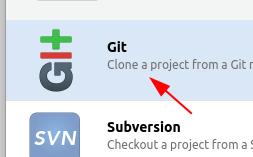
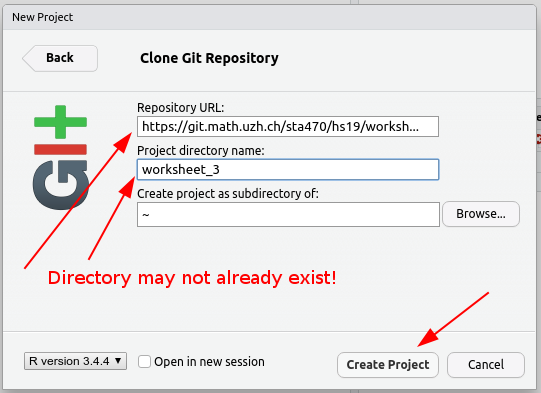
| * From the "File" menu select "new Project..." {{attachment:01_rstudio_file.png}} * In the dialog choose "Version Control" {{attachment:02_version_control.png}} * Next choose Git {{attachment:03_git.png}} * Enter the url of your Git repository and choose a unique name for the project. Change the Project location if you like. Then press "Create Project" {{attachment:04_create_project.png}} |
* From the "File" menu select "new Project...". {{attachment:01_rstudio_file.png}} * In the dialog choose "Version Control". {{attachment:02_version_control.png}} * Next choose Git. {{attachment:03_git.png}} * Enter the url of your Git repository and choose a unique name for the project. Change the Project location if you like. Then press "Create Project". {{attachment:04_create_project.png}} |
| Line 11: | Line 16: |
| * If the project was created successfully you will now see the project path and the project files in the Files panel (bottom right panel) {{attachment:051_finished.png}} | * If the project was created successfully you will now see the project path and the project files in the Files panel (bottom right panel). {{attachment:051_finished.png}} |
| Line 15: | Line 20: |
| * From the "Git" menu select "commit" {{attachment:06_commit.png}} * In the newly opened window choose the files that you would like to commit and write a commit message. It won't work if you leave the message empty! Then press "commit" {{attachment:07_choose_files.png}} * Check whether there were any errors and then the close the dialog {{attachment:08_close.png}} * Click on "push" {{attachment:09_push.png}} |
* From the "Git" menu select "commit". {{attachment:06_commit.png}} * In the newly opened window choose the files that you would like to commit and write a commit message. It won't work if you leave the message empty! Then press "Commit". {{attachment:07_choose_files.png}} * Check whether there were any errors and then the close the dialog. {{attachment:08_close.png}} * Click on "push". {{attachment:09_push.png}} |
| Line 20: | Line 25: |
| * Check whether there were any errors and then the close the dialog {{attachment:10_push_success.png}} | * Check whether there were any errors and then the close the dialog. {{attachment:10_push_success.png}} |
Use Git in RStudio
Content:
- Create RStudio Project from Git Repository
- Commit and Push to the Repository
Create RStudio Project from Git Repository
Login with your uzh shortname at https://rstudio.math.uzh.ch
From the "File" menu select "new Project...".
In the dialog choose "Version Control".
Next choose Git.
Enter the url of your Git repository and choose a unique name for the project. Change the Project location if you like. Then press "Create Project".
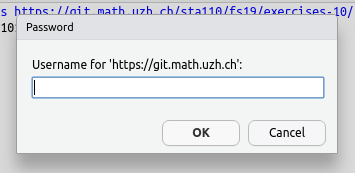
Enter your Git server login in the dialog. Usually this is your uzh shortname and password.
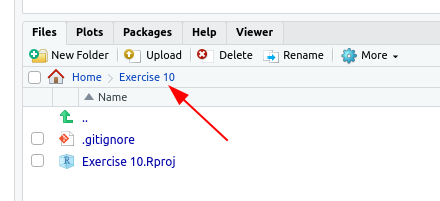
If the project was created successfully you will now see the project path and the project files in the Files panel (bottom right panel).
Commit and Push to the Repository
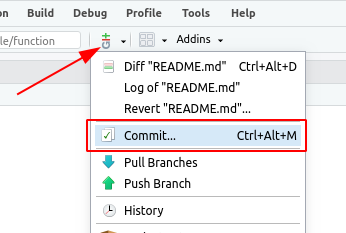
From the "Git" menu select "commit".
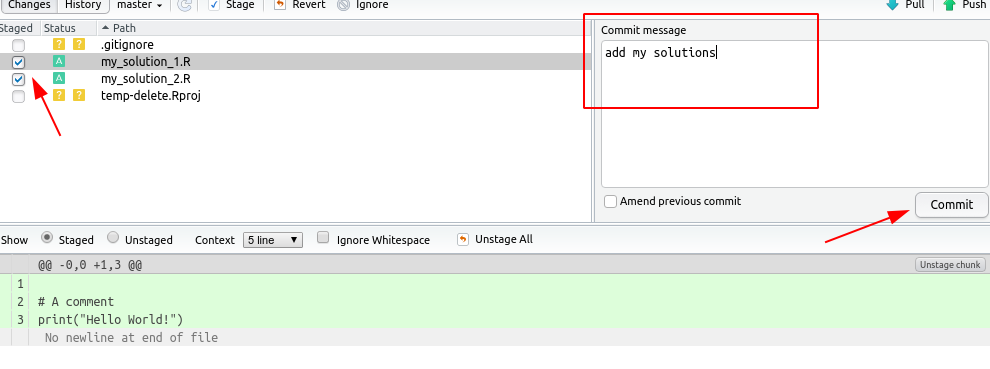
In the newly opened window choose the files that you would like to commit and write a commit message. It won't work if you leave the message empty! Then press "Commit".
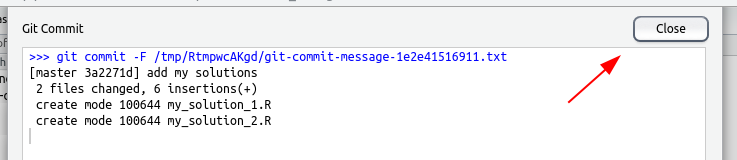
Check whether there were any errors and then the close the dialog.
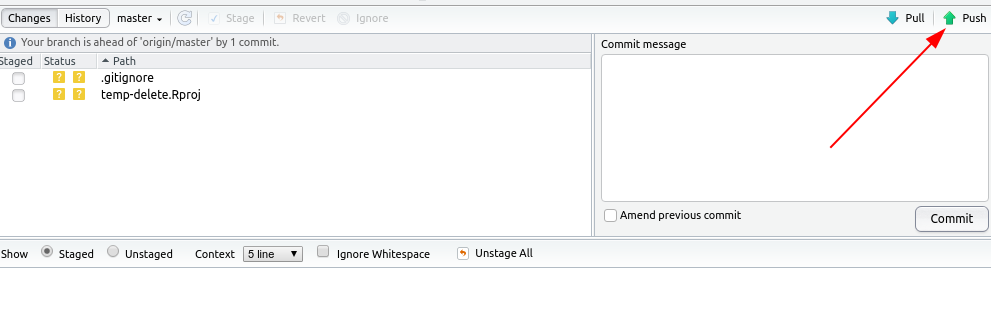
Click on "push".
- Enter your Git server username and password in the dialog. Usually this is your uzh shortname and password.
Check whether there were any errors and then the close the dialog.
