Setup for Office 365
Step 1:
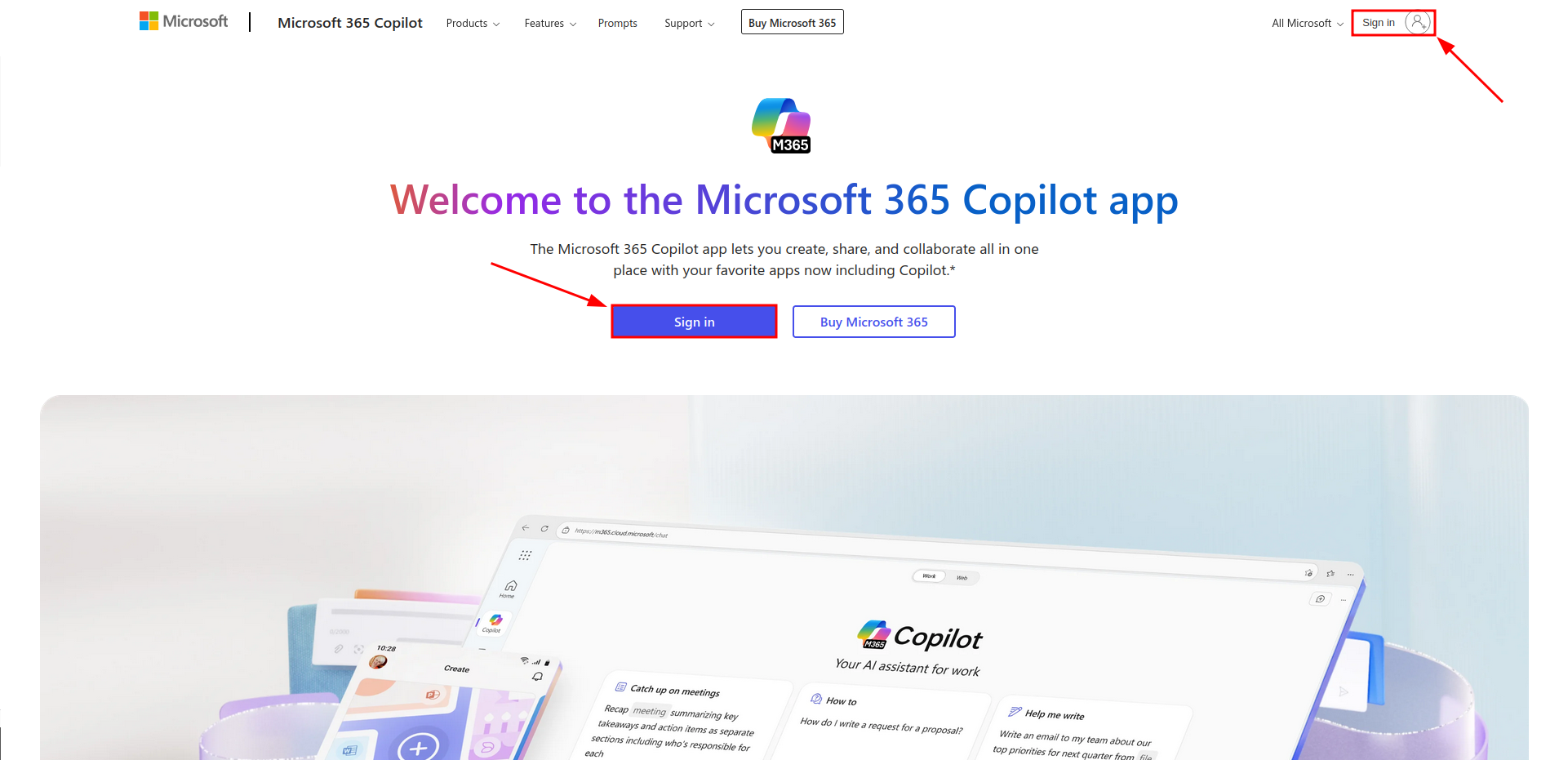
To install the Apps go to Office 365 and sign in with your Microsoft Account (in the center or on the top right).
Step 2:
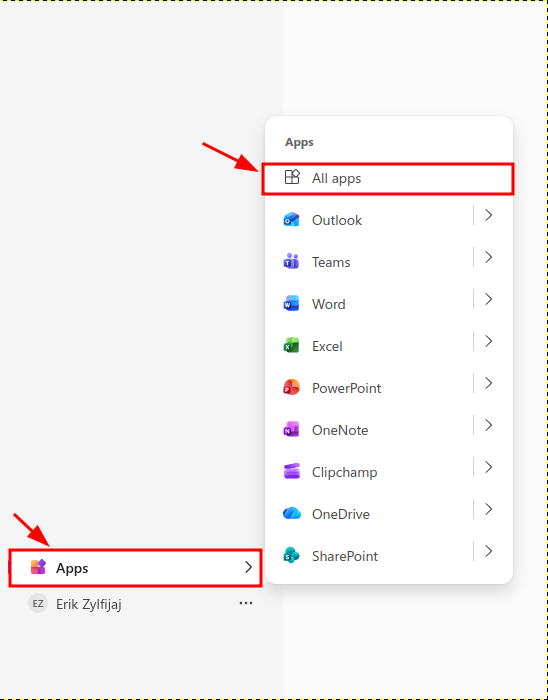
- Once signed in, go to "Apps" then on "All apps".
Step 3:
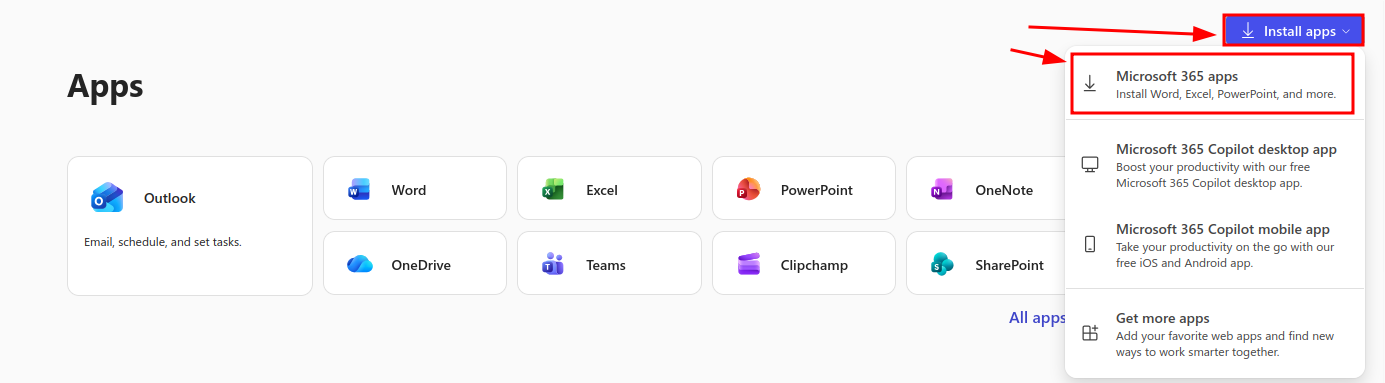
- Click on "Install apps", then on "Microsoft 365 apps". This will download all the apps that come with Office 365.
Step 4:
If you have the apps downloaded before you signed in Office 365, you can open one of the apps and sign in there.