
|
Size: 1333
Comment:
|
Size: 1314
Comment:
|
| Deletions are marked like this. | Additions are marked like this. |
| Line 1: | Line 1: |
| = Microsoft Authentication = |
|
| Line 5: | Line 3: |
= Method = |
= Microsoft Authentication = |
| Line 16: | Line 13: |
| * You can manage the sign in options for your account here: https://mysignins.microsoft.com/security-info | * https://www.zi.uzh.ch/en/support/Outlook-und-Kollaboration-Office-365/setup-multifactor-authentification.html * Manage sign in options: https://mysignins.microsoft.com/security-info |
| Line 18: | Line 16: |
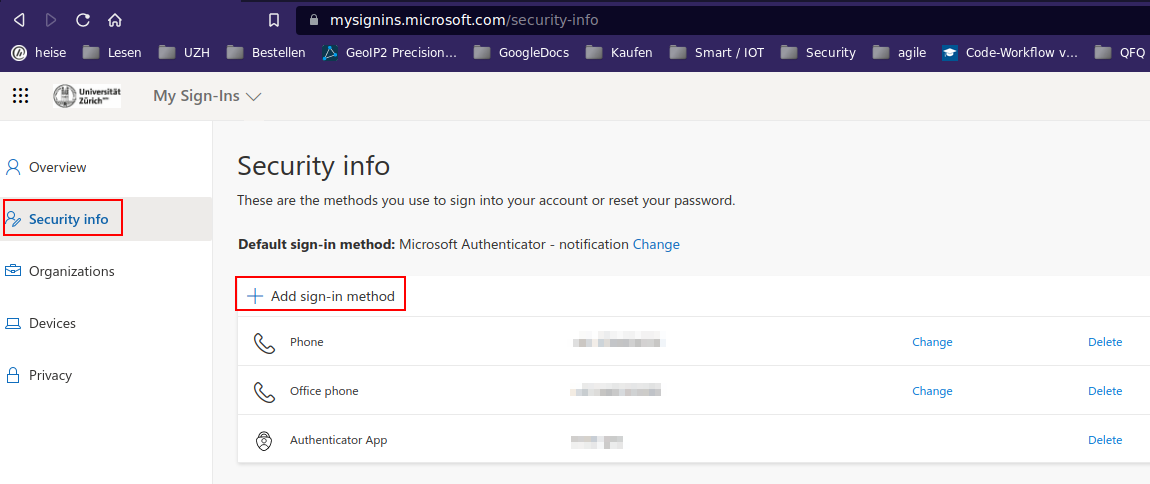
| == Add further authentication ways == * https://account.activedirectory.windowsazure.com/securityInfo |
{{attachment:mfa-second.png}} |
| Line 26: | Line 20: |
* If you lost Access to your Microsoft Account you can contact the ZI Support and ask them to reset your Accounts Authentication settings. |
* If you lost Access to your Microsoft Account, you can contact the ZI Support and ask them to reset your Accounts Authentication settings. |
Contents
Microsoft Authentication
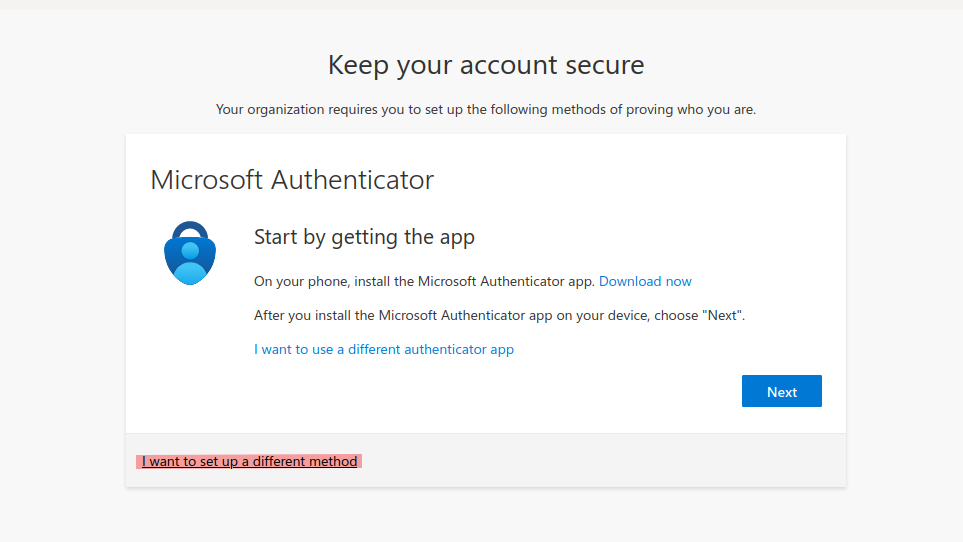
- MFA (Multi Factor Authentification) can be configured in different ways.
- The default way is to use the Microsoft Authenticator App.
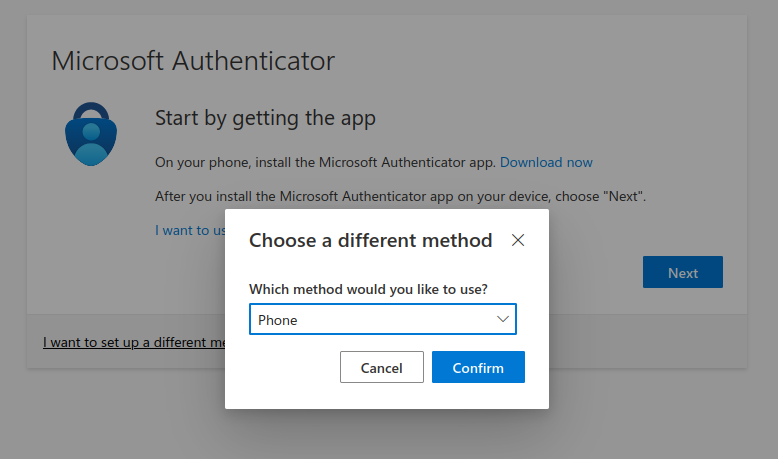
- To use a different method of Authentication, you can choose 'I want to set up a different method' when setting up your Microsoft Account.
- If you choose 'Phone', enter your mobile or office phone number.
Manage sign in options: https://mysignins.microsoft.com/security-info
Lost Access
- If you lost Access to your Microsoft Account, you can contact the ZI Support and ask them to reset your Accounts Authentication settings.
- ZI Support Contacts:
Self-Service Portal: https://support.uzh.ch/
E-Mail: support@zi.uzh.ch
- Phone: 044 63 43333
More Information: https://www.zi.uzh.ch/en/support.html
And for the next time: remember to setup a second way of authentication, before you loose the first one

- After the reset, log in to your Microsoft Account and follow the steps listed under Method to set up your Microsoft Authentication